Streamlining your creative process is key to efficient filmmaking and animation. Storyboarding, a crucial pre-production step, benefits significantly from dedicated software. This exploration delves into four powerful storyboard applications – Storyboarder, Adobe Story, Celtx, and Toon Boom Harmony – comparing their features, usability, and collaborative capabilities to help you select the best tool for your project needs. We’ll examine how these tools enhance communication, reduce costs, and ultimately improve your overall workflow.
From intuitive interfaces to advanced animation features, we’ll uncover the strengths and weaknesses of each software, providing practical examples and insights into how they can be integrated into your existing production pipeline. Whether you’re a seasoned professional or just starting, this guide offers valuable information to elevate your storyboarding process.
Top 4 Storyboard Software Choices
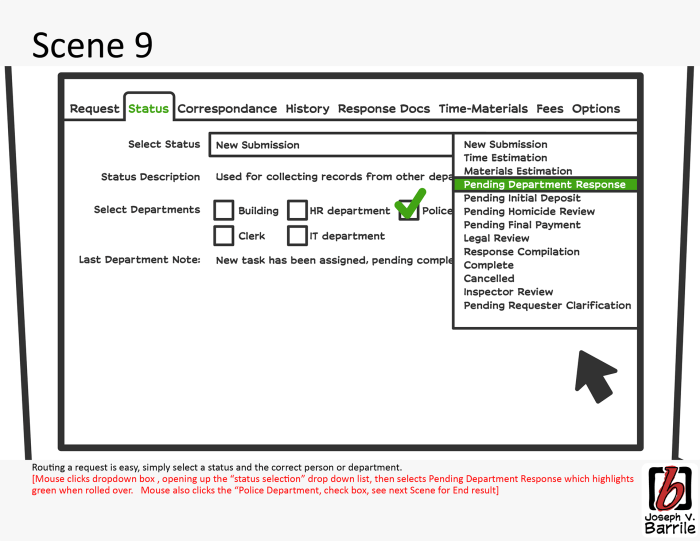
Choosing the right storyboard software can significantly impact your workflow and overall project efficiency. This comparison focuses on four popular options: Storyboarder, Adobe Story, Celtx, and Toon Boom Harmony, highlighting their strengths and weaknesses to help you make an informed decision. We’ll examine their user interfaces, features, pricing, collaboration capabilities, and suitability for different project types.
Comparative Overview of Storyboard Software
The following table provides a concise comparison of Storyboarder, Adobe Story, Celtx, and Toon Boom Harmony across key aspects:
| Software | Ease of Use | Features | Pricing |
|---|---|---|---|
| Storyboarder | Intuitive and easy to learn, especially for beginners. Focuses on the core storyboard creation process. | Panel creation, simple animation, export options for various formats, strong focus on layout and composition. | Free (open-source) |
| Adobe Story | More complex interface, requires familiarity with Adobe Creative Cloud ecosystem. Powerful features but steeper learning curve. | Integrated with other Adobe products, advanced scriptwriting tools, collaboration features, cloud storage. | Subscription-based (part of Adobe Creative Cloud) |
| Celtx | User-friendly interface, suitable for both beginners and experienced users. Offers a wide range of features beyond storyboarding. | Scriptwriting, scheduling, budgeting, storyboarding, collaboration tools, and project management. | Free and paid plans available, with paid plans offering advanced features and collaboration options. |
| Toon Boom Harmony | Steep learning curve, designed for professional animators and story artists. Highly powerful but requires significant investment in time and training. | Advanced animation tools, vector-based drawing, powerful effects and compositing capabilities, extensive export options. | Expensive, professional-grade subscription or perpetual license. |
Collaboration Features: Strengths and Weaknesses
Collaboration is crucial in many storyboard projects. Each software offers varying levels of support. Storyboarder, while lacking dedicated real-time collaboration, excels in its ease of exporting and importing files for teamwork. Adobe Story leverages the power of the cloud for seamless collaboration, allowing multiple users to work on the same project simultaneously. Celtx provides a comprehensive suite of collaboration tools, including version control and integrated communication features. Toon Boom Harmony, while offering cloud storage and some collaboration features, primarily focuses on individual artist workflows. Its collaborative features are less robust compared to the others.
Hypothetical Project and Software Selection
Let’s consider a project for a short animated film. The project requires a team of three artists, a writer, and a director, needing efficient script integration, real-time collaboration, and robust version control. For this scenario, Adobe Story would be the most suitable choice. Its integration with other Adobe products, cloud-based collaboration features, and scriptwriting tools make it ideal for managing a collaborative animation project. The ability for multiple users to simultaneously work on the storyboard would streamline the workflow and facilitate efficient feedback.
Storyboard Panel Examples
Imagine a scene depicting a character running through a forest.
* Storyboarder: A simple, clean panel showing the character in mid-stride, using basic shapes and lines to represent the trees. The tools used would be the basic drawing tools, and the style would be minimalist and efficient. The focus is on clear composition and conveying the action.
* Adobe Story: A more detailed panel with richer colors and shading, perhaps using a digital painting technique. The character might be more realistically rendered, and the forest background more detailed. The tools used would include brushes, layers, and potentially vector tools for precise lines.
* Celtx: A panel with a similar level of detail to Storyboarder, but possibly including annotations and notes directly on the panel itself, utilizing Celtx’s integrated annotation tools. The style could be more illustrative or comic-book-like.
* Toon Boom Harmony: A highly detailed panel with advanced animation techniques, potentially showing motion blur or other effects to enhance the dynamism of the running character. The tools would involve vector drawing, rigging, and animation features unique to Harmony. The level of detail and polish would be significantly higher.
Enhancing Workflow with Storyboard Software
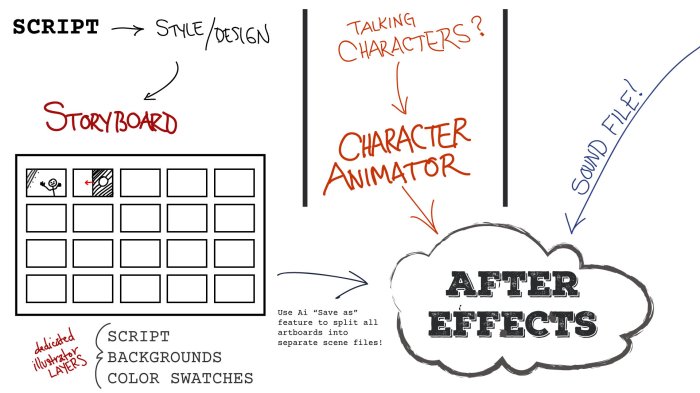
Storyboard software significantly streamlines the filmmaking and animation process, offering numerous benefits across pre-production, production, and post-production. By visualizing the narrative and facilitating clear communication, these tools contribute to more efficient workflows, reduced costs, and ultimately, a higher-quality final product. The software allows for a more collaborative and organized approach, transforming a potentially chaotic process into a manageable and controlled one.
Utilizing storyboard software offers considerable advantages in pre-production planning and cost reduction. The visual nature of storyboards allows for early identification of potential problems, such as logistical challenges or inconsistencies in the narrative. This early detection prevents costly reshoots and revisions during the more expensive production phase. For example, a complex action scene can be meticulously planned in a storyboard, identifying potential camera angles and special effects needs, thereby minimizing the need for extensive on-set adjustments. This proactive approach reduces wasted time and resources, translating directly into lower production costs. Furthermore, a detailed storyboard allows for more accurate budgeting as the scope of the project becomes clearer earlier in the process.
Improved Team Communication
Storyboard software acts as a central hub for communication among team members. Directors can clearly communicate their vision to animators, editors, and other crew members through visual representations. Animators can use the storyboard as a blueprint, ensuring consistency in character design, movement, and overall aesthetic. The shared visual language minimizes misinterpretations and ensures everyone is on the same page, leading to a more cohesive and efficient production process. For instance, a director might use annotations within the storyboard software to specify lighting, camera movement, and character expressions, providing animators with precise instructions that go beyond a simple script description. This shared visual language minimizes the potential for creative differences and ensures everyone is working towards a unified goal.
Step-by-Step Workflow Integration
A typical workflow might begin with outlining the script and creating initial storyboard panels in the chosen software. These panels can then be refined based on feedback from the director and other team members. Once the storyboard is finalized, it can be exported as image sequences or PDFs to be used by animators as a guide for creating animatics. These animatics, which are rough animations based on the storyboard, can be further refined and improved upon using feedback from the director and team members. The animatic, a moving storyboard, can be imported into video editing software, and the final animation or film can then be created and edited using the storyboard as a blueprint.
Managing Revisions and Feedback
Storyboard software often includes features for version control and collaborative feedback. Team members can easily provide comments and suggestions directly on individual panels, facilitating a streamlined revision process. The software typically tracks changes and allows users to revert to earlier versions if needed. This organized approach ensures that revisions are tracked and incorporated efficiently, minimizing confusion and delays. For example, a feature allowing for multiple versions of the storyboard to be saved simultaneously ensures that all feedback can be incorporated and reviewed, providing a clear history of the project’s evolution. This process ensures a transparent workflow and makes it easy to understand the evolution of the story and its visuals.
Advanced Features and Specialized Uses of Storyboard Software
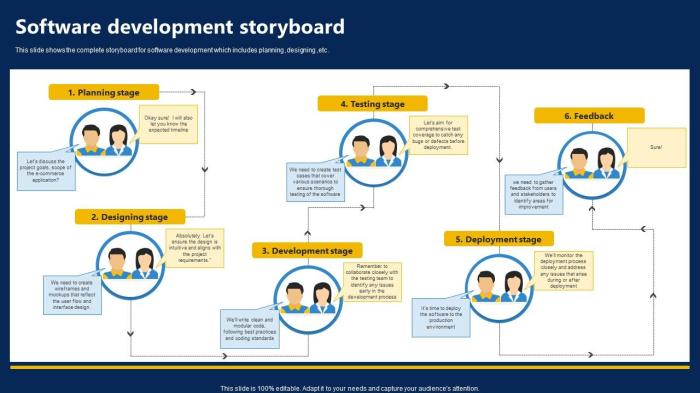
Storyboard software has evolved beyond simple panel creation. Modern tools offer a range of advanced features that significantly enhance workflow and unlock creative possibilities across diverse fields. These advancements allow for more complex visualizations, smoother collaboration, and ultimately, more effective storytelling. The integration of animation, 3D modeling, and script functionalities are transforming how storyboards are used, extending their applications far beyond traditional film and animation.
Advanced features are transforming the storyboard process, enabling greater precision and efficiency. Software now frequently incorporates powerful tools that were once only accessible to high-end animation studios. This democratization of advanced tools empowers individuals and smaller teams to achieve professional-quality results, regardless of their budget or technical expertise.
Animation Capabilities in Storyboard Software
The ability to animate storyboards directly within the software itself is a significant advantage. This eliminates the need for separate animation software and streamlines the process of visualizing movement and action. Different software packages offer varying degrees of animation capabilities, ranging from simple keyframe animation to more sophisticated techniques.
The following table compares the animation capabilities of three popular storyboard software packages:
| Software | Animation Capabilities | Strengths | Limitations |
|---|---|---|---|
| Storyboard Pro | Keyframe animation, motion tweens, camera movement, character animation tools | Powerful animation tools, intuitive interface, robust features for professional use | Steeper learning curve, higher price point |
| Toon Boom Harmony | Advanced 2D animation, rigging, character animation, effects, and compositing | Industry-standard software, extensive features, exceptional animation quality | Very complex, significant learning curve, high cost |
| Adobe Photoshop (with plugins) | Limited animation capabilities, primarily through layering and time-lapse techniques; reliant on plugins for more advanced features | Widely accessible, versatile tool for image manipulation and basic animation | Animation features are not its primary focus, limitations in complex animation |
Specialized Uses of Storyboard Software Beyond Film and Animation
Storyboard software’s utility extends far beyond the entertainment industry. Its visual nature makes it an invaluable tool in various fields requiring clear communication of processes or ideas.
For example, in marketing, storyboards are used to visualize advertising campaigns, ensuring consistency in messaging and visual style across different media. In education, they help teachers plan lessons and illustrate complex concepts for students. Game designers use storyboards to map out game levels, character interactions, and plot points. These applications demonstrate the versatility and adaptability of storyboard software.
Solving Storyboard Challenges with Advanced Features
Advanced features directly address common challenges in storyboard creation. For instance, complex camera movements, often difficult to represent accurately with static images, can be seamlessly visualized using the animation tools available in software like Storyboard Pro. The ability to simulate camera pans, zooms, and tilts allows for a much more precise and detailed representation of the intended shot. Similarly, character animation tools allow for the effective depiction of character movement and emotions, enhancing the overall storytelling capacity of the storyboard. For example, using Storyboard Pro’s character animation features, a designer could easily animate a character walking across a scene, showing subtle shifts in posture and expression, far more effectively than a series of static images. This level of detail adds realism and improves communication of the intended action.
Final Review
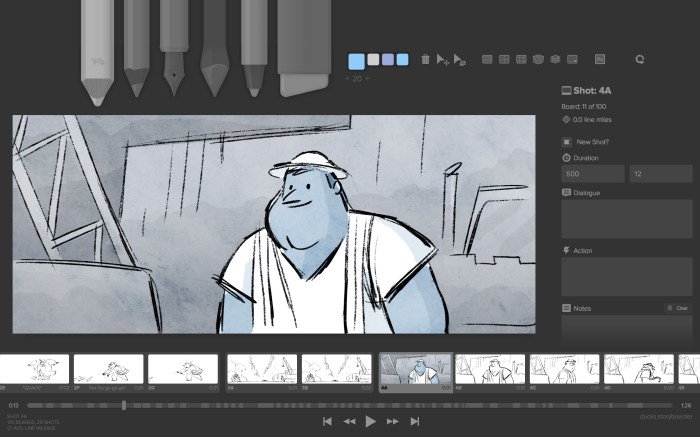
Ultimately, choosing the right storyboard software depends on your specific project requirements and budget. By carefully considering factors like ease of use, collaborative features, and advanced capabilities, you can significantly enhance your workflow and achieve greater efficiency in your creative endeavors. This guide has provided a comparative analysis to help you make an informed decision and optimize your pre-production process for smoother, more successful projects.