Crafting compelling interactive experiences requires a robust plan. Storyboarding provides that crucial roadmap, transforming abstract ideas into tangible visuals. This guide delves into six key techniques for effectively storyboarding interactive narratives, from defining interactive storytelling itself to visualizing user feedback and branching narratives. We’ll explore how to represent user choices, incorporate non-linear storytelling, and design clear visual representations of user interface elements and their impact on the narrative flow.
Through practical examples and clear explanations, you’ll learn to translate your vision into a storyboard that effectively communicates the interactive journey to developers and stakeholders. This will streamline the development process and ensure a cohesive and engaging final product. Whether you’re designing a game, a website, or an app, these tips will empower you to create richer, more intuitive interactive experiences.
Defining Interactive Storytelling & Storyboarding
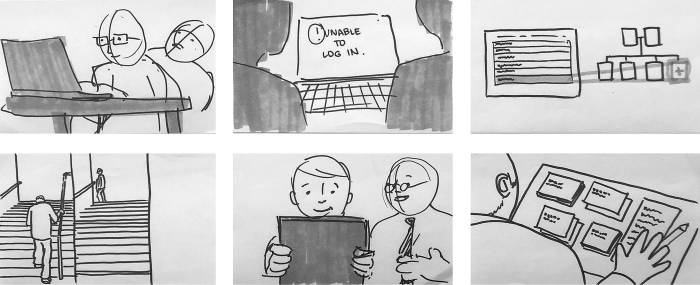
Interactive storytelling goes beyond passive consumption; it actively engages the audience, allowing them to influence the narrative’s direction and outcome. Storyboarding, in this context, becomes a crucial tool for visualizing and planning this dynamic experience, outlining not only the visual elements but also the branching pathways and interactive choices available to the user. This process ensures a cohesive and engaging interactive narrative.
Interactive storytelling and storyboarding differ significantly from their linear counterparts. Instead of a singular, predetermined path, interactive narratives offer multiple routes shaped by user decisions, creating a personalized experience. Storyboarding, therefore, must account for these diverging paths, mapping out all possible scenarios and their associated visuals.
A Simple Interactive Narrative Storyboard
The following storyboard depicts a simple interactive narrative with three scenes.
Scene 1: A character stands at a crossroads. The background shows two distinct paths: a forest path and a mountain path. Text prompt: “Choose your path.”
Scene 2 (Forest Path): The character enters a dark forest. They encounter a mysterious creature. Text prompt: “Fight or flee?” If “fight,” proceed to Scene 3A. If “flee,” proceed to Scene 3B.
Scene 3A (Forest Path – Fight): The character battles the creature. The outcome (win or lose) determines the final scene and ending.
Scene 2 (Mountain Path): The character begins a challenging climb up a mountain. They find a hidden treasure. The discovery leads to the final scene and ending.
Scene 3B (Forest Path – Flee): The character escapes the forest and reaches a safe location. This outcome determines the final scene and ending.
Examples of Interactive Elements
Several interactive elements enhance storytelling, creating a more immersive and engaging experience.
- Choice-driven narratives: Presenting the user with choices that directly impact the story’s progression, as shown in the example storyboard.
- Inventory systems: Allowing the user to collect and utilize items that influence the story’s outcome. For example, finding a key to unlock a door or using a potion to heal a character.
- Puzzle solving: Integrating puzzles that require the user to solve problems to advance the narrative. This could involve manipulating objects, deciphering codes, or using logic to overcome obstacles.
Linear vs. Non-Linear Storytelling
Linear storytelling follows a single, predetermined path, while non-linear storytelling allows for multiple paths and branching narratives based on user choices. In a linear story, the narrative unfolds in a fixed sequence, providing a singular experience. In contrast, non-linear storytelling offers a personalized experience, with each user potentially encountering a unique narrative path. Interactive experiences thrive on non-linear storytelling, enabling user agency and replayability.
Comparison of Traditional and Interactive Storyboarding Techniques
| Technique | Description | Traditional Storyboard | Interactive Storyboard |
|---|---|---|---|
| Narrative Structure | The overall flow and progression of the story | Linear, sequential panels | Branching paths, multiple story lines represented with different colored panels or annotations |
| Visual Representation | How the story is visually depicted | Single image per panel, focusing on key visual elements | Images illustrating choices, consequences, and multiple outcomes |
| Interactive Elements | Elements that allow user interaction | Not applicable | Annotations indicating choices, feedback mechanisms, and branching points |
| User Agency | The degree to which the user influences the story | None; the story unfolds passively | High; user choices shape the narrative |
Key Storyboarding Techniques for Interactive Experiences
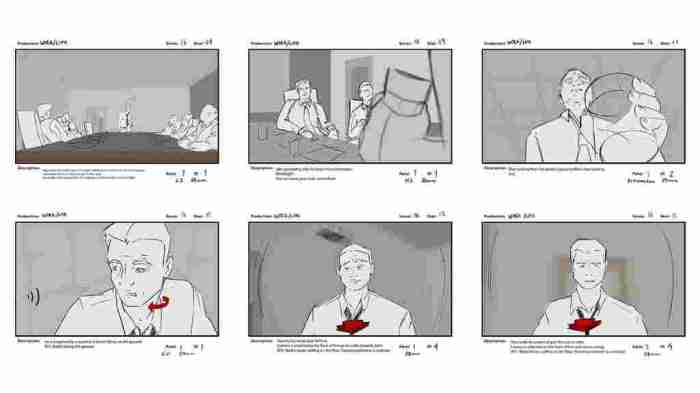
Storyboarding interactive experiences differs significantly from traditional linear storytelling. It requires a visual language capable of representing player agency and the branching paths that result from their choices. Effective storyboarding techniques are crucial for visualizing these complexities and ensuring a coherent and engaging narrative.
Effective visualization of user choices and their consequences is paramount in interactive storytelling. This allows designers to map out potential scenarios and ensure a fluid user experience. The following methods provide practical approaches to achieving this.
Visualizing User Choices and Consequences
Several methods effectively illustrate player choices and their outcomes. Using distinct visual cues for each choice path allows for easy identification and tracking of narrative branches. For instance, different colored arrows could represent different choices leading to distinct scenes. Additionally, using decision nodes – clearly marked points in the storyboard where the player makes a choice – helps visualize the branching narrative structure. Another effective technique is to use annotations to clearly describe the consequences of each choice. This clarifies the impact of player actions on the story’s progression. Employing visual representations of game mechanics, such as health bars or inventory items, within the storyboard can help illustrate the immediate and cumulative effects of player decisions. Finally, using separate panels to depict each outcome of a choice ensures clarity and prevents confusion.
Incorporating Branching Narratives
Integrating branching narratives into a storyboard involves a strategic approach to visual organization. The storyboard should be structured to reflect the non-linear nature of the interactive experience. A useful technique is to use a flowchart-like structure, where each decision point leads to multiple potential scenes, represented by different branches. Each branch represents a unique path determined by player choices. Clearly labeling each branch with the corresponding choice and its consequences is essential for understanding the narrative flow. This method allows for a clear visual representation of how different choices impact the overall story. Using color-coding or different symbols for each branch can further enhance readability and comprehension. This visual clarity makes it easier for developers and stakeholders to understand the complexity of the narrative structure.
Organizing Storyboards for Multiple User Paths
Organizing a storyboard to clearly demonstrate different user paths necessitates a structured approach. One effective strategy is to use a hierarchical structure, with main branches representing major plot points and sub-branches detailing specific choices and outcomes. This allows for a clear overview of the entire narrative while also providing detailed information about individual paths. Another approach is to use a layered storyboard, where each layer represents a different possible path. This method is particularly useful for complex narratives with numerous branching points. Clearly labeling each path and its corresponding choices helps to maintain organization and prevent confusion. Using visual cues, such as color-coding or different symbols, can further enhance the clarity of the storyboard. This helps to quickly identify and track the various paths a user can take throughout the interactive experience.
Storyboarding a Simple Interactive Game
Let’s consider a simple text-based adventure game where the player explores a mysterious cave.
- Scene 1: The player enters a dark cave. Actions: Go left, Go right
- Scene 2 (Left): The player finds a treasure chest. Actions: Open chest, Leave chest
- Scene 3 (2a): The player opens the chest and finds gold. Actions: Take gold, Leave gold
- Scene 4 (2b): The player leaves the chest and continues exploring.
- Scene 5 (Right): The player encounters a monster. Actions: Fight monster, Run away
- Scene 6 (5a): The player fights and defeats the monster. Actions: Proceed deeper into the cave.
- Scene 7 (5b): The player runs away and exits the cave.
This simple example illustrates how a storyboard can effectively map out different choices and their consequences in an interactive game. Each scene represents a specific moment in the game, and the actions listed represent the choices available to the player at that point. The storyboard clearly demonstrates the branching narrative structure, allowing for a comprehensive overview of the game’s potential paths.
Visualizing User Interaction and Feedback
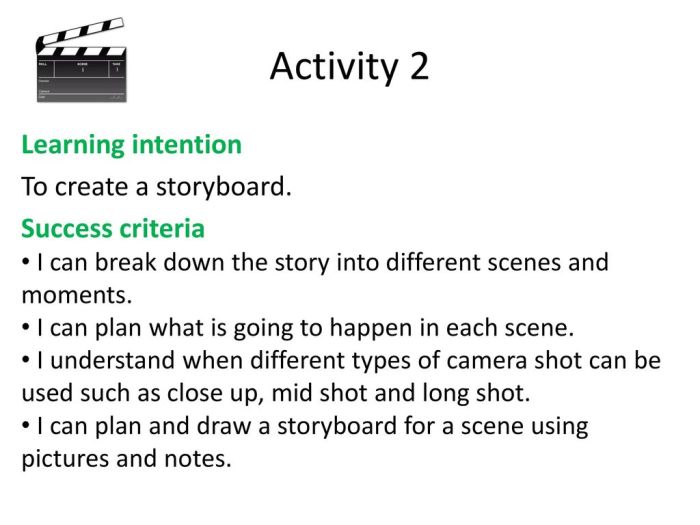
Storyboarding interactive experiences requires effectively conveying how users interact with the interface and the system’s responses. This goes beyond simply showing the progression of screens; it involves clearly illustrating user actions and the resulting feedback, creating a dynamic representation of the user journey. This section details methods for visually representing user interface elements and feedback mechanisms within your storyboard.
Visual representation of user interface elements and feedback mechanisms is crucial for understanding the user experience. By clearly depicting these aspects, the storyboard becomes a powerful tool for communication and collaboration among designers, developers, and stakeholders. A well-designed storyboard ensures everyone is on the same page regarding the intended user interaction and the system’s response.
Representing User Interface Elements
User interface (UI) elements, such as buttons, menus, and input fields, should be depicted clearly and consistently throughout the storyboard. Simple, recognizable icons or representations are sufficient. Avoid overly detailed renderings, as the focus should remain on the interaction flow, not pixel-perfect UI design. For example, a button could be represented by a simple rectangle with the button label inside. A menu could be shown as a dropdown list with a few sample options visible. Input fields could be shown as simple text boxes with placeholders indicating their purpose. Consistency in the visual representation of these elements across the storyboard is key to maintain clarity.
Communicating Feedback Mechanisms
Visual cues are essential for communicating feedback to the user. Success messages might be represented by a green checkmark or a celebratory animation, while failure messages might be indicated by a red “X” or an error message box. The storyboard should clearly show where and how this feedback is presented to the user. For example, a correct password entry might be indicated by a smooth transition to the next screen, whereas an incorrect entry might trigger a red error message under the password field. The placement and visual style of these feedback mechanisms should be consistent to maintain a cohesive user experience.
Storyboard Sequence: In-Game Object Interaction
Let’s imagine a simple game where the user needs to interact with a chest to obtain an item.
Panel 1: The user’s character stands in front of a closed wooden chest. The chest is drawn simply, but clearly recognizable. A small clickable icon, perhaps a hand cursor, hovers over the chest.
Panel 2: The user clicks the chest (indicated by a visual effect, such as a slight glow or highlight around the chest).
Panel 3: The chest opens with a sound effect denoted by “SFX: creak”. Inside, a glowing sword is visible.
Panel 4: A small pop-up window appears above the chest, displaying “+1 Sword” in green text, indicating a successful interaction and the addition of an item to the user’s inventory.
This sequence illustrates a clear user interaction, the action taken, and the system’s positive feedback.
Visual Styles for Representing User Interaction
Three distinct visual styles can be employed for representing user interaction:
Wireframe Style: This style utilizes simple, grayscale shapes and text to represent UI elements. It’s quick to create and focuses on the functionality and layout. However, it lacks visual appeal and may not effectively communicate the aesthetic aspects of the design.
Mockup Style: This style incorporates more realistic representations of UI elements, including colors, fonts, and basic visual details. It provides a better visual representation than wireframes but still omits fine details. It’s a good balance between speed and visual fidelity.
Photorealistic Style: This style involves highly detailed renderings of the UI and environment. It’s visually impressive but time-consuming and may not be practical for all projects. The level of detail might overshadow the interaction flow.
Epilogue
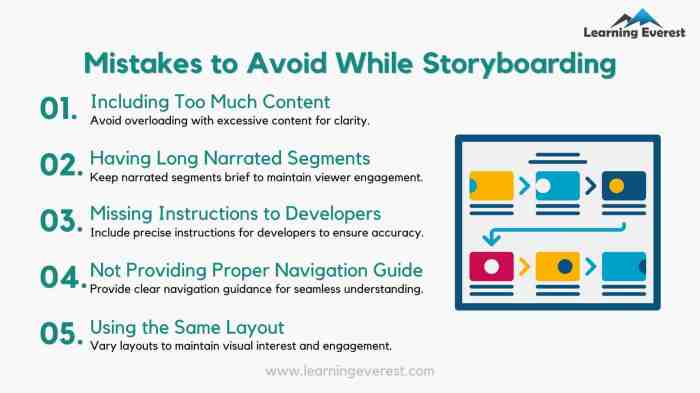
Mastering the art of interactive storyboarding is key to creating immersive and engaging experiences. By understanding how to visualize user choices, feedback mechanisms, and branching narratives, you can effectively communicate your vision and ensure a smooth development process. The techniques Artikeld here provide a solid foundation for crafting compelling interactive stories, regardless of the platform or complexity of your project. Remember, a well-crafted storyboard is not just a visual aid; it’s a vital tool for bringing your interactive vision to life.