Effectively managing feedback is crucial for refining storyboards and achieving a compelling visual narrative. This guide provides a structured approach to gathering, prioritizing, and implementing feedback, transforming criticism into opportunities for improvement. We’ll explore practical strategies to navigate conflicting opinions and ensure your storyboard evolves into its most effective form.
From diverse feedback collection methods to systematic prioritization techniques, we’ll cover the entire process, providing actionable steps and examples to help you confidently manage feedback throughout your storyboard’s development. Mastering this process will not only improve your storyboard but also enhance your overall collaborative workflow.
Gathering and Categorizing Feedback
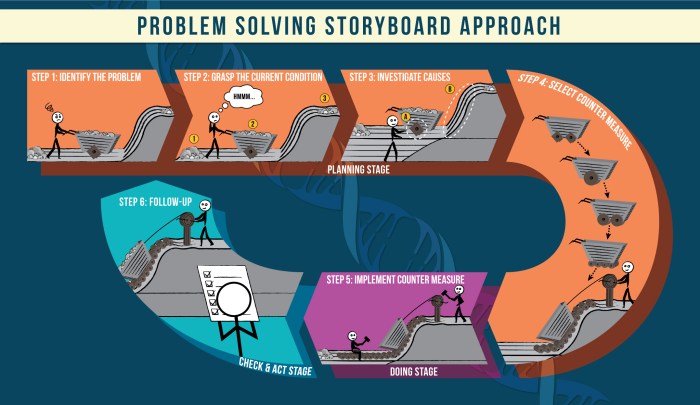
Effective feedback is crucial for refining your storyboard and ensuring it effectively communicates your vision. Gathering feedback using a variety of methods and then systematically categorizing it allows for a more focused and productive revision process. This ensures you address constructive criticism while filtering out less relevant comments.
Different methods exist for collecting storyboard feedback, each with its own strengths and weaknesses. Choosing the right approach depends on your project’s scale, your team’s dynamics, and your personal preferences.
Methods for Collecting Storyboard Feedback
Several methods can be employed to gather feedback effectively. Each approach offers unique advantages and disadvantages, impacting the type and quantity of feedback received.
- Online Forms: Online forms (like Google Forms or SurveyMonkey) allow for convenient, asynchronous feedback collection. Participants can complete the form at their own pace, and the data is easily compiled and analyzed. For example, you could create a form with questions like “What is your overall impression of the storyboard?”, “Are there any areas that are unclear or confusing?”, and “What suggestions do you have for improvement?”.
- In-Person Meetings: In-person meetings facilitate real-time discussion and allow for immediate clarification of feedback. This interactive approach can lead to richer, more nuanced feedback, but it requires scheduling and can be less efficient for large groups. An example would be a presentation of your storyboard to a team, followed by a Q&A session and open discussion.
- Peer Reviews: Peer reviews involve having colleagues or peers review your storyboard and provide feedback. This method can be particularly valuable for identifying blind spots in your own work, as peers may offer perspectives you haven’t considered. For instance, you could circulate your storyboard to a small group of colleagues, asking them to provide written comments within a specified timeframe.
Categorizing Storyboard Feedback
A well-defined system for categorizing feedback is essential for efficient analysis and prioritization. This system should clearly distinguish between constructive criticism, suggestions for improvement, and personal opinions that might not be directly relevant to the storyboard’s effectiveness.
| Feedback Source | Feedback Type | Specific Feedback | Priority Level |
|---|---|---|---|
| Lead Animator | Suggestion | Consider adding more detail to the character’s expressions in scene 3. | High |
| Client Representative | Negative | The overall tone feels too dark; it doesn’t align with the brand’s image. | High |
| Storyboard Artist (Peer Review) | Positive | The pacing in scenes 1 and 2 is excellent. | Medium |
| Director | Suggestion | The transition between scenes 4 and 5 feels abrupt; explore alternative transitions. | High |
| Producer | Negative | Scene 6 is too complex and may be costly to animate. | High |
| Junior Animator | Positive | I love the overall composition and the use of color. | Medium |
| Client | Suggestion | Could we explore a different visual style for the main character? | Medium |
Separating Factual Feedback from Emotional Responses
It’s crucial to distinguish between objective, factual feedback and subjective, emotional responses. Factual feedback focuses on concrete aspects of the storyboard, while emotional responses reflect personal feelings or preferences. This distinction is vital for making informed decisions about revisions.
Example of Factual Feedback: “The scene transitions are too fast, making the narrative difficult to follow.” This statement points to a specific problem with the storyboard’s pacing, offering a concrete observation.
Example of Emotional Response: “I didn’t like the character’s design; it was ugly.” This statement expresses a personal opinion about the character’s aesthetics without providing concrete reasons or suggestions for improvement.
Prioritizing and Addressing Feedback
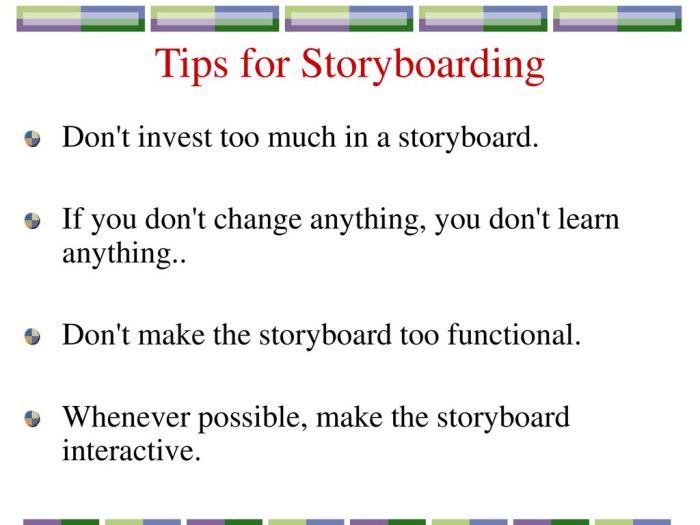
Receiving feedback on your storyboard is invaluable, but sifting through it all can feel overwhelming. Prioritizing feedback based on its potential impact and feasibility allows you to focus your energy on the most impactful changes, leading to a more effective and efficient revision process. This involves a systematic approach to evaluating each piece of feedback and determining its importance relative to the overall project goals.
A step-by-step process for prioritizing feedback involves first assessing the impact of each suggestion. Consider how significantly the change would affect the story’s clarity, emotional resonance, or overall effectiveness. Then, assess feasibility. This considers the time, resources, and skill level required to implement the change. High-impact, high-feasibility feedback should be addressed first, followed by high-impact, low-feasibility (which might require more planning), then low-impact, high-feasibility (quick wins), and finally low-impact, low-feasibility (often best left for future iterations or if time allows).
Impact and Feasibility Assessment Criteria
To effectively prioritize feedback, it’s useful to establish clear criteria for evaluating both impact and feasibility. For impact, consider factors such as the clarity of the narrative, the strength of the emotional connection, the effectiveness of the visual storytelling, and the overall coherence of the storyboard. A numerical scale (e.g., 1-5, with 5 being the highest impact) can be helpful for objective comparison. For feasibility, consider factors such as the time required for implementation, the availability of resources (e.g., software, assets), and your skill level in implementing the suggested changes. Again, a numerical scale can be used.
Prioritizing Feedback: A Hypothetical Example
Let’s imagine a storyboard for a short film about a lone astronaut stranded on Mars. Feedback received includes: 1) “The astronaut’s emotional state isn’t clear enough in panel 7,” (High Impact, High Feasibility); 2) “The Martian landscape in panels 3 and 4 lacks detail,” (Medium Impact, Medium Feasibility); 3) “The font used for the dialogue is too small,” (Low Impact, High Feasibility); and 4) “The entire sequence needs reworking to better incorporate a subplot about a lost rover,” (High Impact, Low Feasibility).
Using the impact/feasibility matrix, we would prioritize feedback 1 (clarifying the astronaut’s emotional state) first. This is because it has high impact and is relatively easy to implement (e.g., adding a close-up or changing the character’s expression). Next, we’d address feedback 2 (adding detail to the Martian landscape), as it has a medium impact and medium feasibility. Feedback 3 (font size) is a quick fix and would be tackled next. Feedback 4 (reworking the sequence to incorporate a subplot) is a significant undertaking and is best saved for later or possibly a separate revision pass.
Resolving Conflicting Feedback
It’s common to receive conflicting feedback. For example, one reviewer might suggest simplifying a scene for clarity, while another might want to add more detail for emotional impact. To resolve such conflicts, consider the overall goals of the storyboard and the target audience. Prioritize feedback that aligns most closely with your creative vision and the project’s objectives. Sometimes, a compromise is necessary, finding a middle ground that satisfies both suggestions without compromising the overall narrative.
For instance, if one reviewer suggests simplifying a complex action sequence while another suggests adding more visual details to enhance the suspense, you might choose to simplify the action while strategically adding a few key visual details to maintain the suspenseful atmosphere. Careful consideration and potentially some experimentation might be needed to find the optimal solution.
Implementing Changes and Iterating
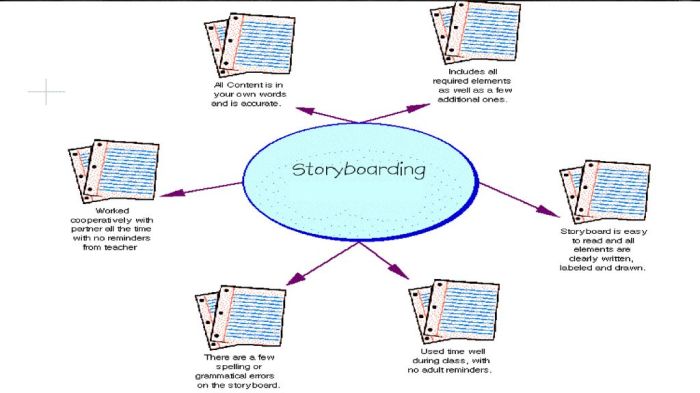
Incorporating feedback effectively is crucial for refining your storyboard and ensuring it aligns with the project’s goals. This involves a systematic approach to integrating suggestions, visually documenting the changes, and maintaining a record of the iterative process. This section details the process of implementing feedback and iterating on your storyboard design.
Implementing changes requires careful consideration of each suggestion and its impact on the overall narrative and visual coherence. It’s important to avoid making changes impulsively; instead, analyze the feedback, weigh its merits, and determine the best way to incorporate it without compromising the storyboard’s integrity. Visual representation of changes is key to understanding the evolution of the design.
Visual Representation of Changes
A clear visual representation of the changes made is essential for understanding the evolution of your storyboard. Several methods can be used to highlight these alterations. For instance, you could use different colored markers or digital annotation tools to indicate where changes have been made. Another effective method involves creating separate versions of the storyboard, clearly labeled as “Before” and “After,” allowing for a direct comparison. Finally, you can create a “diff” image, which overlays the before and after versions to clearly show the modified areas.
Comparison of Before-and-After Storyboard Versions
Let’s consider a hypothetical example. Suppose feedback indicated that the initial scene depicting a character’s reaction to bad news lacked emotional depth. The original scene showed a character with a neutral expression.
Before: The character simply stands with a neutral facial expression, providing little insight into their emotional state.
After: The character’s posture is slumped, their face is etched with worry, and their eyes are downcast, effectively conveying their distress. This change uses visual cues like body language and facial expression to enhance the emotional impact.
Another example could involve feedback on the clarity of a scene’s setting. Initially, the background might have been too cluttered, making it difficult to focus on the main action.
Before: The background contained numerous distracting elements, detracting from the main action and making the scene visually cluttered.
After: The background has been simplified, removing unnecessary details and allowing the viewer to focus on the main character’s actions. The simplified background enhances the focus and clarity of the scene.
Documenting Changes and Their Justifications
Maintaining a record of the changes made and their rationale is vital for future reference and for demonstrating the iterative design process. This documentation can also be helpful if the project requires revisiting the storyboard later. A simple template can be used to document these changes.
| Change ID | Date | Feedback Received | Change Implemented | Justification | Impact Assessment |
|---|---|---|---|---|---|
| C001 | 2024-10-27 | “Character’s reaction lacks emotional depth” | Added slumped posture, worried facial expression, and downcast eyes. | To better convey the character’s emotional state and enhance the scene’s impact. | Improved emotional resonance of the scene. |
| C002 | 2024-10-28 | “Background is too cluttered” | Simplified the background by removing unnecessary details. | To improve the clarity and focus of the scene, directing attention to the main action. | Enhanced visual clarity and scene focus. |
This template provides a structured way to track all changes, ensuring that the iterative design process is well-documented and easily understood. The “Impact Assessment” column allows for a concise summary of the effectiveness of the change.
Final Thoughts

By following these six ways to manage feedback, you can transform the often-daunting process of receiving critique into a valuable tool for refinement. Remember that constructive criticism is an investment in the quality of your work. Embrace the iterative nature of storyboard development, using feedback to hone your vision and create a final product that effectively communicates your story.