Mastering the art of storyboarding is crucial for effective visual storytelling across various mediums, from film and animation to video games and interactive design. This guide delves into the six key elements that transform a simple sequence of images into a powerful narrative tool, exploring techniques to enhance mood, character development, and overall visual impact. We’ll examine practical applications and provide actionable steps to elevate your storyboarding skills.
From understanding fundamental principles and choosing the right layout to mastering advanced techniques like conveying subtle emotions and incorporating sound, this comprehensive guide offers a step-by-step approach to creating compelling storyboards that effectively communicate your vision. Whether you’re a seasoned professional or just starting out, this guide will equip you with the knowledge and skills to craft impactful visual narratives.
Understanding Storyboard Fundamentals
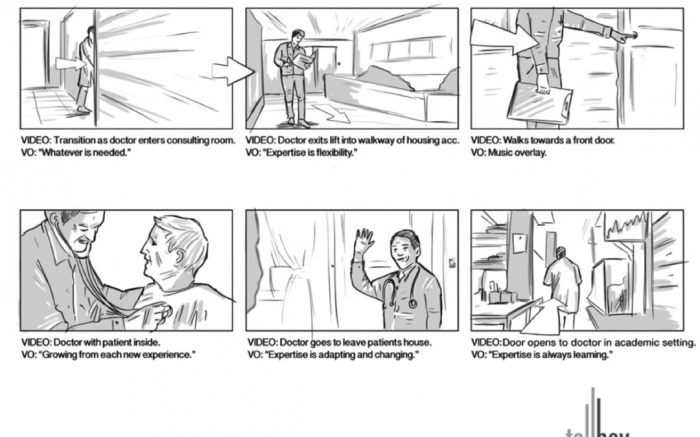
Storyboarding is a crucial pre-production step in filmmaking, animation, and even advertising. It allows creators to visualize their story beat by beat, ensuring a cohesive narrative and efficient production process. A well-constructed storyboard serves as a blueprint, guiding the entire team towards a shared vision.
Effective storyboards rely on six key elements: frames, panels, scene descriptions, character descriptions, dialogue/action notes, and camera angles. These elements, when thoughtfully integrated, create a powerful visual language that communicates the essence of the story.
Storyboard Template Design
A basic storyboard template can be designed as a series of rectangular panels, each representing a single shot or scene. Each panel should be large enough to accommodate a simple sketch or drawing of the scene, and have space below for written notes. A simple grid layout works well, allowing for easy navigation. Consider adding numbered panels for clear sequencing and potentially a small area for panel titles to help organize more complex sequences. The template should be designed to accommodate the six key elements described below, with clear labeling for each element within or adjacent to each panel. For example, a small box for camera angles, a section for dialogue, and a larger space for the visual depiction of the scene.
Purpose of Key Elements in Visual Storytelling
Each element plays a vital role in conveying the story effectively.
- Frames: These are the individual boxes or panels that hold the visual representation of each shot. The size and shape of the frame can subtly influence the mood or emphasis of a scene.
- Panels: These are the individual frames that together form the sequence of the story. The arrangement of panels can dictate the pacing and flow of the narrative.
- Scene Descriptions: These concisely describe the setting, environment, and overall mood of the scene. They provide context for the visual elements.
- Character Descriptions: These details specify the characters’ actions, expressions, and positioning within the frame. They help bring the characters to life and enhance emotional impact.
- Dialogue/Action Notes: These indicate what is being said and done within the scene. They are essential for synchronizing audio and visuals.
- Camera Angles: These specify the camera’s position and perspective, influencing the viewer’s emotional response and understanding of the scene. High angles can portray vulnerability, while low angles can suggest power.
Comparison of Storyboard Layouts
Film and animation storyboards share core elements, but their layouts often differ. Film storyboards typically focus on individual shots, often including detailed camera angles and movement. Animation storyboards might show multiple frames within a single panel, especially for scenes with a lot of movement or action, to convey the sequence of actions efficiently. Film storyboards might prioritize realism, while animation storyboards can be more stylized and expressive. The level of detail in the visuals also varies; film storyboards often include more detailed sketches while animation storyboards can be more simplified, focusing on key poses and actions.
Scene Breakdown Example
Let’s consider a simple scene: a character, Alice, discovers a hidden door in a dusty old library.
Panel 1: Wide shot of Alice standing in a dimly lit library. Scene description: “Dusty old library, late afternoon, shadows lengthening.” Camera angle: High angle, showing Alice’s smallness within the vast space. Action: Alice is running a hand along a bookshelf.
Panel 2: Medium shot, focusing on Alice’s hand touching a seemingly innocuous section of the bookshelf. Scene description: “Close-up on bookshelf, dust motes in sunlight.” Camera angle: Slightly low angle, emphasizing the mystery. Action: The bookshelf section slightly moves inward.
Panel 3: Close-up on the hidden door revealed. Scene description: “Old wooden door, slightly ajar, dark interior.” Camera angle: Eye level, creating a sense of intrigue. Action: Alice gasps, her eyes widening in surprise.
This simple example demonstrates how the six key elements work together to build a compelling narrative, even in a short sequence. The detailed descriptions provide context and emotional depth, guiding the viewer’s experience.
Mastering the Six Key Elements
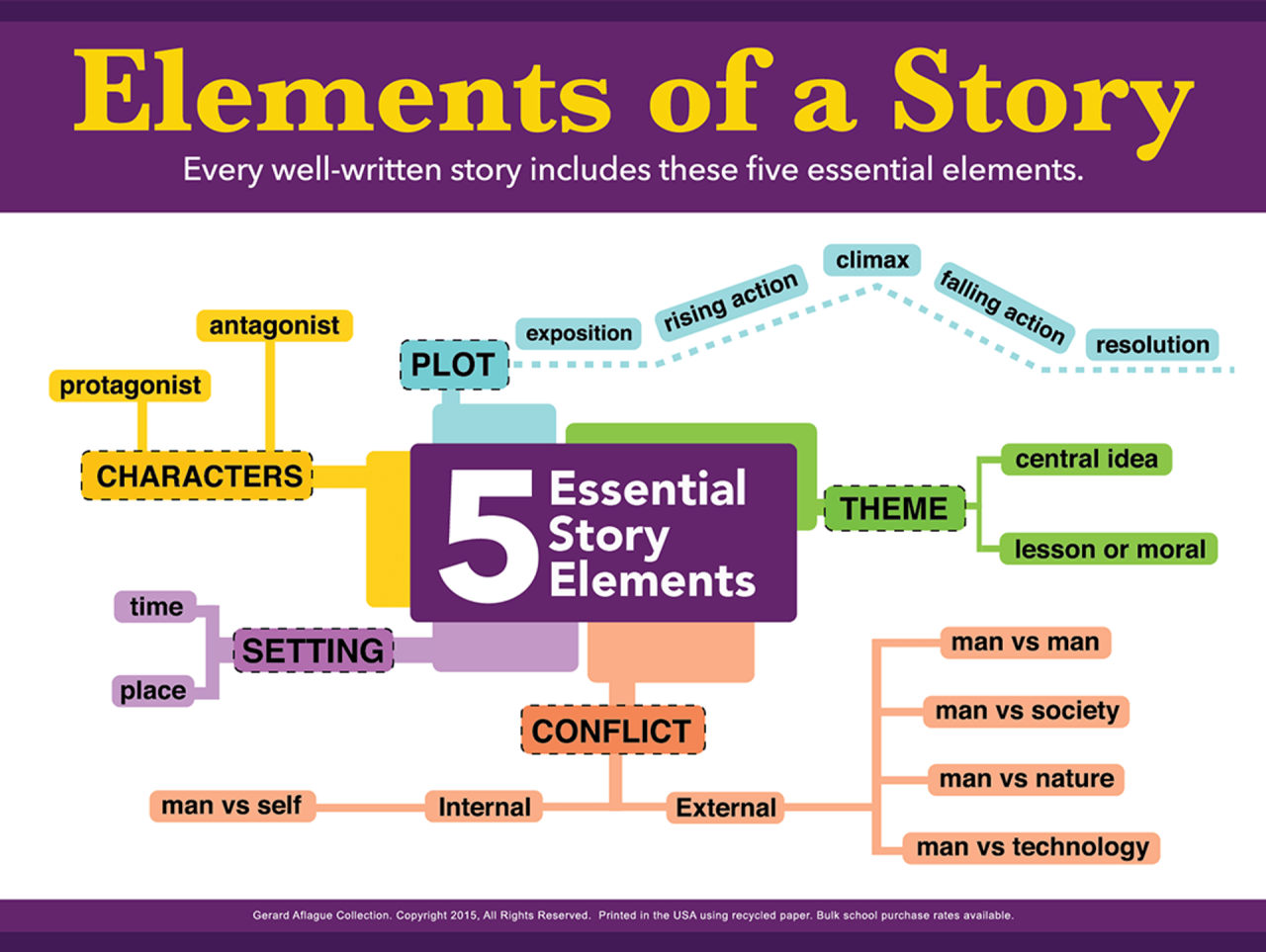
Effective storyboarding relies on mastering several key visual elements. These elements work together to create a compelling narrative that clearly communicates the story’s essence. Understanding and skillfully applying these elements is crucial for creating a storyboard that is both visually engaging and narratively effective.
Color Palettes and Mood
Color significantly impacts mood and emotion. Warm colors like reds and oranges evoke feelings of excitement, anger, or warmth, while cool colors such as blues and greens suggest calmness, sadness, or serenity. For example, a scene depicting a tense confrontation might use a predominantly red and orange palette, with shadows deepening the feeling of unease. Conversely, a peaceful forest scene could utilize a palette of greens and blues, enhanced with soft yellows to suggest sunlight filtering through the leaves. Consider using color saturation to further amplify these effects; highly saturated colors create a more intense feeling, while desaturated colors produce a more subdued mood.
Compelling Character Designs
Character design is paramount in conveying personality and story. Simple yet expressive designs are often the most effective. Consider using distinct silhouettes, exaggerated features, or specific clothing choices to establish a character’s role and personality immediately. For instance, a villain might be depicted with sharp angles and dark clothing, while a protagonist could have softer lines and brighter attire. Consistent character design throughout the storyboard ensures visual clarity and strengthens the audience’s connection with the characters. Think about the character’s posture and expressions; a slumped posture can indicate sadness or defeat, while a confident stance projects strength and determination.
Camera Angles and Storytelling
Camera angles dramatically alter the viewer’s perspective and emotional response. A high-angle shot can make a character appear vulnerable or insignificant, while a low-angle shot can create a sense of power or intimidation. Eye-level shots offer a neutral perspective, allowing the audience to connect with the character on a more equal footing. Consider using a variety of angles to keep the storyboard dynamic and visually interesting. For example, switching from a high-angle shot to a low-angle shot during a power shift between characters can effectively emphasize the change in dominance.
Depicting Dialogue and Action
Clearly depicting dialogue and action is crucial for a successful storyboard. Use concise and expressive visual cues. Dialogue can be presented through speech bubbles or captions, while action is best conveyed through clear body language and dynamic poses. Consider using motion lines or arrows to indicate movement. For instance, a character running could be depicted with blurred lines trailing behind them, and a character shouting could be shown with an exaggerated mouth and outward-pointing lines indicating the sound. Simplicity and clarity are key; avoid overly complex or cluttered panels.
Realistic Backgrounds
Realistic backgrounds enhance the story’s believability and immerse the viewer. Start by establishing the overall setting; is it a bustling city street, a quiet forest, or a futuristic cityscape? Use simple shapes and lines to create the basic structure of the background, adding details gradually to avoid overwhelming the scene. Consider using perspective lines to create depth and dimension. For example, a street scene might include buildings that decrease in size as they recede into the distance, while a forest scene might feature overlapping trees to suggest depth and density. Maintain consistency in style and detail to create a cohesive and believable environment.
Composition and Framing
Effective composition and framing guide the viewer’s eye and enhance the visual impact of the storyboard. The rule of thirds is a useful guideline; placing key elements along the intersecting lines of a three-by-three grid can create a more balanced and visually appealing composition. Framing techniques, such as close-ups, medium shots, and long shots, can be used to control the focus and emphasize specific elements within the panel. For example, a close-up on a character’s face can emphasize their emotional state, while a long shot can provide context and show the character’s surroundings. A well-composed panel with strong framing will draw the viewer in and make the storyboard more engaging.
Advanced Storyboarding Techniques
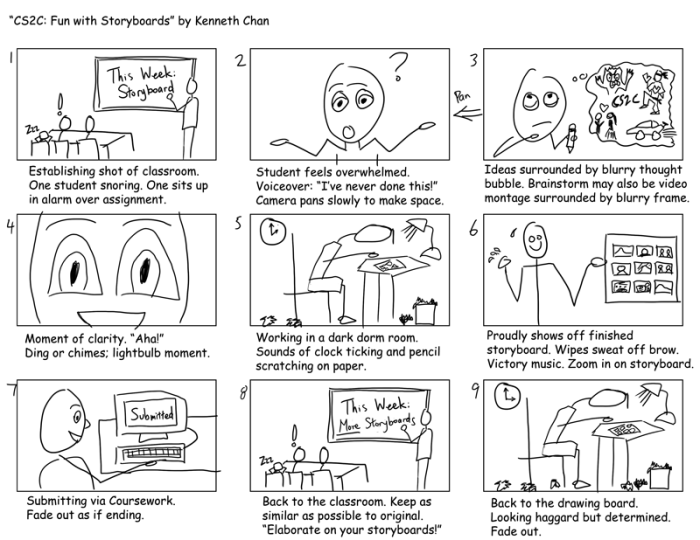
Mastering the fundamentals of storyboarding is crucial, but truly effective visual storytelling requires a deeper understanding of advanced techniques. These techniques allow for greater efficiency, more nuanced emotional expression, and a more dynamic representation of the narrative. This section will explore several key strategies to elevate your storyboarding skills.
Effective Use of Symbols and Shorthand
Effective use of symbols and shorthand significantly streamlines the storyboarding process. Instead of drawing every detail, storyboard artists employ visual shorthand to represent recurring elements, actions, and settings quickly and consistently. For example, a simple stick figure can represent a character, a box can denote a building, and directional arrows can illustrate movement. Consistent use of these symbols ensures clarity and maintains a cohesive visual style across the entire storyboard. Developing a personal library of commonly used symbols is highly beneficial. Consider creating a key to your symbols to ensure that anyone reviewing your storyboard understands your shorthand.
Storyboarding a Plot Twist
A well-executed plot twist can dramatically impact the viewer’s experience. Storyboarding this requires careful planning. Consider a scene where a seemingly friendly neighbor is revealed to be the villain. The initial storyboard panels could depict seemingly normal interactions, emphasizing the neighbor’s friendly demeanor through body language and facial expressions. Subsequent panels would subtly introduce visual clues hinting at a darker side – perhaps a fleeting glimpse of a hidden object, or a change in the neighbor’s expression during a seemingly innocuous moment. The reveal itself would be a dramatic shift in visual style, perhaps using harsher lighting or a close-up on a menacing detail to emphasize the sudden change in the narrative. The contrast between the earlier scenes and the reveal is key to effectively conveying the impact of the plot twist.
Comparison of Storyboarding Software and Tools
Several software applications and tools facilitate storyboard creation. Popular choices include Adobe Photoshop, Storyboarder (a free and open-source option), and specialized animation software like Toon Boom Harmony. Photoshop offers powerful image manipulation capabilities, ideal for creating detailed and visually rich storyboards. Storyboarder, with its intuitive interface, is excellent for quick sketching and layout. Animation software provides a more integrated workflow, especially for projects transitioning to animation. The choice depends on the project’s complexity, budget, and the artist’s familiarity with the software. Each software offers different strengths; Photoshop provides unparalleled image control, Storyboarder focuses on ease of use and panel organization, and animation software streamlines the process of transferring the storyboard to animation.
Conveying Movement and Pacing
Movement and pacing are critical aspects of visual storytelling. These are conveyed through a combination of panel composition, camera angles, and the number of panels dedicated to a particular action. Fast-paced action sequences might utilize many small panels, each showing a distinct moment, creating a sense of urgency. Conversely, slower, more deliberate scenes might employ fewer, larger panels, allowing the viewer to dwell on details and emotions. Dynamic camera angles – such as a low angle shot to emphasize power or a high angle to show vulnerability – can also enhance the sense of movement and pacing. The use of motion lines and visual cues further enhances the depiction of movement within the panels themselves.
Storyboarding Subtle Emotional Cues
Subtle emotional cues are often more impactful than overt displays of emotion. These cues can be conveyed through minute details in the character’s posture, facial expression, and the surrounding environment. For instance, a character’s downcast eyes or slumped shoulders might suggest sadness, while a slight tightening of the jaw could indicate tension. The use of color palettes can also significantly contribute to the emotional tone. A warm, inviting color scheme might suggest happiness, while cooler tones could evoke a sense of melancholy. Careful attention to these small details can create a rich and nuanced emotional landscape within the storyboard.
Incorporating Sound Effects and Music Cues
Sound design is an integral part of the storytelling process. Storyboards can incorporate sound cues to enhance the visual narrative. Beneath each panel, brief descriptions of relevant sound effects and music can be included. For example, “Footsteps echoing in a hallway,” or “Ominous music swells,” can provide additional layers of meaning and emotional impact. These descriptions guide the sound designer during post-production, ensuring the audio aligns perfectly with the visual storytelling. This integration of audio elements enriches the overall experience for the viewer.
Closing Summary
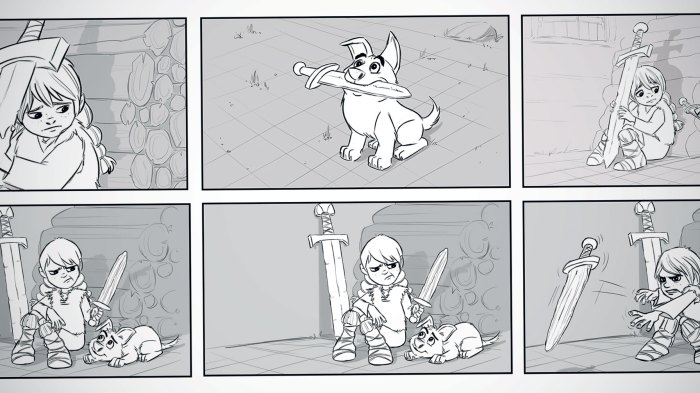
By understanding and applying the six key elements—color palettes, character design, camera angles, dialogue and action depiction, background creation, and composition—you can elevate your storyboards from simple sketches to powerful visual tools. This guide provides a solid foundation for crafting engaging narratives, ensuring your visual storytelling resonates deeply with your audience. Remember to experiment, iterate, and refine your approach to continuously improve your storyboarding skills and unlock the full potential of visual communication.