Mastering the art of storyboarding is crucial for bringing any visual narrative to life, whether it’s a blockbuster film, an animated short, or a captivating video game. This guide delves into the fundamental principles of effective storyboarding, exploring diverse techniques applicable across various mediums. We’ll equip you with the knowledge and practical steps to plan and execute compelling visual stories, transforming your ideas into impactful scenes.
From understanding the core concepts and choosing the right software to applying twelve proven techniques and adapting them to different projects, this comprehensive resource offers a step-by-step approach. We’ll examine real-world examples, analyze successful projects, and provide clear, concise instructions to help you confidently create professional-quality storyboards.
Understanding Storyboarding Fundamentals
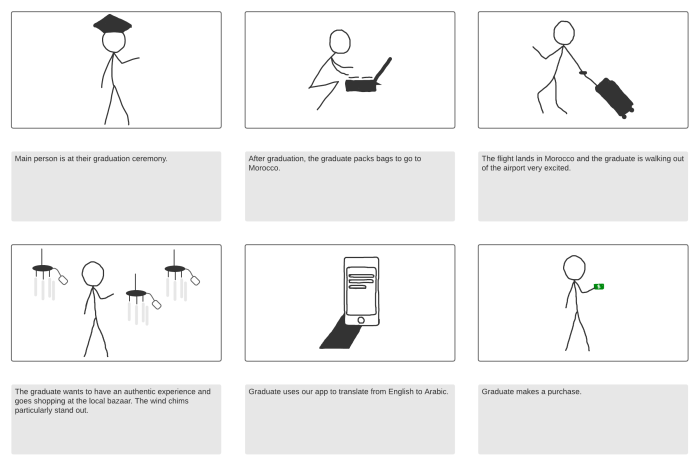
Storyboarding is a visual planning tool used across various creative fields to pre-visualize a narrative sequence. It’s essentially a series of drawings or images representing key scenes or shots, often accompanied by brief descriptions, that help to plan and organize a project before production begins. Effective storyboards clarify the visual storytelling, streamline the production process, and facilitate communication among the creative team.
Storyboarding’s core principles revolve around clarity, conciseness, and visual storytelling. Each panel should convey a specific moment in the narrative, clearly indicating the action, characters, setting, and camera angle. The sequence of panels must flow logically to build a coherent narrative. Simplicity is key; avoid overly detailed drawings that can distract from the overall story. The focus should always remain on conveying the essential elements of the scene.
Types of Storyboards
Storyboards are adaptable across various media. Film storyboards are typically used to plan shots for movies and television shows, focusing on camera angles, movement, and character placement. Animation storyboards are crucial for animators, detailing character actions and expressions frame by frame. Video game storyboards are used to plan sequences within games, showing gameplay scenarios, character interactions, and user interface elements. While the specific application varies, the underlying principle of visualizing the narrative remains consistent across all types.
Sample Storyboard: A Simple Narrative Scene
Let’s imagine a scene where a character, Alex, discovers a hidden treasure chest in a dusty attic.
| Panel | Description |
|——-|——————————————————————————|
| 1 | Wide shot: Alex enters a dark, dusty attic. Cobwebs hang in the air. |
| 2 | Medium shot: Alex shines a flashlight into a shadowy corner. |
| 3 | Close-up: Alex’s surprised expression as they spot a wooden chest. |
| 4 | Medium shot: Alex cautiously approaches the chest. |
| 5 | Close-up: Alex’s hands carefully lifting the chest lid. |
| 6 | Wide shot: Alex gazes in awe at the glittering gold coins inside the chest. |
Comparison of Storyboarding Software
Choosing the right storyboarding software depends on your needs and budget. Here’s a comparison of some popular options:
| Software Name | Cost | Features | Pros/Cons |
|---|---|---|---|
| Storyboarder | Free | Simple interface, collaboration tools, export options | Pros: Easy to use, free. Cons: Limited advanced features. |
| Adobe Photoshop | Subscription | Powerful image editing, layer support, extensive customization | Pros: Versatile, high-quality output. Cons: Steeper learning curve, expensive. |
| Celtx | Freemium | Storyboarding, scriptwriting, scheduling, collaboration | Pros: All-in-one production tool. Cons: Can be complex for beginners. |
| ShotPro | Subscription | Designed specifically for storyboarding, cloud collaboration, advanced features | Pros: Powerful features for professional storyboarding. Cons: Can be expensive. |
Mastering 12 Proven Storyboarding Techniques
Storyboarding is a crucial step in pre-production, allowing filmmakers and animators to visualize their narratives before committing to expensive production. Mastering various storyboarding techniques enhances the clarity and effectiveness of your storyboards, leading to a smoother and more efficient production process. This section delves into twelve proven techniques, offering practical guidance and illustrative examples.
Storyboarding Techniques: A Categorized List
The following techniques are categorized for clarity, highlighting their strengths and weaknesses. Effective storyboarding often involves a combination of these approaches, tailored to the specific project’s needs and style.
- Thumbnail Sketching: This involves quickly sketching small, rough images to map out the sequence of events. Strengths: Speed and efficiency in capturing the overall flow. Weaknesses: Lack of detail and potential for overlooking crucial elements. Example: Early stages of a Pixar film, where directors rapidly sketch numerous scenes to explore different narrative possibilities before committing to detailed storyboards.
- Detailed Sketching: This technique involves creating more refined and detailed drawings, including character expressions, camera angles, and background elements. Strengths: Greater clarity and precision in visualizing the scene. Weaknesses: Time-consuming and may hinder rapid iteration. Example: Storyboards for a live-action film like “The Lord of the Rings,” where intricate details of costumes, sets, and characters were crucial.
- Panel Composition: Considerate use of panel size and shape to convey pacing and emphasis. Strengths: Dynamic storytelling and visual impact. Weaknesses: Requires a strong understanding of visual storytelling principles. Example: A graphic novel or comic book where larger panels highlight crucial action sequences, while smaller panels depict transitional moments.
- Camera Angles and Movement: Precisely indicating camera angles (high, low, over-the-shoulder, etc.) and movement (panning, zooming, tracking) within each panel. Strengths: Clear communication of visual perspective and cinematic language. Weaknesses: Requires familiarity with cinematography techniques. Example: Storyboards for a suspense thriller, meticulously planning camera movements to build tension and reveal information gradually.
- Character Animation Notes: Adding notes within the panels indicating character actions, expressions, and dialogue. Strengths: Enhanced clarity for animators and actors. Weaknesses: Can clutter the storyboard if not managed carefully. Example: Storyboards for an animated film like “Spider-Man: Into the Spider-Verse,” where detailed notes on character animation were essential for capturing the unique visual style.
- Color Scripting: Using color to enhance the mood and atmosphere of each scene. Strengths: Effective visual communication of tone and setting. Weaknesses: Can be time-consuming and may not be necessary for all projects. Example: Storyboards for a fantasy film where color palettes are used to differentiate magical realms or emotional states.
- Dialogue and Narration: Including dialogue and narration directly within the panels or adjacent to them. Strengths: Provides a complete narrative context. Weaknesses: May clutter the storyboard if not carefully integrated. Example: Storyboards for a documentary where narration is integral to the storytelling process.
- Sound Effects and Music Cues: Adding notes for sound effects and music to enhance the emotional impact of the scenes. Strengths: Holistic approach to storytelling, incorporating audio elements. Weaknesses: Requires understanding of sound design and music composition. Example: Storyboards for a horror film, where sound effects are critical to creating suspense and fear.
- Transitions: Clearly indicating the transitions between panels (fade, dissolve, wipe, etc.). Strengths: Smooth and coherent visual flow. Weaknesses: Requires knowledge of editing techniques. Example: Storyboards for an advertisement where quick cuts and transitions are used to maintain viewer engagement.
- Storyboard Revisions: Iterative process of refining and improving the storyboards based on feedback. Strengths: Ensures the final product aligns with the vision. Weaknesses: Requires flexibility and openness to feedback. Example: A common practice in any film or animation production, where multiple revisions are necessary to finalize the storyboards.
- Shot Lists: Creating a detailed list of each shot, including camera angles, movement, and other technical specifications. Strengths: Comprehensive planning and organization for production. Weaknesses: Can be time-consuming, especially for large-scale projects. Example: Essential for any major film production to ensure smooth and efficient filming.
- Digital Storyboarding: Utilizing software to create and manage storyboards electronically. Strengths: Ease of revision, collaboration, and integration with other production tools. Weaknesses: Requires familiarity with specific software and hardware. Example: Industry standard for many animation studios and film productions, leveraging software like Storyboard Pro or Photoshop.
Applying Storyboarding Techniques to Real-World Scenarios
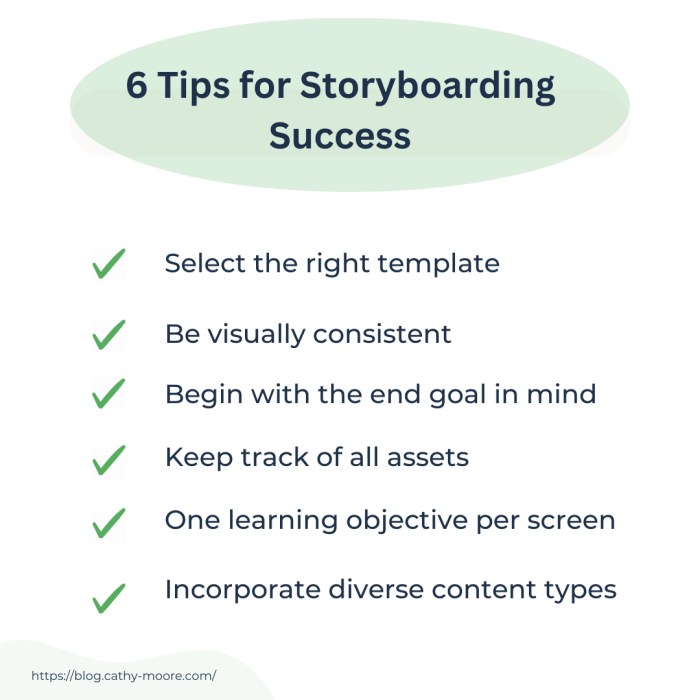
Storyboarding isn’t just for Hollywood; it’s a versatile tool applicable across various creative fields. From advertising to education, its visual nature helps clarify concepts and streamline the production process, ensuring a cohesive final product. This section will explore how different storyboarding techniques can be applied to real-world projects.
By visualizing the narrative flow, storyboards provide a shared understanding among team members, facilitating efficient collaboration and preventing costly revisions later in the production pipeline. This is particularly crucial in projects with multiple collaborators and complex visual elements.
Storyboarding a Short Advertisement
A 30-second advertisement for a new energy drink could be storyboarded effectively using a series of simple, impactful panels. The first panel might show a person looking tired and stressed at their desk. The second could depict them taking a sip of the energy drink. Subsequent panels could showcase a boost in energy – perhaps them working efficiently, smiling, and completing their task successfully. The final panel could feature the product logo and tagline, emphasizing the drink’s positive effect. Each panel should be accompanied by concise descriptions of the action, dialogue (if any), and sound effects. This storyboard ensures a clear visual representation of the narrative arc, focusing on the problem-solution dynamic inherent in most advertisements.
Storyboarding a Complex Scene
Consider a scene in a film where three characters – a detective, a suspect, and a witness – are interacting in a dimly lit interrogation room. The storyboard would need to carefully map out the characters’ positions and movements within the frame. One panel might show the detective questioning the suspect, with the witness observing nervously in the background. The next panel could focus on a close-up of the suspect’s reaction, revealing a subtle change in their demeanor. Another panel might show the witness subtly passing a note to the detective. This level of detail ensures the director understands the nuances of character interaction and camera angles required for a compelling and coherent scene. Camera angles, lighting, and character expressions are all crucial elements to include in these descriptions.
Storyboarding an Educational Video
An educational video explaining photosynthesis could benefit from a storyboard that uses clear, concise visuals. Each panel could represent a step in the process, starting with sunlight striking a leaf. Simple diagrams illustrating the absorption of carbon dioxide and water could follow. Subsequent panels could show the chemical reactions within the chloroplasts, culminating in the production of glucose and oxygen. The use of clear labels and arrows enhances understanding, making the complex process of photosynthesis accessible to the viewer. The storyboard should emphasize simplicity and clarity, prioritizing effective visual communication over unnecessary detail.
Comparing Storyboarding for Live-Action and Animated Shorts
The storyboarding process for live-action and animated shorts share fundamental similarities, such as visualizing the narrative flow and planning camera angles. However, key differences exist:
The following bullet points highlight the key differences between storyboarding for live-action and animated shorts:
- Level of Detail: Animated shorts often require more detailed storyboards, specifying character poses and expressions in greater detail due to the need for precise animation. Live-action storyboards focus more on camera angles, blocking, and overall scene composition.
- Technical Considerations: Animated storyboards need to account for animation techniques (e.g., 2D, 3D) and software requirements. Live-action storyboards primarily consider camera movement, lighting, and actor positioning.
- Collaboration: While both processes involve collaboration, animated storyboards often require more interaction between storyboard artists, animators, and other technical specialists.
- Revisions: Changes in animation can be more time-consuming and expensive than adjusting live-action shots, meaning thorough storyboarding is crucial in animation.
Ultimate Conclusion
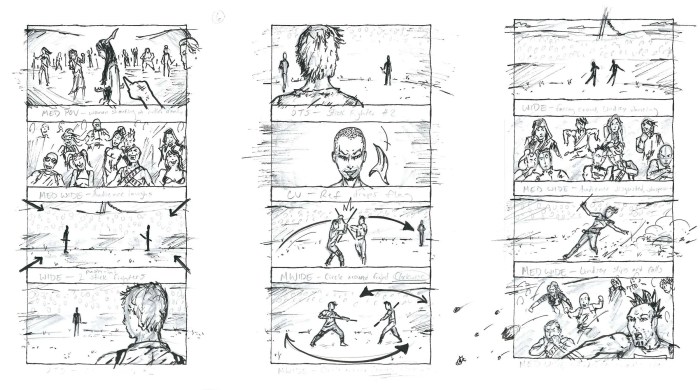
By understanding the fundamentals, mastering twelve key techniques, and applying them to diverse scenarios, you’ll be well-equipped to craft compelling visual narratives. This guide provides a practical framework, empowering you to transform abstract ideas into concrete visual plans, ensuring your projects are clear, engaging, and ultimately successful. Remember, the power of storyboarding lies in its ability to translate complex ideas into readily understandable visuals, streamlining the creative process and enhancing the final product.