Mastering the art of storyboarding can seem daunting, but this crash course offers a streamlined approach to transforming your ideas into compelling visuals within a single day. We’ll explore core principles, efficient techniques, and applications across diverse media, equipping you with the skills to quickly and effectively communicate your narrative vision.
From understanding fundamental elements like shot types and panel layouts to mastering time-saving strategies and adapting your approach for film, animation, or video games, this course provides a practical, hands-on experience. You’ll learn to translate complex concepts into concise visual representations, ultimately enhancing your storytelling capabilities regardless of your chosen medium.
Core Storyboarding Principles
Storyboarding is a visual roadmap for filmmaking, animation, and other visual media. It’s a crucial pre-production step that allows creators to plan shots, visualize scenes, and communicate their vision effectively to the team. Understanding the fundamental elements and principles is key to creating effective storyboards.
Storyboards are composed of several key elements working together to tell a visual story. These elements allow for clear communication and planning, ensuring a cohesive final product.
Storyboard Panel Elements
A storyboard panel is a single frame representing a shot within a scene. Each panel typically includes a visual representation of the shot (a drawing or a photograph), a caption indicating dialogue or sound effects, and a brief scene description providing context and additional details. The combination of these elements allows for a complete understanding of the scene’s progression. For example, a panel might depict two characters talking, with a caption showing their dialogue (“Character A: I need your help!”), and a scene description (“Close-up on Character A’s worried face”).
Shot Types and Their Impact
Different shot types significantly influence the storytelling and viewer experience. The choice of shot directly impacts the audience’s emotional connection and understanding of the scene.
Here are some common shot types and their effects:
- Long Shot (LS): Shows the subject from a distance, often establishing the setting and context.
- Medium Shot (MS): Frames the subject from the waist up, allowing for more detail and character interaction.
- Close-Up (CU): Focuses on a specific detail, often a character’s face, to highlight emotion or emphasize a point.
- Extreme Close-Up (ECU): An even tighter shot, focusing on a very small detail like an eye or a hand.
For instance, a long shot might establish a vast landscape before a medium shot focuses on two characters walking, leading to a close-up on one character’s worried expression as they discover something unsettling.
Illustrating Emotional Reaction
Imagine a panel depicting a character receiving devastating news. The character is shown in a close-up, their face slightly turned away from the viewer. Their shoulders slump, their head is bowed, and a single tear tracks down their cheek. No dialogue is needed; the visual cues alone convey deep sadness and despair. The use of shadowing on their face could further enhance the feeling of dejection. The overall composition and visual details paint a clear picture of the character’s emotional state.
Sample Storyboard Sequence: Action Scene
Let’s imagine a simple action scene: a character (let’s call him Alex) is running from a shadowy figure down a dimly lit alley.
Panel 1 (LS): Alex running down a dark alley, the shadowy figure some distance behind. Caption: “Sound of footsteps echoing.”
Panel 2 (MS): Alex glances over his shoulder, his face showing fear. Caption: “Alex: They’re gaining on me!”
Panel 3 (CU): The shadowy figure’s hand reaching out. Caption: “Sound of heavy breathing.”
Panel 4 (MS): Alex trips and falls. Caption: “Alex grunts in pain.”
Panel 5 (LS): The shadowy figure looms over Alex.
This simple sequence uses different shot types to build suspense and convey the action. The shift from long shots to close-ups emphasizes the character’s fear and vulnerability.
Storyboarding Software Comparison
Choosing the right software can significantly impact your workflow. Here’s a comparison of popular options:
| Software | Features | User-Friendliness | Cost |
|---|---|---|---|
| Storyboard Pro | Powerful features, extensive libraries | Intermediate | Paid |
| Adobe Photoshop | Versatile, good for detailed illustrations | Intermediate to Advanced | Subscription-based |
| Celtx | Integrated scriptwriting and storyboarding | Beginner-friendly | Freemium |
| PowerPoint | Simple, readily accessible | Beginner-friendly | Included with Microsoft Office |
Rapid Storyboarding Techniques for Time Efficiency
Creating effective storyboards within a tight 24-hour timeframe requires strategic planning and efficient techniques. This section explores methods to streamline your workflow and maximize your output without sacrificing the quality of your storytelling. The key is to focus on clarity and communication, prioritizing essential elements while streamlining the process.
Time is of the essence in a 24-hour crash course, so prioritizing speed and efficiency is crucial. This involves adopting simplified visual styles, focusing on core narrative elements, and employing effective planning strategies to ensure a smooth and productive workflow.
Thumbnail Sketching and Rough Layouts
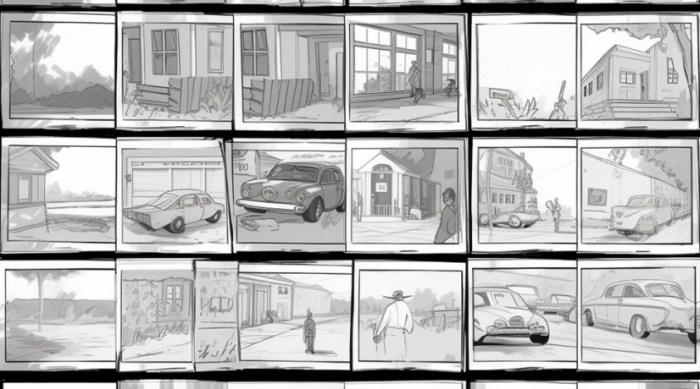
The initial stages of storyboarding should emphasize speed and clarity over detail. Instead of meticulously rendering each panel, begin with thumbnail sketches. These are small, quick sketches that capture the essential composition and action of each scene. Think of them as visual notes. For instance, instead of drawing a fully detailed character, use simple stick figures to represent movement and positioning. Similarly, backgrounds can be represented by basic shapes and lines to indicate location and setting. This approach allows you to quickly lay out the entire sequence, ensuring a strong narrative flow before committing to detailed drawings.
Prioritizing Essential Scenes and Omitting Unnecessary Details
Not every scene needs the same level of visual detail. Identify the crucial moments in your narrative that are essential for conveying the story. These are the scenes that drive the plot forward, reveal character development, or establish important emotional beats. Focus your detailed drawings on these key moments. Less important scenes can be represented by simpler thumbnails or even brief written descriptions. For example, a long establishing shot of a city street might be represented by a simple sketch of buildings and a street, while a crucial dialogue scene between two characters will require more detailed character sketches and expressions.
Adapting Pre-existing Scripts into Concise Storyboards
When working from a pre-existing script, identify the key action beats and dialogue exchanges. Each beat or exchange can form the basis of a single storyboard panel. Focus on translating the script’s core narrative into a visual sequence. Break down complex scenes into smaller, manageable units. For example, a long scene in a restaurant might be broken down into panels focusing on character entrances, dialogue exchanges, and reactions, rather than attempting to depict the entire scene in a single panel. This allows for clearer and more efficient visual storytelling.
Simplified Visual Representations for Complex Ideas
Convey complex ideas through simplified visuals. Instead of overly detailed drawings, utilize symbolic representations and visual metaphors. For instance, a character’s emotional state can be conveyed through simple facial expressions or body language, rather than through extensive background detail. Similarly, abstract concepts can be visualized through symbolic imagery. Consider a scene depicting overwhelming sadness; instead of a detailed illustration of a character crying, a simple image of a character silhouetted against a dark, stormy sky might be more impactful and easier to create quickly.
Applying Storyboarding to Different Media
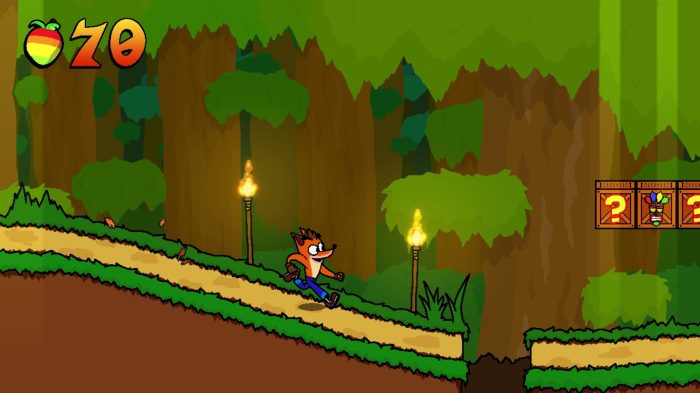
Storyboarding, while fundamentally the same process across different media, adapts its techniques and visual style to suit the specific needs and limitations of each platform. Understanding these nuances is crucial for effective storytelling regardless of whether you’re working on a feature film, an animated short, or a video game. This section will explore the key differences in approach and demonstrate how to apply storyboarding effectively across film, animation, and video games, even extending to user interface design.
Storyboarding techniques vary significantly depending on the medium. Film storyboards often prioritize camera angles, composition, and the overall cinematic feel, while animation storyboards focus on character animation, movement, and the flow of action over time. Video game storyboards, in contrast, need to account for player agency and interaction with the environment, often incorporating multiple perspectives and branching narratives. The visual style also reflects the medium; film storyboards might resemble sketches, while animation storyboards often include detailed character designs and movement notes, and video game storyboards might incorporate UI elements and game mechanics.
Film Storyboarding Techniques
Film storyboards emphasize visual storytelling through camera angles, shot composition, and the overall cinematic experience. Each panel represents a single shot, carefully considering factors such as camera movement (panning, tilting, zooming), lighting, and actor placement. The visual style is often relatively loose, focusing on capturing the essence of the scene rather than minute details. A typical panel might show a wide shot establishing the location, followed by close-ups to highlight emotional expressions, and medium shots to capture the interaction between characters. Consider a scene in a thriller: a storyboard might show a wide shot of a dark alley, then a close-up on the protagonist’s worried face, and finally, a medium shot of the protagonist cautiously walking down the alley, highlighting the tension and suspense.
Animation Storyboarding Techniques
Animation storyboards demand a higher level of detail, especially regarding character animation and movement. Each panel needs to convey the precise action and pose of the characters, often including notes on timing, expressions, and even sound effects. The visual style is more polished and detailed, often incorporating character models and background designs to ensure consistency with the final animation. A storyboard for a short animated scene might show a character running, with several panels illustrating the various stages of the run cycle – the foot placement, arm movements, and body posture. Consider a scene where a rabbit jumps over a fence: the storyboard would show multiple panels depicting the rabbit’s takeoff, mid-air position, and landing, emphasizing the arc of the jump and the character’s physicality.
Video Game Storyboarding Techniques
Video game storyboards are unique in that they must account for player interaction and dynamic environments. They often incorporate multiple perspectives – player’s view, camera angles, and even cutscenes – and may include notes on game mechanics, UI elements, and branching narratives. The visual style can vary widely depending on the game’s genre and art style, but typically includes annotations regarding player actions, environmental details, and any UI changes. A scene in a first-person shooter might show a storyboard panel from the player’s perspective, highlighting enemy positions and potential cover, followed by a panel depicting a cinematic cutscene triggered by a specific event.
Storyboarding a Short Animated Scene
Let’s storyboard a short scene: A playful cat chases a ball of yarn across a room. Panel 1: Wide shot of a living room, showing a ball of yarn rolling across the floor. Panel 2: Close-up on the cat, eyes wide with excitement, ears perked. Panel 3: The cat starts running, its body slightly crouched, legs moving rapidly. Panel 4: The cat leaps, body extended, towards the yarn. Panel 5: The cat catches the yarn, a triumphant expression on its face. Each panel would include annotations detailing the cat’s movement, expression, and the overall timing of the action.
Storyboarding a Video Game Scene
Consider a scene in a role-playing game where the player enters a dark forest. Panel 1: Player’s perspective, showing a dark forest path ahead, with a UI element highlighting an objective marker in the distance. Panel 2: Player interacts with a hidden lever, revealed through environmental storytelling (a slightly broken tree branch). Panel 3: A secret passage opens up, shown from a slightly different camera angle, highlighting the player’s discovery. Panel 4: The UI updates to show a new objective, reflecting the changed game state. Each panel would include notes on player actions, UI changes, and environmental cues.
Storyboarding User Interface (UI) Flow in a Mobile App
Storyboarding can effectively plan user interface flow and transitions in a mobile app. For example, consider the onboarding process of a new app. Panel 1: The app’s initial splash screen. Panel 2: A welcome screen with a brief introduction. Panel 3: A tutorial screen showing the app’s core functionality. Panel 4: A screen prompting the user to create an account. Panel 5: The main app screen. Each panel would detail the UI elements, transitions between screens, and any interactive elements. This storyboard would ensure a smooth and intuitive user experience.
End of Discussion
By the end of this intensive 24-hour crash course, you will possess a solid foundation in storyboarding techniques, ready to apply them across various creative projects. You’ll have developed the ability to efficiently convey narratives through visual storytelling, streamlining your workflow and improving the clarity of your communication. Whether you’re a seasoned professional or a budding artist, this course empowers you to confidently tackle any storyboarding challenge.