Mastering the art of storyboarding is crucial for any animator, transforming abstract ideas into compelling visual narratives. This guide delves into the fundamentals, techniques, and advanced strategies that will elevate your storytelling abilities, helping you translate scripts into dynamic sequences ready for animation.
From understanding the different types of storyboards and choosing the right software, to mastering shot composition, visual cues, and collaboration, we’ll equip you with the essential skills to create clear, concise, and engaging storyboards. We’ll cover both traditional and digital methods, ensuring you have the knowledge to work effectively regardless of your chosen workflow.
Understanding Storyboarding Fundamentals
Storyboarding is a crucial pre-production phase in animation, film, and game development. It serves as a visual roadmap, outlining the narrative flow, character actions, and camera angles before any actual animation or filming begins. This process allows for early identification and correction of pacing issues, plot holes, and inconsistencies, saving time and resources in the long run.
Storyboarding provides a shared visual language for the entire production team, ensuring everyone is on the same page regarding the story’s progression and artistic vision. It’s an essential tool for communication and collaboration, facilitating smooth transitions between different stages of production.
Types of Storyboards
Storyboards are adapted to different mediums, each with its own specific requirements. Film storyboards prioritize camera angles, shot composition, and actor movements. Animation storyboards focus on character animation, action sequences, and the overall visual style. Video game storyboards often incorporate user interface elements, gameplay mechanics, and level design, alongside character interactions and camera perspectives. The core function remains consistent—to visualize the narrative—but the emphasis shifts depending on the medium.
Traditional vs. Digital Storyboarding
Traditional storyboarding involves hand-drawn sketches on paper, offering a tactile and immediate feel. This method allows for quick iterations and a unique artistic touch. However, it can be time-consuming, lacks easy revision capabilities, and requires additional scanning and digital processing.
Digital storyboarding, using software like Storyboard Pro or Photoshop, offers increased efficiency and flexibility. Digital tools enable easy revisions, color corrections, and the integration of other digital assets. While the initial learning curve might be steeper, the long-term benefits in terms of speed and collaboration outweigh the initial investment.
Sample Storyboard Panel
Imagine a panel depicting a bustling marketplace. A young woman, Anya, with bright red hair, is haggling with a jovial merchant, Ben, over a stack of colorful silks. Anya is pointing at a particular silk with a playful expression, while Ben, with a wide, knowing smile, gestures towards a slightly less vibrant pile. The background is filled with the vibrant chaos of a marketplace—people milling about, stalls overflowing with goods, and the sounds of bartering filling the air. The panel is framed to emphasize the playful interaction between Anya and Ben, with the marketplace providing a rich, contextual background.
Comparison of Storyboarding Software
| Software Name | Pros | Cons | Cost |
|---|---|---|---|
| Storyboard Pro | Powerful features, intuitive interface, excellent for animation | Steeper learning curve than some alternatives, relatively expensive | Subscription or perpetual license |
| Adobe Photoshop | Widely accessible, versatile toolset, excellent for image manipulation | Not specifically designed for storyboarding, workflow can be less streamlined | Subscription |
| Celtx | Free version available, collaborative features, integrates with other tools | Free version has limitations, interface may feel less polished | Free (limited) or subscription |
| Toon Boom Harmony | Industry-standard software, robust animation capabilities, excellent for complex projects | Very steep learning curve, extremely expensive | Subscription or perpetual license (very expensive) |
Essential Storyboarding Techniques
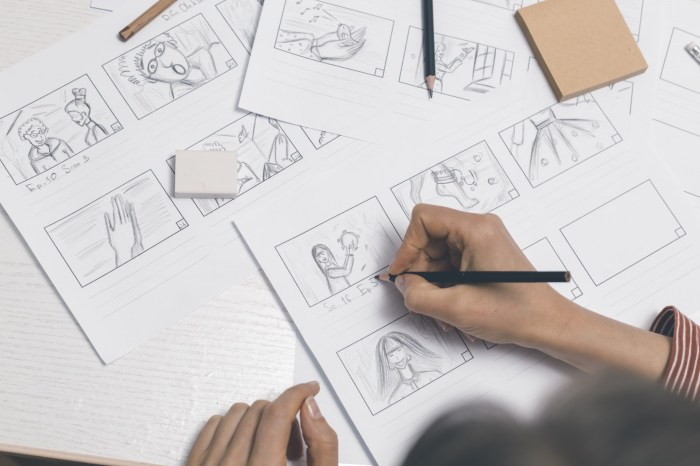
Storyboarding is more than just sketching out scenes; it’s a crucial process for visualizing and planning your animation, ensuring a cohesive narrative and efficient workflow. Mastering key techniques allows animators to effectively communicate their vision and create a compelling visual story. This section delves into practical methods for creating effective storyboards.
Creating a storyboard from a script involves a systematic approach that translates written words into visual sequences. This process allows animators to pre-visualize the action, pacing, and emotional impact of their animation before entering the more time-consuming animation phase.
Storyboard Creation from a Script
A step-by-step guide to translating a script into a storyboard involves breaking down the script into individual scenes, then translating each scene into a visual representation. First, carefully read and understand the script, identifying key actions, dialogue, and emotional beats. Next, divide the script into individual scenes or shots. For each scene, determine the key action, characters involved, and setting. Then, sketch rough thumbnails for each shot, focusing on the composition and key elements. Finally, refine these thumbnails into cleaner, more detailed storyboards, adding camera angles, character expressions, and other visual details.
Effective Visual Storytelling Techniques
Effective visual storytelling in storyboards utilizes several techniques to enhance narrative clarity and emotional impact. These include utilizing strong composition to guide the viewer’s eye, using visual metaphors to convey abstract ideas, and employing dynamic camera angles to create a sense of movement and energy. For example, a low-angle shot can make a character appear powerful and intimidating, while a high-angle shot can make them seem vulnerable or insignificant. Using contrasting colors to highlight emotional shifts, or symbolic imagery to represent themes, are further effective strategies.
Shot Composition and Camera Angles
Shot composition and camera angles are fundamental aspects of visual storytelling. The rule of thirds, for instance, can create a more balanced and visually appealing composition. Camera angles—such as low angle (looking up at the subject), high angle (looking down at the subject), eye level, and over-the-shoulder shots—can significantly alter the viewer’s perception of characters and their relationships. Consider the impact of each camera angle on the scene’s mood and the character’s emotional state. A close-up shot, for example, emphasizes emotion and detail, while a wide shot provides context and establishes the setting.
Using Visual Cues to Convey Emotion and Narrative Flow
Visual cues are essential for conveying emotion and guiding the narrative flow in a storyboard. Character expressions, body language, and the use of color and lighting are crucial for communicating emotions. For instance, a character’s posture can convey confidence or fear. Similarly, lighting can be used to set the mood—bright lighting for a cheerful scene, dim lighting for a suspenseful one. The use of arrows, notes, and annotations can help clarify the sequence of events and highlight key transitions. Clear transitions between scenes, whether a simple cut or a more complex dissolve, are essential for maintaining a smooth and engaging narrative.
Organizing a Storyboard for a Short Animated Sequence
Effective organization is crucial for creating a storyboard that is easy to understand and follow. This includes clear labeling of each scene, consistent use of visual elements, and maintaining a logical flow. Below is an example of a storyboard for a short animated sequence focusing on pacing and timing.
This example demonstrates how to break down a short sequence into individual shots, considering pacing and timing. Each scene’s duration can be noted to help maintain the desired tempo.
- Scene 1: A young girl sits alone in a dark room, looking sad. Image Description: A close-up shot of a girl with tears in her eyes, dimly lit room.
- Scene 2: A small, friendly robot enters the room. Image Description: Medium shot, showing the robot approaching the girl cautiously.
- Scene 3: The robot offers the girl a small, glowing flower. Image Description: Close-up on the robot’s hand extending the flower, the girl’s face showing a hint of curiosity.
- Scene 4: The girl takes the flower and smiles. Image Description: Close-up on the girl’s face, now smiling gently, holding the flower.
- Scene 5: The girl and the robot sit together, sharing a quiet moment. Image Description: Wide shot showing the girl and robot sitting side-by-side, bathed in warmer lighting.
Advanced Storyboarding Tips for Animators
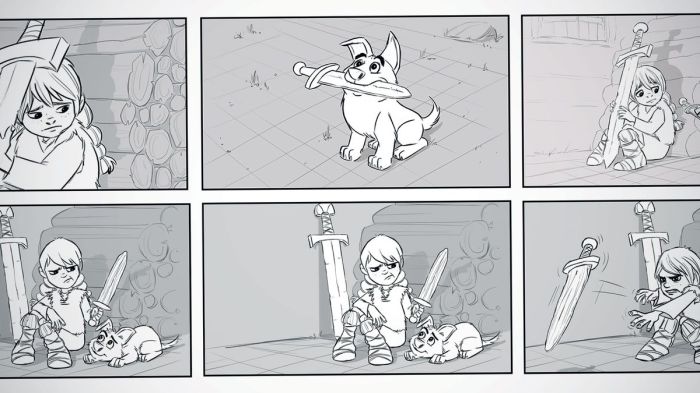
Storyboarding isn’t just about sketching out scenes; it’s a crucial collaborative process demanding advanced techniques to ensure a clear and effective visual narrative. This section delves into refining your storyboarding skills, focusing on collaboration, avoiding common pitfalls, and mastering complex scenes.
Collaboration with Other Team Members
The storyboard artist acts as a vital bridge between the director’s vision and the animation team’s execution. Effective collaboration requires clear communication and a willingness to adapt. The storyboard artist works closely with the director to refine the narrative, ensuring the visuals accurately reflect the story’s intent. Simultaneously, they collaborate with animators to ensure the storyboards are feasible and translate well into animation, considering animation style, character design, and technical limitations. This collaborative process often involves multiple revisions and feedback loops to achieve a shared understanding and a cohesive final product. Open communication, active listening, and a proactive approach to addressing feedback are essential for successful collaboration.
Common Pitfalls in Storyboard Creation
Several common pitfalls can hinder the effectiveness of a storyboard. Inconsistency in style and perspective can confuse the viewer and disrupt the flow of the narrative. Overly complex panels, lacking clarity, make the story difficult to follow. Insufficient detail, conversely, leaves the animation team guessing, leading to inconsistencies and potential errors. Ignoring pacing and failing to consider the emotional impact of each scene are also critical mistakes. Finally, neglecting to review and revise the storyboard based on feedback can result in a final product that doesn’t meet the desired quality or effectiveness.
Storyboarding a Complex Action Scene
Consider a scene where a hero, pursued by a villain in a speeding car, leaps from a rooftop onto a moving truck. Panel 1 shows the hero poised on the rooftop, the villain’s car approaching rapidly. Panel 2 depicts the hero’s jump, mid-air, with the background blurred for motion effect. Panel 3 shows the hero landing on the truck, a slight stumble indicated, with the villain’s car still pursuing. Panel 4 showcases the hero securing himself on the truck, the villain’s car gaining ground. Each panel uses clear lines of action and a consistent perspective, ensuring readability despite the dynamic action. The use of visual shorthand, like motion lines and exaggerated poses, adds dynamism without sacrificing clarity.
Revising and Iterating on Storyboards
Effective revision involves actively seeking feedback from the director, animators, and other relevant team members. This feedback should be carefully considered, with changes implemented to improve clarity, pacing, and overall effectiveness. The revision process isn’t merely about fixing mistakes; it’s about refining and enhancing the storyboard. This might involve adjusting camera angles, refining character poses, adding or removing panels, or clarifying ambiguous details. Iterative revisions, incorporating feedback in a structured manner, ensure the storyboard evolves into a polished and effective visual narrative.
Storyboarding with Sound Effects and Dialogue Cues
This storyboard depicts a simple conversation:
Panel 1: Two characters, A and B, sitting at a table in a cafe. A looks concerned.
Sound: Ambient cafe noise.
Dialogue: A: “I’m worried about this deal.”
Panel 2: B reaches across the table, placing a comforting hand on A’s arm.
Sound: Soft thud of hand on table.
Dialogue: B: “Don’t worry, we’ve got this.”
Panel 3: A looks at B, a slight smile appearing.
Sound: Gentle cafe music swells.
Dialogue: A: “Thanks, I needed that.”
The inclusion of sound effects and dialogue cues enriches the storyboard, giving animators a more complete understanding of the scene’s atmosphere and emotional tone. This enhances the final animation by providing a more immersive and engaging experience for the audience.
Ending Remarks
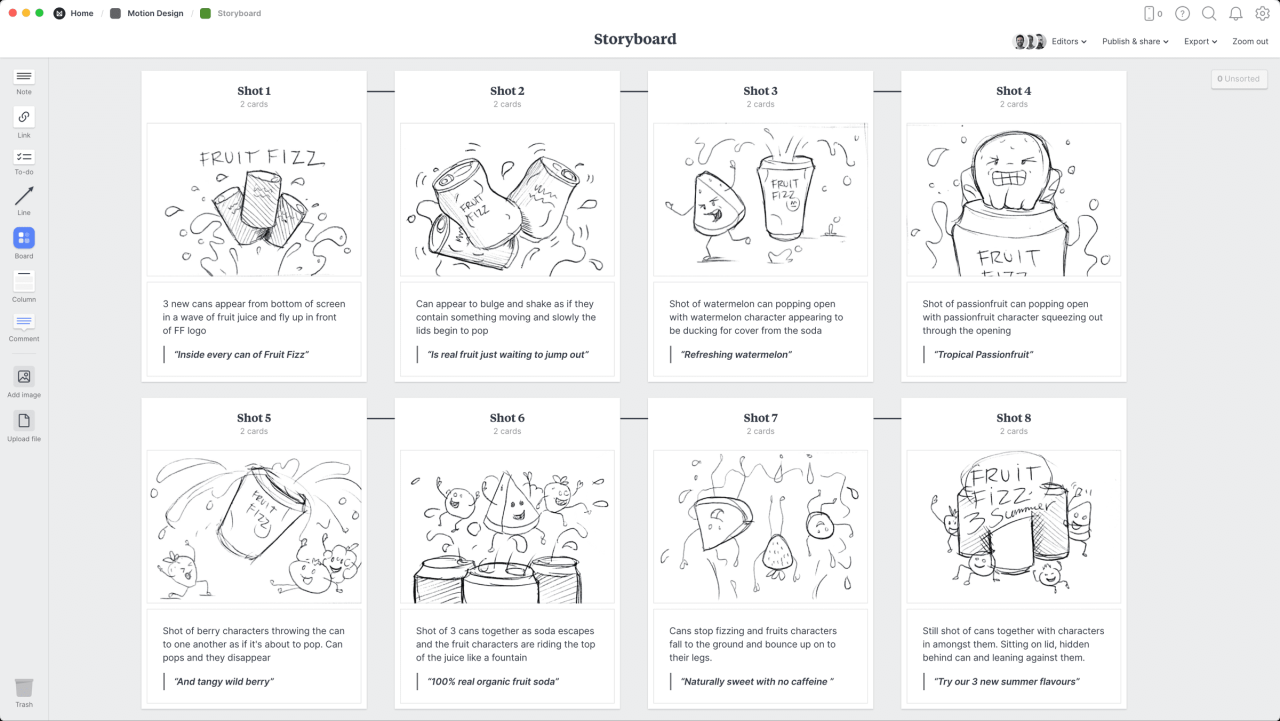
Creating effective storyboards is a collaborative and iterative process. By understanding the fundamentals, employing effective techniques, and mastering advanced strategies, animators can transform their scripts into compelling visual narratives. This guide has provided a framework for creating clear, concise, and engaging storyboards, enabling you to confidently navigate the process from initial concept to final product. Remember to embrace feedback, iterate on your designs, and most importantly, let your creativity shine.