Crafting compelling video games hinges on effective storytelling, and storyboarding is the crucial first step. This guide provides six essential tips for game developers, transforming complex game mechanics and narratives into clear, concise visual plans. We’ll explore fundamental techniques, advanced strategies, and practical applications, empowering you to bring your game’s vision to life with impactful visuals.
From understanding the basics of panel design and character depiction in different game genres (2D platformers versus 3D open worlds, for instance) to mastering advanced techniques like incorporating sound effects and branching narratives, this guide offers a comprehensive approach to storyboarding for game development. We will examine how to effectively communicate complex action sequences, camera angles, and even manage revisions to refine your narrative flow. Prepare to elevate your game design process.
Understanding Storyboarding Fundamentals for Game Development
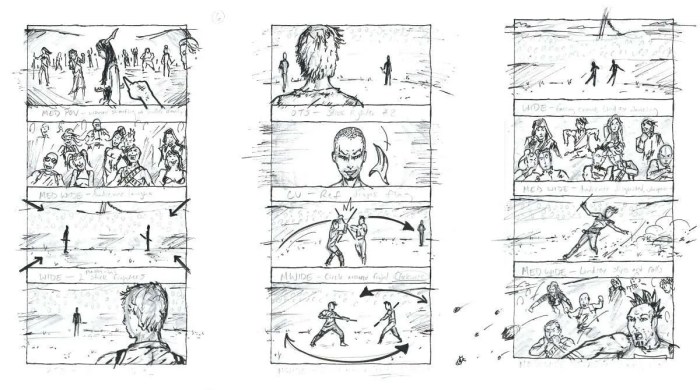
Storyboarding is a crucial pre-production step in game development, allowing developers to visualize gameplay, pacing, and narrative flow before committing resources to actual development. It serves as a blueprint for the game’s visual and interactive elements, ensuring a cohesive and engaging player experience. A well-crafted storyboard facilitates communication among team members, identifies potential problems early on, and helps maintain creative consistency throughout the project.
Character Introduction Scene in a Fantasy RPG
The following describes a storyboard panel depicting a crucial character introduction:
Panel 1: A wide shot establishes a dimly lit, ancient tavern. Thick wooden beams support a low, smoke-filled ceiling. Rough-hewn tables and chairs are scattered around the room, some occupied by patrons. A flickering fireplace casts dancing shadows on the walls. The overall atmosphere is gritty and mysterious.
Panel 2: A close-up focuses on a lone figure sitting in a shadowed corner. This is Elara, a hardened elf warrior. She has long, braided silver hair, piercing blue eyes, and wears worn leather armor adorned with intricate silver detailing. A scarred face hints at past battles. She holds a tankard of ale, her expression stoic and watchful.
Panel 3: The camera angle shifts slightly to show a group of boisterous human mercenaries entering the tavern. They are clad in brightly colored, less practical armor, carrying weapons and boasting loudly. Their leader, a burly man with a cruel smile, eyes Elara.
Panel 4: A close-up on Elara’s face. Her eyes narrow slightly, a subtle shift in expression signaling her awareness and potential readiness for conflict. This panel highlights the character’s internal conflict and sets the stage for future interaction.
Storyboarding for 2D Platformer vs. 3D Open-World Game
Storyboarding for 2D platformers and 3D open-world games presents distinct challenges. 2D platformers, with their simpler environments and more linear gameplay, require storyboards that focus on precise character animation, level design, and the timing of events. 3D open-world games, on the other hand, require storyboards that emphasize camera angles, environmental storytelling, and the vastness of the game world.
2D platformers primarily focus on conveying the flow of gameplay through a series of sequential panels. Challenges include clearly depicting platforming mechanics, enemy placement, and the progression through the level. The limited perspective requires careful consideration of what information is essential to convey in each panel.
3D open-world games require a more flexible approach. Storyboarding needs to capture the scale and scope of the game world, showcasing key locations, environmental details, and character interactions within a broader narrative context. Challenges include depicting camera movements, conveying environmental storytelling, and managing the complexity of a vast, explorable space. This often requires multiple storyboard panels to illustrate a single gameplay moment.
Illustrating a Simple Puzzle Mechanic
This sequence illustrates a simple puzzle involving rotating colored blocks to align them with corresponding slots:
Panel 1: A top-down view of a square grid containing four differently colored blocks (red, blue, green, yellow). Each block can be rotated 90 degrees. Four corresponding colored slots are visible adjacent to the grid. The blocks are currently misaligned.
Panel 2: The player selects the red block and rotates it 90 degrees clockwise. The red block now aligns with its corresponding slot. This is indicated by a subtle visual change, such as a slight glow or shift in color.
Panel 3: The player continues rotating the remaining blocks. The blue and green blocks are now correctly aligned, leaving only the yellow block misaligned.
Panel 4: The player rotates the yellow block, completing the puzzle. All blocks align with their corresponding slots, triggering a visual effect, such as a door opening or a sound effect. This panel showcases the completion of the puzzle and the subsequent game state change.
Essential Storyboarding Techniques for Enhanced Game Design

Effective storyboarding is crucial for game development, translating abstract ideas into concrete visual representations that guide the entire production process. It allows developers to visualize gameplay, pacing, character interactions, and overall narrative flow before committing significant resources to development. This section explores techniques to enhance game design through sophisticated storyboarding approaches.
Storyboarding a Plot Twist in a Narrative-Driven Adventure Game
Consider a scene where the seemingly benevolent mentor character, Professor Elm, is revealed to be the game’s antagonist. The storyboard would begin with a close-up on the protagonist’s face, reflecting trust and admiration as Professor Elm delivers a seemingly innocuous piece of advice. The next panel shows a wider shot, revealing a hidden compartment in Elm’s study, subtly hinting at something concealed. Subsequent panels would depict a series of increasingly suspicious actions by Elm, each panel showcasing a different visual cue: a fleeting glimpse of a sinister symbol on his hidden documents, a tense exchange with a shadowy figure seen only from behind, a close-up on Elm’s hand clutching a weapon. The final panel would be a dramatic reveal: Elm’s face, contorted in a malicious grin, as he confronts the protagonist, dramatically altering the narrative’s trajectory. The protagonist’s reaction in the final panel – a look of shock and betrayal – reinforces the impact of the twist.
Visualizing Complex Action Sequences in a Fighting Game
Three distinct approaches exist for storyboarding complex fighting game sequences.
- Panel-by-Panel Breakdown: This method uses multiple panels to illustrate each individual action and reaction within a combo. Each panel focuses on a specific moment, showing the characters’ positions, their attacks, and the resulting effects. Pros: Extremely detailed and precise, allowing for clear understanding of the action. Cons: Can become excessively lengthy and difficult to manage for longer sequences. For example, a multi-hit combo might require 10-15 panels to capture the complete sequence.
- Keyframe Animation Approach: This approach focuses on key moments within the action, skipping less important transitional frames. It’s similar to how animators create animation sequences. Pros: More concise and easier to manage than panel-by-panel breakdowns. Cons: May sacrifice some detail and require a strong understanding of animation principles to effectively convey the flow of movement. For instance, a complex spinning kick might only be shown in three keyframes: the start, the apex, and the landing.
- Symbolic Representation: This style uses simplified visuals and symbols to represent the action, focusing on the overall flow and impact rather than precise details. Pros: Quick and efficient, ideal for conveying the general idea of a sequence without getting bogged down in minute details. Cons: Lacks the precision of other methods and may not be suitable for sequences requiring detailed choreography. For example, a complex fight might be represented by a series of dynamic shapes and motion lines, suggesting the energy and flow of the battle.
Communicating Camera Angles and Movement During a Chase Sequence in a Racing Game
The storyboard would begin with a long shot, establishing the overall environment and showing the player’s vehicle trailing behind the opponent. The next panel would shift to a medium shot, focusing on the player’s vehicle, showcasing its speed and maneuvering. Subsequent panels would use a series of close-ups and over-the-shoulder shots, emphasizing the tension and the speed of the chase. Quick cuts would be indicated between panels, representing the rapid changes in perspective as the player navigates tight corners and obstacles. The camera angles would dynamically change, switching between shots from the player’s perspective, shots focusing on the opponent’s vehicle, and sweeping shots that showcase the environment and the pursuit. The final panel would be a close-up on the finish line, capturing the exhilarating moment of victory or defeat. These dynamic camera movements would be clearly indicated using arrows and notes on the storyboard panels, specifying the type of shot (e.g., wide shot, close-up, over-the-shoulder), camera movement (e.g., pan, tilt, zoom), and the duration of each shot.
Advanced Storyboarding Tips for Professional Game Development
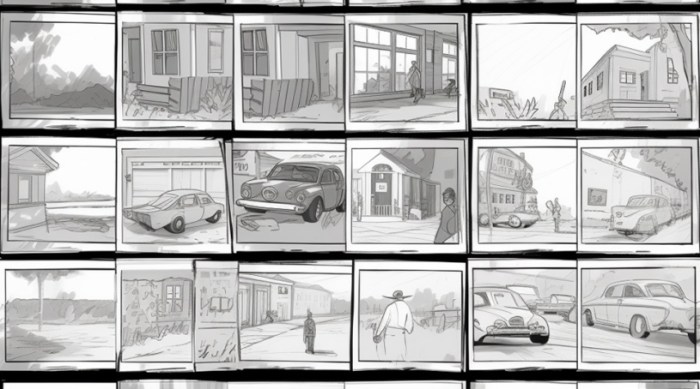
Storyboarding is crucial for game development, but mastering advanced techniques elevates your process from simply visualizing scenes to orchestrating a cohesive and impactful player experience. This section explores techniques used by professional game developers to enhance communication, manage complex narratives, and refine the overall game design through iterative storyboarding.
Storyboarding annotations provide a powerful means to communicate beyond basic visuals. They allow for precise direction to artists, animators, sound designers, and programmers, ensuring everyone is on the same page regarding the intended atmosphere and player experience.
Storyboard Annotations for Sound, Music, and Visual Effects
Effective communication during game development relies heavily on clear and concise annotations within storyboards. Instead of relying solely on images, annotations specify details like sound effects, music cues, and visual effects. For instance, a storyboard panel depicting a character sneaking through a dark corridor might include annotations like: “SFX: Footsteps on gravel (subtle),” “Music: Tense ambient track (low volume),” and “VFX: Dust particles kicked up with each step.” These annotations prevent misinterpretations and ensure that the final product accurately reflects the intended mood and atmosphere. Consider using a consistent color-coding system for different annotation types (e.g., red for SFX, blue for music, green for VFX) to improve readability and quick comprehension. Another example: a panel showing a magical explosion could be annotated with “SFX: Loud whoosh and boom,” “Music: Epic orchestral swell,” and “VFX: Bright flash, expanding shockwave, debris particles.” This level of detail ensures the visual, audio, and technical aspects work together seamlessly.
Storyboarding Branching Narratives in Choice-Driven Games
Choice-driven adventure games require a more complex approach to storyboarding. A single scene might have multiple outcomes depending on the player’s choices. To effectively visualize this, the storyboard needs to illustrate these branching narrative paths. Each panel representing a choice should clearly show the potential outcomes. For example, consider a scene where the player encounters a locked door. One panel could depict the player choosing to pick the lock, leading to a subsequent panel showing successful entry and the discovery of a treasure. Another panel, branching from the initial choice, could show the player choosing to search for a key, leading to a different set of panels illustrating a separate sequence of events. Using clear labels and arrows to connect the different narrative paths is crucial to maintain clarity and track the multiple outcomes effectively. This allows developers to visualize the overall narrative structure and identify potential inconsistencies or plot holes early in the development process.
Storyboard Revisions for Improved Narrative Flow
Storyboarding isn’t a static process; it’s iterative. Revisions are crucial for improving narrative flow, refining pacing, and enhancing the overall player experience. The revision process usually involves playtesting, feedback sessions, and internal reviews. Playtesting reveals areas where the story feels clunky, confusing, or lacks impact. Feedback sessions with designers, writers, and other stakeholders identify areas for improvement. Internal reviews allow the team to collectively evaluate the story’s coherence and effectiveness. For example, a reviewer might suggest altering the sequence of events to create a more compelling narrative arc, or perhaps changing a character’s action to better reflect their personality. Each revision should be documented, with clear notes explaining the changes and the reasoning behind them. This iterative approach ensures that the final storyboard accurately reflects a polished and engaging narrative, ready for implementation. Tracking revisions through version control helps maintain a clear history of changes, making it easy to revert to previous versions if needed.
Closing Summary
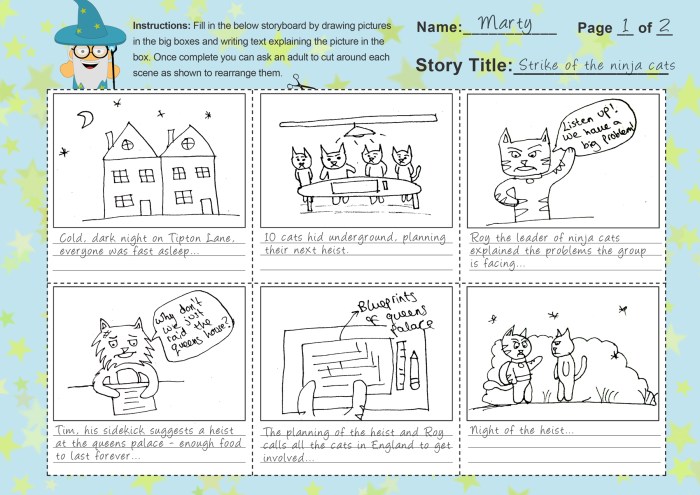
Mastering storyboarding is not just about creating pretty pictures; it’s about establishing a clear and consistent visual language for your entire development team. By utilizing the techniques Artikeld above, from fundamental panel design to advanced annotation and revision strategies, you’ll streamline your game’s development process, ensure a cohesive narrative, and ultimately create a more engaging and memorable player experience. So, grab your pencils (or digital styluses!), and let’s bring your game’s story to life.