Crafting compelling interactive narratives requires a robust foundation. This guide delves into the art of storyboarding for interactive storytelling, providing seven key tips to elevate your design process. We’ll explore the unique challenges and opportunities presented by interactive narratives, contrasting them with traditional storytelling methods and emphasizing the crucial role of user experience (UX) in shaping engaging and intuitive designs.
From designing effective storyboard templates to seamlessly integrating interactive elements like choices and branching paths, we’ll cover practical techniques and visual strategies. Learn how to use visual cues, metaphors, and diverse visual styles to create a clear, visually appealing, and user-friendly storyboard that effectively communicates your interactive narrative.
Understanding Storyboard Fundamentals for Interactive Narratives
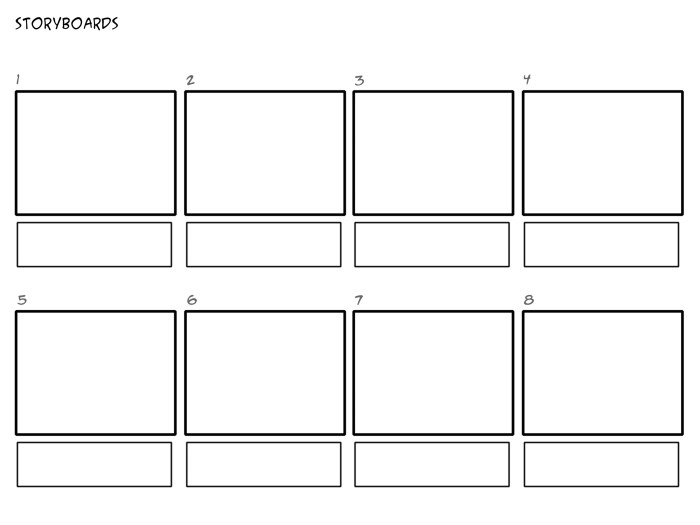
Storyboarding is a crucial process in visual storytelling, providing a blueprint for the narrative’s flow and visual elements. However, interactive narratives present unique challenges and require a modified approach to traditional storyboarding techniques. This section explores the fundamental differences and the importance of user experience (UX) in designing effective storyboards for interactive stories.
Interactive storytelling necessitates a storyboard that not only Artikels the narrative’s progression but also meticulously maps out the player’s choices and their subsequent consequences. Unlike linear narratives, interactive stories branch and evolve based on player decisions, creating multiple possible paths within the story.
Storyboard Template for Interactive Narratives
Designing a storyboard template specifically for interactive narratives requires incorporating elements to represent choices and their branching narratives. The following table provides a suitable structure, using four columns for clarity and efficiency. Each row represents a scene or a segment within a scene.
| Scene Number | Visual Description | Dialogue/Narration | Player Choices & Consequences |
|---|---|---|---|
| 1 | A dark forest path, moonlight filtering through the trees. A lone figure stands at a crossroads. | “You stand at a crossroads. One path leads deeper into the forest, the other towards a distant light.” | Choice A: Follow the path deeper into the forest (leads to Scene 3). Choice B: Follow the path towards the light (leads to Scene 2). |
| 2 | A small, welcoming cottage with a warm light emanating from its windows. | “You approach the cottage cautiously. A kind old woman opens the door.” | Choice A: Ask for help (leads to Scene 4). Choice B: Continue on your journey (leads to Scene 5). |
| 3 | A menacing figure emerges from the shadows of the forest. | “A shadowy figure blocks your path, its eyes glowing menacingly.” | Choice A: Fight (leads to Scene 6). Choice B: Try to reason (leads to Scene 7). |
Differences Between Traditional and Interactive Storyboarding
Traditional storyboarding focuses on a linear progression of events, depicting a single narrative path. Interactive storyboarding, conversely, needs to account for multiple narrative branches stemming from player choices. Traditional storyboards primarily concern themselves with visual continuity and pacing, while interactive storyboards must additionally map out the decision points, the consequences of each choice, and how those choices affect the narrative flow and visual presentation. This requires a more complex and multifaceted approach, often involving multiple storyboards for different narrative branches.
The Importance of User Experience (UX) in Interactive Storytelling
User experience (UX) is paramount in interactive storytelling. A poorly designed interactive narrative, regardless of its compelling story, will frustrate players and detract from their enjoyment. The storyboard plays a crucial role in ensuring a positive UX. Careful consideration must be given to the clarity of choices presented to the player, the logical consequences of those choices, and the overall flow of the narrative. A well-designed storyboard will ensure that the player’s journey is intuitive, engaging, and rewarding, leading to a more immersive and satisfying experience. For example, poorly designed choices might lead to abrupt narrative shifts or illogical outcomes, negatively impacting the user experience. Conversely, well-designed choices create a sense of agency and allow the player to feel invested in the story’s progression.
Sample Storyboard Scene: A Pivotal Choice
This scene depicts a pivotal choice in a fantasy adventure game.
| Scene Number | Visual Description | Dialogue/Narration | Player Choices & Consequences |
|---|---|---|---|
| 8 | The hero stands before a chasm, a rickety bridge spanning the gap. A mysterious figure watches from the other side. | “You must cross the chasm to reach the mysterious figure. The bridge looks unstable. Do you dare to cross?” | Choice A: Cross the bridge (leads to Scene 9 – A perilous journey across the bridge, potential encounter with danger). Choice B: Find another way (leads to Scene 10 – A longer, more indirect route, potential discovery of hidden secrets). |
Seven Key Tips for Effective Interactive Storyboard Creation

Creating engaging interactive storyboards requires a strategic approach that blends visual storytelling with user experience design. A well-crafted storyboard not only Artikels the narrative but also guides the user’s journey, ensuring a smooth and intuitive interactive experience. These seven tips will help you create storyboards that are both visually appealing and effectively communicate the flow and choices within your interactive narrative.
Effective interactive storyboards rely on clear communication and visual appeal to convey the narrative and user interaction. The following points offer guidance on achieving this.
- Prioritize Clarity: Use simple, easily understandable visuals and concise text. Avoid clutter and ambiguity. Each panel should clearly depict a specific moment or choice point.
- Define User Actions: Explicitly show how the user interacts with the narrative. Use clear visual cues, such as buttons, clickable areas, or highlighted text, to indicate where and how choices are made.
- Visualize Consequences: For each choice, visually represent the resulting outcome. This helps users understand the impact of their decisions and enhances engagement.
- Maintain Consistency: Use a consistent visual style throughout the storyboard. This ensures a cohesive and professional look, making the narrative easier to follow.
- Employ Visual Metaphors: Use visual metaphors to represent abstract concepts or themes. This can add depth and meaning to the narrative, making it more engaging and memorable.
- Consider User Flow: Design the storyboard with the user’s journey in mind. Ensure the flow is logical and intuitive, guiding the user smoothly through the narrative.
- Iterate and Refine: Storyboarding is an iterative process. Review and refine your storyboard based on feedback and testing to ensure it effectively communicates your vision.
Incorporating Visual Cues for User Guidance
Visual cues are crucial for guiding users through interactive narratives. They help users understand the available choices and the consequences of their actions. These cues should be prominent, unambiguous, and integrated seamlessly into the storyboard’s visual design. For instance, using different colored arrows to indicate different paths or highlighting clickable elements in a specific color can be very effective. A branching narrative structure can be clearly visualized using different colored lines emanating from a central decision point, each leading to a distinct outcome panel.
Storyboard Scene Illustrating Visual Metaphors
Consider a scene depicting a character standing at a crossroads. The paths diverge, one leading towards a bright, sunny landscape representing hope and success, the other towards a dark, stormy landscape representing danger and failure. This simple visual metaphor immediately communicates the core theme of choice and its consequences without needing explicit textual explanation. The character’s expression (hopeful, apprehensive, etc.) further enhances the metaphor. The crossroads itself is a powerful visual metaphor for decision-making. The contrasting landscapes amplify the weight of the choice.
Comparison of Minimalist and Detailed Visual Styles
Minimalist storyboards utilize simple shapes, limited color palettes, and minimal details. They prioritize clarity and readability, often focusing on the narrative’s structure and flow. Detailed storyboards, conversely, employ intricate drawings, rich color palettes, and extensive details. They create a more immersive experience but can be more time-consuming to create and potentially less clear if overdone. The choice between these styles depends on the narrative’s tone, target audience, and available resources. A minimalist style might be suitable for a fast-paced, action-oriented game, while a detailed style might be better suited for a character-driven narrative with a focus on atmosphere. For example, a game like “Monument Valley” uses a minimalist style effectively, while a game like “The Last of Us” leans towards a more detailed style.
Implementing Interactive Elements within the Storyboard
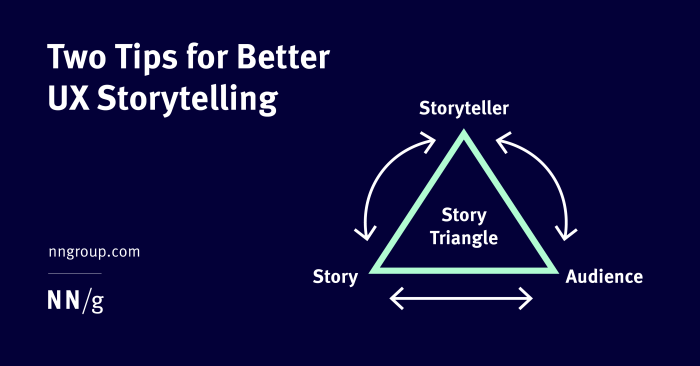
Integrating interactive elements into your storyboard is crucial for creating engaging interactive narratives. This involves carefully planning how choices, feedback, and branching paths will be visually represented and how they affect the narrative flow. A well-designed storyboard will clearly show the user’s journey through the story, highlighting the different paths and outcomes based on their actions.
Effectively incorporating interactive elements requires a systematic approach. This involves a clear visual representation of choices, their consequences, and the overall narrative flow. Visual cues and clear labeling are essential for understanding the decision points and the subsequent narrative branches. This section will provide a step-by-step guide to help you seamlessly integrate these elements into your storyboard.
Step-by-Step Guide to Integrating Interactive Elements
Integrating interactive elements effectively requires a structured approach. The following steps Artikel a practical method for incorporating choices, branching paths, and feedback mechanisms into your storyboard.
- Identify Interactive Moments: First, pinpoint the specific points in your narrative where user interaction is needed. These are decision points, puzzle solutions, or any moment where the user’s input directly affects the story’s progression.
- Design Choice Points: For each interactive moment, design the choices available to the user. Consider the type of interaction (multiple choice, yes/no, slider, etc.) and ensure the choices are clear, concise, and relevant to the narrative.
- Map Branching Paths: For each choice, map out the different narrative paths that will result. This involves creating separate story branches for each possible outcome. Use visual cues, like arrows or different colored paths, to represent these branches clearly.
- Incorporate Feedback Mechanisms: Plan how the game will provide feedback to the user. This could include immediate responses to choices, visual cues indicating the correct or incorrect path, or changes in the game world reflecting the user’s actions.
- Visual Representation: Use consistent visual representations throughout your storyboard to clearly show the flow of interactive elements. This might involve using different colors, shapes, or symbols to denote choices, branches, and feedback.
- Iterate and Refine: Review your storyboard multiple times, testing the flow and ensuring that the interactive elements are intuitive and easy to understand. Refine the design based on your testing and feedback.
- Consistency is Key: Maintain a consistent visual style and labeling throughout your storyboard. This will improve readability and make it easier to understand the overall structure of your interactive narrative.
Visual Representation of Interactive Elements
Visual clarity is paramount when illustrating interactive elements in a storyboard. Using clear visual cues helps designers and developers understand the flow of the narrative and the impact of user choices. This section provides examples of how different interactive elements can be visually represented.
Consider a scene where the player character encounters a locked door. A multiple-choice interaction could present three options: try the key, search for a key, or force the door open. Each choice would be represented visually. For example, “Try the Key” could be shown with a simple image of a key being inserted into the lock, leading to a new storyboard panel showing the result (door opens or not). “Search for a Key” might show the character searching, potentially leading to another sequence where the user needs to solve a puzzle to find the key. “Force the Door Open” could show a forceful action, potentially leading to a panel showing consequences (e.g., the door breaks, attracting guards). Each branch should be clearly marked and visually distinct.
Storyboard Segment Showcasing Interactive Elements
Let’s illustrate a simple storyboard segment using different interactive elements.
Scene: The player character reaches a crossroads.
Panel 1: Illustration of a crossroads with three paths: a forest path, a mountain path, and a river path. Text: “Choose your path.”
Panel 2 (Multiple Choice): Three buttons are displayed, each corresponding to a path. Button 1: “Forest Path” (image of a forest). Button 2: “Mountain Path” (image of a mountain). Button 3: “River Path” (image of a river). Arrows from each button point to different subsequent panels.
Panel 3 (Forest Path): Illustration of the player entering the forest. Text: “You enter a dark forest…” (this panel would lead to further panels depicting events within the forest).
Panel 4 (Mountain Path): Illustration of the player climbing a mountain. Text: “The mountain path is steep…” (this panel would lead to further panels depicting the mountain climb).
Panel 5 (River Path): Illustration of the player approaching a river. Text: “You find a boat. Do you cross the river?” (This leads to a Yes/No choice).
Panel 6 (Yes – River Path): Illustration of the player crossing the river in a boat. Text: “You successfully cross the river…” (leading to further events).
Panel 7 (No – River Path): Illustration of the player deciding against crossing the river. Text: “You decide to find another way…” (leading to alternative events).
Designing Storyboards for Different Levels of User Interaction
The level of user interaction should be carefully considered during storyboard design. Different games require varying degrees of player agency and engagement. The following table Artikels design considerations for different interaction levels.
| Interaction Level | Description | Design Considerations | Example |
|---|---|---|---|
| Minimal | Linear narrative with limited choices. | Focus on a compelling narrative; limited branching paths; clear progression. | A cinematic experience with minimal player input, mostly cutscenes. |
| Moderate | Several choices with moderate impact on the narrative. | Multiple branching paths; clear visual representation of choices and consequences; feedback mechanisms. | A point-and-click adventure game with multiple dialogue options and puzzle-solving elements. |
| High | Numerous choices with significant impact on the narrative and gameplay. | Complex branching paths; dynamic narrative changes; extensive feedback; potentially multiple endings. | A branching narrative game with many choices affecting relationships, outcomes, and even the game world. |
| Emergent | Player actions significantly shape the narrative and game world in unpredictable ways. | Open-ended design; procedural generation; dynamic world; minimal constraints. | A sandbox game like Minecraft or a highly-interactive RPG with complex character interactions. |
Final Summary
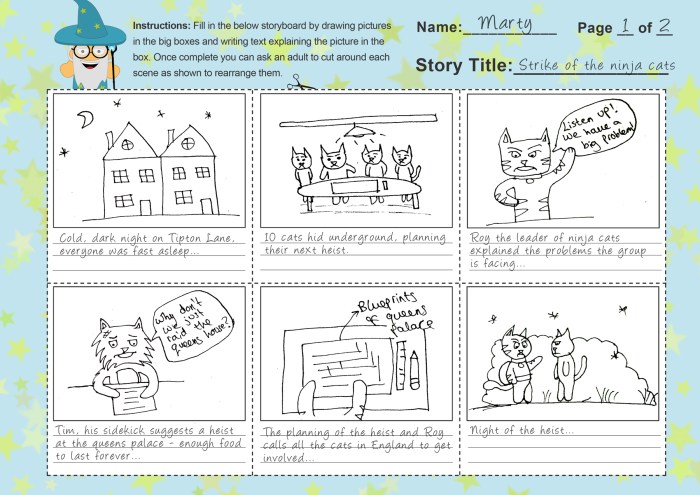
Mastering interactive storyboarding is key to creating immersive and engaging digital experiences. By understanding the fundamentals, implementing effective visual strategies, and incorporating user feedback, you can transform your interactive narratives from simple linear stories into dynamic, choice-driven adventures. Remember, clear communication and a strong user experience are paramount to success. This guide offers a solid foundation for your journey into the world of interactive storytelling.