Storyboarding, a crucial pre-production step for any visual project, can often be a time-consuming process. However, with the right techniques and tools, you can significantly streamline your workflow and achieve remarkable speed improvements. This guide delves into twelve essential shortcuts, encompassing time-saving strategies, efficient software utilization, and optimized workflow methodologies, designed to boost your storyboarding productivity.
From mastering keyboard shortcuts in popular storyboarding software to leveraging pre-made assets and templates, we’ll explore practical methods to accelerate your creation process. We’ll also examine how to avoid common mistakes and foster effective collaboration within your team, ensuring consistent and efficient storyboard development. This comprehensive approach will equip you with the knowledge to transform your storyboarding experience from tedious to efficient.
Time-Saving Techniques for Storyboarding
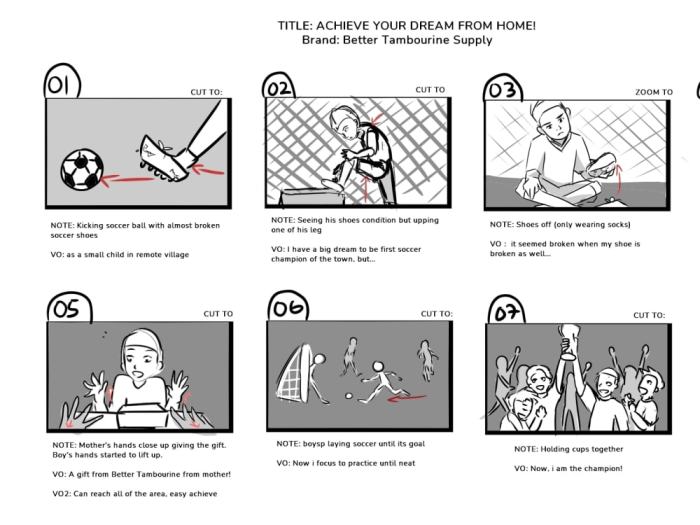
Storyboarding is a crucial step in filmmaking and animation, but it can be time-consuming. Employing efficient techniques and strategies can significantly reduce the time spent on this phase, allowing for greater focus on other aspects of production. This section will explore several methods to streamline your storyboard workflow.
Storyboard Template Design with Reusable Elements
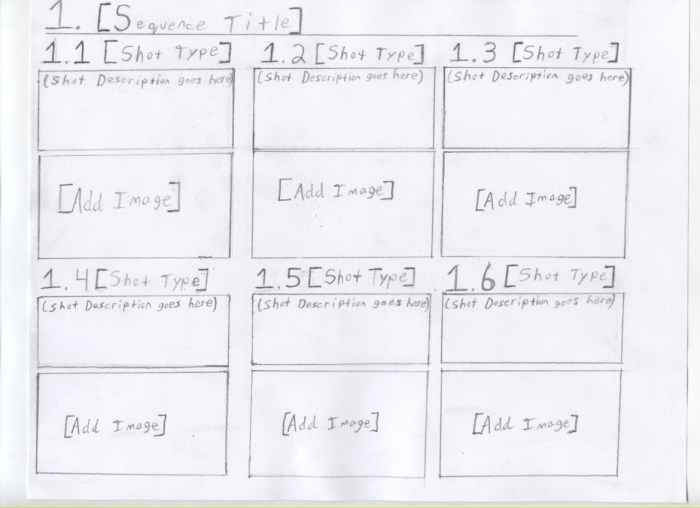
Creating a reusable storyboard template is a highly effective way to save time. This involves designing a consistent layout with pre-defined sections for scene number, shot description, dialogue, and panel size. For example, you might create a template in a vector graphics editor like Adobe Illustrator or Inkscape. This template can then be duplicated for each scene, minimizing the need to repeatedly adjust panel sizes or create new text boxes. Consider including placeholders for common elements like character poses or background elements that can be easily swapped in or reused across multiple scenes. This consistent format ensures visual uniformity and accelerates the overall process.
Common Storyboard Mistakes and Their Avoidance
Failing to plan adequately, inconsistent visual style, unclear shot descriptions, neglecting the overall narrative flow, and neglecting revisions are common storyboard mistakes that significantly increase production time. To avoid these, start with a detailed script breakdown and Artikel. Establish a clear visual style guide from the outset, using a consistent color palette, character design, and visual language. Write concise yet descriptive shot descriptions, and frequently review the storyboard for narrative coherence. Finally, build in time for revisions and feedback incorporation, treating the storyboard as an iterative process rather than a one-off creation.
Efficient Utilization of Pre-made Assets
Utilizing pre-made assets, such as character models, background elements, and props, is crucial for accelerating the storyboarding process. This can involve creating a personal library of reusable assets within your chosen software. For instance, a digital artist might create a library of diverse character poses in a vector format that can be easily scaled and modified. When starting a new project, begin by reviewing your asset library. This significantly reduces the time spent on creating new assets from scratch. Import assets directly into your storyboard software, adjusting scale and position as needed, maintaining consistency throughout the project.
Digital vs. Traditional Storyboarding: A Comparison
The choice between digital and traditional storyboarding significantly impacts speed and efficiency. Digital storyboarding offers advantages in terms of editing, revision, and collaboration. However, traditional methods, using pen and paper, can be quicker for initial sketching and brainstorming. The following table summarizes the key differences:
| Feature | Digital Storyboarding | Traditional Storyboarding | Considerations |
|---|---|---|---|
| Speed of Creation | Faster for revisions and complex scenes; slower for initial sketching | Faster for initial sketching and rough drafts | Depends on artist’s skill and workflow |
| Ease of Revision | Very easy, non-destructive editing | Difficult and time-consuming | Significant time savings in digital workflow for iterative revisions |
| Collaboration | Easy sharing and collaborative editing | Requires physical sharing and coordination | Digital enhances team workflow significantly |
| Cost | Requires software and hardware investment | Low initial cost; only requires basic art supplies | Digital might have a higher upfront cost but long-term efficiency gains |
Software and Tools for Streamlined Storyboarding
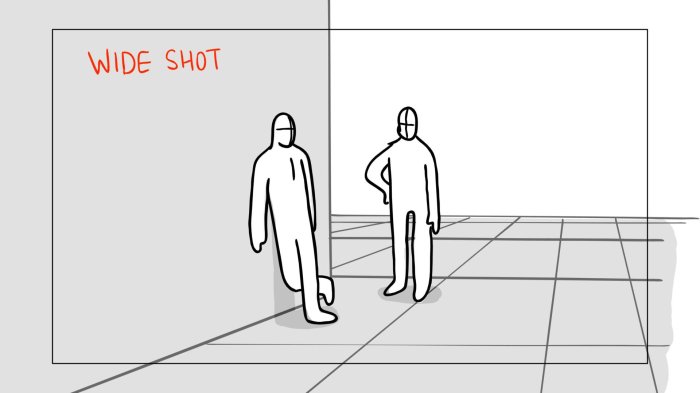
Choosing the right software can significantly impact your storyboarding workflow. The right tool will offer features that boost efficiency and reduce the time spent on tedious tasks, allowing you to focus on the creative aspects of your project. This section will explore several popular options and highlight their strengths in streamlining the storyboarding process.
Comparison of Storyboarding Software
Selecting the appropriate storyboarding software hinges on individual needs and preferences. However, three prominent choices consistently emerge as top contenders: Storyboarder, Adobe Photoshop, and Toon Boom Harmony. Each offers unique features that contribute to efficient storyboarding.
- Storyboarder: This free, open-source software is specifically designed for storyboarding.
- Strengths: Intuitive interface, excellent for quick sketching and layout, strong focus on narrative flow, easy panel resizing and manipulation, built-in tools for annotations and revisions.
- Weaknesses: Limited advanced features compared to professional design software, fewer options for detailed illustration.
- Adobe Photoshop: A widely used industry-standard image editing software, also adaptable for storyboarding.
- Strengths: Powerful illustration capabilities, vast array of brushes and tools for detailed artwork, excellent layer management, integration with other Adobe Creative Cloud applications.
- Weaknesses: Steeper learning curve than Storyboarder, can be less intuitive for pure storyboarding purposes, subscription-based cost.
- Toon Boom Harmony: A professional-grade animation software with robust storyboarding capabilities.
- Strengths: Advanced animation features, excellent for creating detailed and polished storyboards, powerful timeline functionality, suitable for complex projects.
- Weaknesses: High cost, significant learning curve, potentially overkill for simpler storyboarding needs.
Storyboarder Keyboard Shortcuts
Storyboarder’s keyboard shortcuts significantly enhance productivity. Mastering these shortcuts allows for rapid panel creation, navigation, and manipulation, reducing the time spent on repetitive actions. For instance, using the keyboard to quickly add panels, resize them, and navigate between them eliminates the need for constant mouse clicks.
- ‘A’: Add a new panel.
- ‘Delete’: Delete the selected panel.
- Arrow Keys: Navigate between panels.
- ‘Ctrl + Z’ (or ‘Cmd + Z’ on Mac): Undo the last action.
- ‘Ctrl + S’ (or ‘Cmd + S’ on Mac): Save the project.
Many more shortcuts exist, enhancing speed and efficiency; exploring the full range of available shortcuts is highly recommended.
Organizing and Managing Storyboard Files
Effective file management is crucial for efficient storyboarding. A well-organized system ensures quick access to files and prevents wasted time searching for specific panels or projects.
- Consistent File Naming Conventions: Use a clear and consistent naming system (e.g., Project Name_Scene_Panel Number.sbd).
- Folder Structure: Organize projects into folders by project name, then further subdivide by scenes or acts.
- Cloud Storage: Utilize cloud storage services (like Dropbox, Google Drive, or iCloud) for backup and easy access from multiple devices.
- Regular Backups: Regularly back up your project files to prevent data loss.
- Version Control: Use version control software (like Git) for larger projects to track changes and revert to previous versions if necessary.
Utilizing Templates and Pre-built Scenes
Templates and pre-built scenes can dramatically accelerate the storyboarding process. They provide a foundation upon which to build, saving time on repetitive tasks like setting up panel sizes and layouts.
For example, let’s say you need to create a simple scene of a character walking down a street. Using a pre-built street scene template, you can simply drag and drop your character onto the scene, adjust the character’s position and pose, and add dialogue or annotations. This is much faster than creating the entire street scene from scratch. Another example would be using a template with a pre-defined panel size and aspect ratio. This saves time spent adjusting individual panel sizes to ensure consistency throughout your storyboard. Different templates can be used for different types of scenes (e.g., interior, exterior, close-up). Using a template with pre-drawn basic elements, like simple characters or objects, can also save time in creating individual scenes.
Effective Storyboarding Workflow Strategies
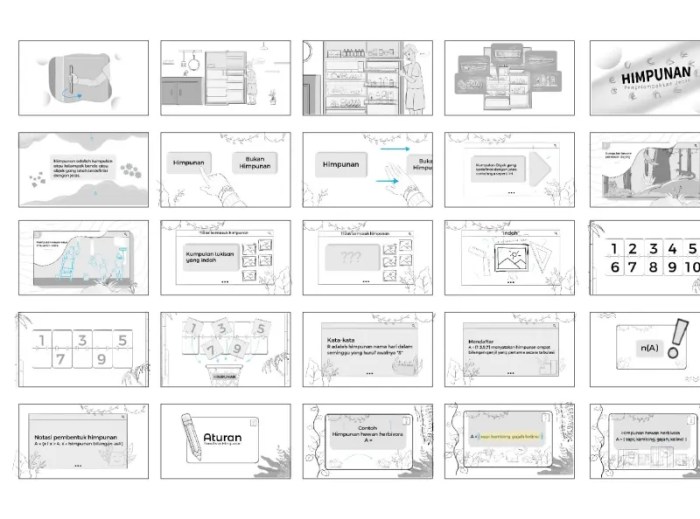
Streamlining your storyboard workflow is crucial for efficient project completion. A well-organized process minimizes revisions, improves collaboration, and ultimately saves significant time and resources. By implementing strategic techniques at each stage, you can significantly enhance your overall storyboard production.
A well-defined workflow significantly impacts the efficiency and quality of your storyboard creation. The following steps Artikel a time-saving approach, emphasizing key areas for optimization.
Workflow Stages for Optimized Storyboarding
Implementing a structured workflow can significantly reduce project turnaround time. The following numbered list details a streamlined approach, highlighting time-saving opportunities at each stage.
- Project Briefing and Planning: Thoroughly understand the project’s scope, target audience, and desired style. Clearly define the story’s key elements and desired tone early on to avoid costly rework later. This includes gathering all necessary assets and reference materials.
- Script Breakdown and Scene Planning: Divide the script into manageable scenes. Identify key actions, emotions, and camera angles for each scene. Creating a shot list at this stage can drastically reduce the time spent sketching.
- Rough Sketching and Thumbnail Creation: Quickly sketch out the main composition and key elements of each scene. Focus on clarity and visual storytelling, rather than detailed rendering. Use thumbnails to establish pacing and visual flow.
- Storyboard Refinement: Refine your rough sketches, adding details and ensuring consistency in style and perspective. Use a consistent template and maintain a clear visual hierarchy throughout.
- Review and Feedback: Share your storyboard with relevant stakeholders for feedback. Address comments promptly and efficiently to avoid prolonged revision cycles.
- Finalization and Export: Once feedback is incorporated, finalize your storyboard and export it in the appropriate format for your project needs.
Checklist for Storyboard Consistency and Revision Minimization
A comprehensive checklist ensures consistency and minimizes the need for extensive revisions. This helps maintain a streamlined workflow and reduces overall production time.
- Consistent art style and character design throughout the storyboard.
- Accurate representation of camera angles and movement.
- Clear and concise panel layouts.
- Accurate depiction of dialogue and action.
- Maintain consistent use of annotations and notes.
- Regular review of completed panels to ensure continuity.
- Adherence to project guidelines and specifications.
Collaborative Storyboarding for Enhanced Speed
Effective collaboration is vital for accelerating storyboard production. Clearly defined roles and communication strategies are key to efficient teamwork.
- Utilize cloud-based collaboration tools: Platforms like Google Drive or Dropbox allow for real-time collaboration and version control, reducing email chains and file management issues.
- Establish clear roles and responsibilities: Assign specific tasks to team members based on their skills and expertise. This ensures efficient task allocation and minimizes overlaps.
- Implement a structured feedback system: Establish a clear process for providing and receiving feedback, using tools like online annotation software or dedicated review platforms.
- Regular check-ins and communication: Maintain consistent communication to address any issues promptly and maintain project momentum.
Storyboard Resolutions for Different Project Phases
Choosing the appropriate resolution for each project phase can optimize workflow and reduce file sizes without compromising quality. The following table Artikels the benefits and drawbacks of various resolutions.
| Resolution | Benefits | Drawbacks | Project Phase |
|---|---|---|---|
| Low (e.g., 640×480) | Small file sizes, fast rendering, ideal for quick sketching and initial revisions. | Limited detail, may not be suitable for final presentations. | Rough sketching, initial feedback |
| Medium (e.g., 1280×720) | Good balance between detail and file size, suitable for client presentations and internal reviews. | May be too large for quick iteration. | Refinement, client presentations |
| High (e.g., 1920×1080 or higher) | High detail, suitable for final deliverables and high-quality presentations. | Large file sizes, slower rendering, may require more powerful hardware. | Finalization, archival |
| Variable Resolution | Flexibility to adjust resolution based on specific needs. | Requires careful management to ensure consistency. | Throughout the project, depending on needs |
Last Word
By implementing these twelve storyboard shortcuts, you’ll not only save valuable time but also enhance the overall quality and consistency of your storyboards. Mastering these techniques will allow you to focus more on the creative aspects of your project, leading to a more fulfilling and productive workflow. Remember that efficient storyboarding is not just about speed; it’s about achieving a balance between speed and quality, ensuring your vision is realized effectively and efficiently.