Storyboarding, a powerful tool in the UX designer’s arsenal, transforms complex user journeys into easily digestible visual narratives. This approach allows for early identification of usability issues, facilitates collaborative feedback, and ultimately leads to more intuitive and user-friendly designs. By visualizing the user experience step-by-step, storyboarding provides a shared understanding amongst designers, developers, and stakeholders, ensuring everyone is on the same page from the initial concept to the final product launch.
This guide delves into seven essential tips to master the art of storyboarding for UX, covering everything from understanding fundamental principles to effectively integrating storyboards into the design process. We’ll explore different storyboarding styles, best practices for creating compelling frames, and how to leverage this technique for gathering crucial user feedback and refining your designs iteratively.
Understanding the Fundamentals of Storyboarding for UX
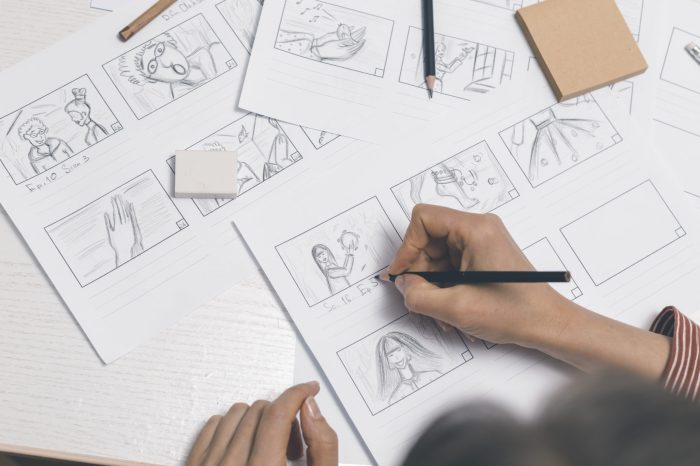
Storyboarding, a technique borrowed from filmmaking, is a powerful tool in user experience (UX) design. It allows designers to visualize and communicate the user journey through a product or service in a clear and concise manner, facilitating collaboration and iterative improvement. Essentially, it’s a visual narrative that helps anticipate user interactions and identify potential usability issues early in the design process.
Storyboards offer a compelling alternative to more complex and time-consuming prototyping methods. While wireframes focus on the structural layout and interactive components, and prototypes emphasize functionality and user interaction, storyboards prioritize the narrative flow and emotional experience of the user. This makes them particularly useful for communicating the overall user journey and identifying potential pain points in the user experience.
Benefits of Storyboarding in UX
Storyboarding provides numerous advantages in UX projects. It fosters better communication between designers, developers, and stakeholders by providing a shared visual language. This visual representation facilitates quicker understanding and agreement on design decisions, reducing the risk of misinterpretations and costly revisions later in the development cycle. Furthermore, it helps identify usability issues early on, saving time and resources by addressing problems before they become deeply embedded in the design. Finally, storyboards allow designers to test and iterate on different design approaches efficiently, enabling them to explore various scenarios and refine the user experience iteratively. Compared to other prototyping methods, storyboards offer a faster, less resource-intensive approach to visualizing user flows, making them ideal for initial concept exploration and iterative refinement.
Storyboarding Styles and Applications
Several storyboarding styles cater to different needs and contexts within UX design. Simple sketches on paper can quickly capture the essence of a user flow, facilitating brainstorming sessions and early-stage concept exploration. More detailed storyboards, using digital tools and incorporating visual elements like mockups and annotations, can effectively communicate more complex interactions and visual designs. Animated storyboards, which often incorporate motion and transitions, can effectively showcase the dynamic aspects of an application or website. The choice of style depends on the project’s complexity, the target audience, and the desired level of detail. For instance, a quick sketch might suffice for an initial concept, while a detailed, annotated storyboard could be crucial for communicating a complex user interaction to a development team.
Example: E-commerce Checkout Storyboard
The following storyboard depicts a user’s journey through a simple e-commerce checkout process. Each frame represents a distinct step in the process.
| Frame 1 | Frame 2 | Frame 3 | Frame 4 |
|---|---|---|---|
| User adds items to their shopping cart. A visual representation of the cart with items is shown. | User clicks “Checkout.” The screen transitions to the checkout page, displaying shipping address information fields. | User fills in their shipping address and selects a shipping method. A visual representation of the form with filled fields is shown. | User reviews their order and payment information. A summary of the order is displayed with a prominent “Place Order” button. |
Crafting Effective Storyboard Frames for UX
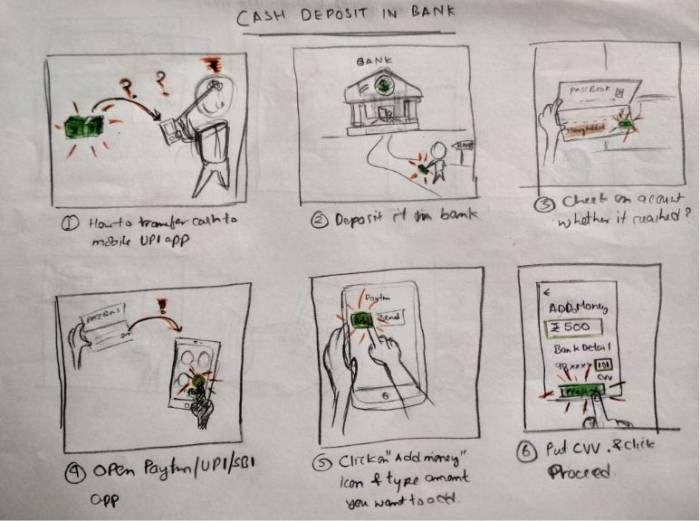
Storyboarding is a powerful tool for visualizing user experiences and communicating design ideas effectively. Creating clear, concise, and engaging storyboard frames is crucial for conveying the intended user flow and emotional impact of an interaction. Effective storyboards act as a bridge between abstract concepts and tangible representations, making them invaluable during the design process.
Effective storyboard frames utilize a combination of visual elements and concise text to depict user interactions. Visual storytelling is paramount; each frame should communicate a specific moment in the user journey, capturing the essence of the interaction without unnecessary detail. This clarity allows stakeholders to quickly grasp the design intent and identify potential usability issues.
Visual Storytelling in UX Storyboards
Visual storytelling is the heart of effective UX storyboarding. It’s not just about illustrating the user interface; it’s about conveying the user’s emotional state and the overall narrative of their experience. Consider the user’s perspective, their goals, and the challenges they might encounter. Use visual cues like facial expressions, body language, and environmental details to enrich the story and make it more relatable. Simple, consistent visual style across frames enhances comprehension and improves the overall impact of the storyboard.
Common Pitfalls in Storyboard Frame Design
Several common mistakes can hinder the effectiveness of a storyboard. Overly complex frames filled with excessive detail can be overwhelming and distract from the core interaction. Inconsistent visual style across frames creates confusion and undermines the narrative flow. Failing to clearly depict user actions and system responses leads to ambiguity and misunderstanding. Ignoring the emotional aspect of the user experience results in a detached and unconvincing storyboard. Finally, neglecting to review and iterate on the storyboard based on feedback can lead to missed opportunities for improvement.
Storyboard Frame: Error Message Encounter
This frame depicts a user attempting to submit a form with an incomplete field. The user’s face shows a slight frown, indicating frustration. Their hand hovers over the incomplete field, highlighted in red with an error message clearly visible: “Please fill in this required field.” The background is a simple, neutral color to avoid distractions. The overall visual cue communicates the error clearly and efficiently without unnecessary complexity, maintaining a user-centric focus.
Storyboard Frame Series: Successful Task Completion
The following series of frames demonstrates a user successfully completing a complex task – uploading a document to a cloud storage service.
- Frame 1: User navigates to the “Upload” section of the application. The user’s mouse cursor is visible, hovering over the “Upload” button. A subtle animation suggests a smooth transition. The user’s expression is neutral, indicating anticipation.
- Frame 2: User selects the document from their local file system. A file selection dialog box is visible, with the chosen document highlighted. The user is shown clicking the “Open” button. Their expression remains neutral, but their posture indicates focused attention.
- Frame 3: The document uploads, indicated by a progress bar and a percentage completion indicator. The user’s gaze is directed towards the progress bar, showing engagement with the process. Their expression remains positive and expectant.
- Frame 4: The upload completes successfully. A confirmation message appears, stating “Upload complete!” The user smiles, indicating satisfaction and relief. The uploaded document is displayed in the cloud storage interface.
Integrating Storyboards into the UX Design Process
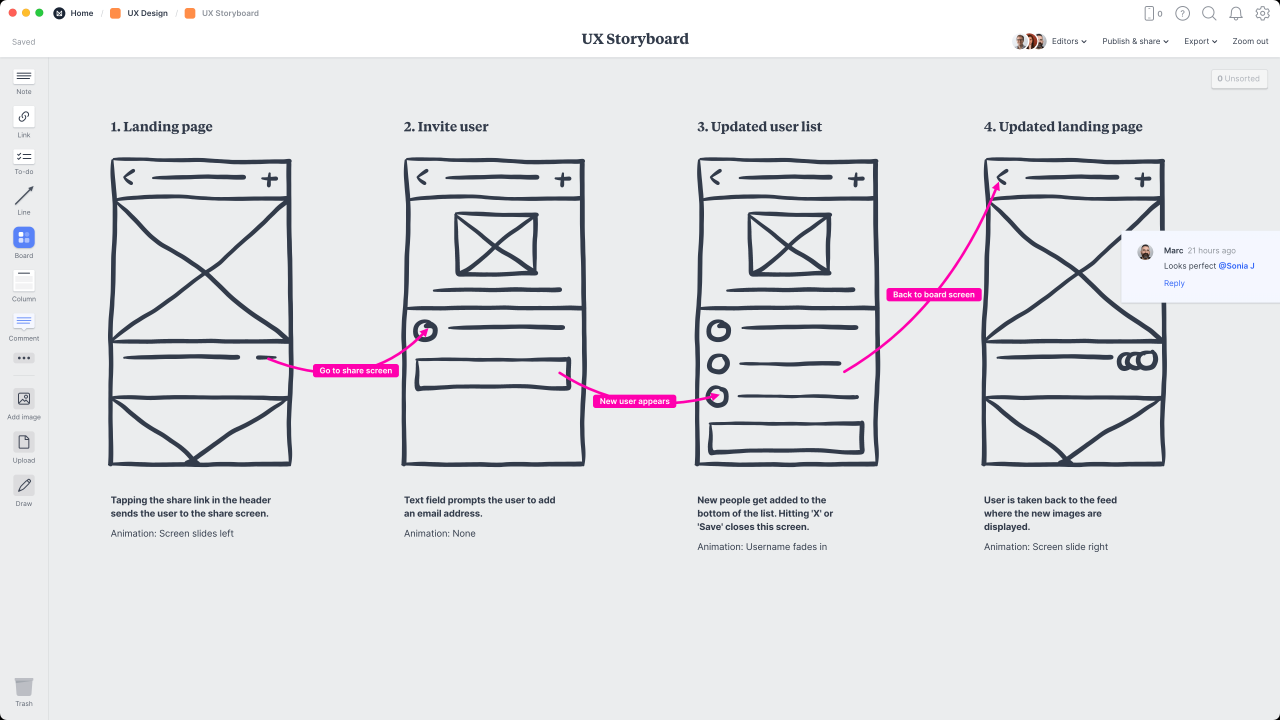
Storyboarding isn’t a standalone activity; it’s a powerful tool seamlessly integrated throughout the UX design process, enhancing communication and improving design outcomes. Its value extends from initial concept exploration to final testing and iteration. Effective integration ensures the storyboard remains a living document, reflecting the evolving design.
Storyboards effectively visualize user journeys and interactions, facilitating clear communication across design teams and with stakeholders. They bridge the gap between abstract ideas and tangible representations, making complex concepts easily understandable. This visual approach is particularly useful in identifying potential usability issues early in the process, reducing costly revisions later on.
Storyboarding’s Role at Different Design Stages
Storyboarding’s utility varies depending on the project phase. During the initial research phase, storyboards can help visualize potential user flows and scenarios, guiding user research and informing early design decisions. In the design phase, storyboards serve as a blueprint, guiding the creation of wireframes and prototypes. Finally, during the testing and iteration phase, storyboards help analyze user feedback and inform design refinements. Each stage benefits from a slightly different approach to storyboarding, focusing on the specific needs and goals of that phase. For instance, early-stage storyboards might be rough sketches, while later-stage storyboards might incorporate more detail and fidelity.
Comparison with Other UX Research Methods
Storyboarding complements other UX research methods rather than replacing them. Unlike user interviews which focus on verbal feedback, storyboards provide a visual representation of user experience. Compared to usability testing, which often focuses on specific tasks, storyboards offer a broader view of the overall user journey. A combination of these methods—user interviews to understand user needs, usability testing to identify specific pain points, and storyboards to visualize the entire experience—offers a comprehensive understanding of user behavior and needs. Each method offers unique insights, and using them together enhances the overall effectiveness of the UX design process.
Gathering Feedback Using Storyboards
Storyboards facilitate efficient feedback gathering. Presenting a storyboard to stakeholders allows for early identification of potential issues and alignment on design direction. Similarly, user testing sessions can be enhanced by using storyboards to set the context for the test and to guide users through the tasks. Gathering feedback directly on the storyboard itself, using annotations and comments, keeps the feedback directly tied to the visual representation of the design. This visual context makes the feedback easier to understand and act upon.
Iterative User Testing and Design Refinement
The following storyboard illustrates a simple user flow for adding an item to a shopping cart on an e-commerce website, showing iterative design improvements based on user feedback.
Storyboard 1 (Initial Design): A user sees a product page. They click “Add to Cart.” A small pop-up confirms the addition.
User Feedback 1: “The confirmation is too small; I wasn’t sure if it worked.”
Storyboard 2 (Revised Design): The “Add to Cart” button now has clear visual feedback (e.g., color change). A larger, more prominent confirmation message appears.
User Feedback 2: “The cart icon is hard to find. I had to look for it.”
Storyboard 3 (Final Design): The cart icon is now larger and more visible. The confirmation message also includes a direct link to the shopping cart.
Communicating Design Concepts to Developers
Storyboards effectively bridge the communication gap between designers and developers. They provide a visual representation of the user flow and interactions, clarifying the functionality and behavior of the application. This shared visual language minimizes misunderstandings and ensures everyone is on the same page regarding the design’s intended functionality. Developers can use storyboards to understand the sequence of events and interactions, helping them translate the design into code more accurately. Furthermore, the visual nature of storyboards simplifies complex interactions, making them easier for developers to comprehend and implement.
Ending Remarks
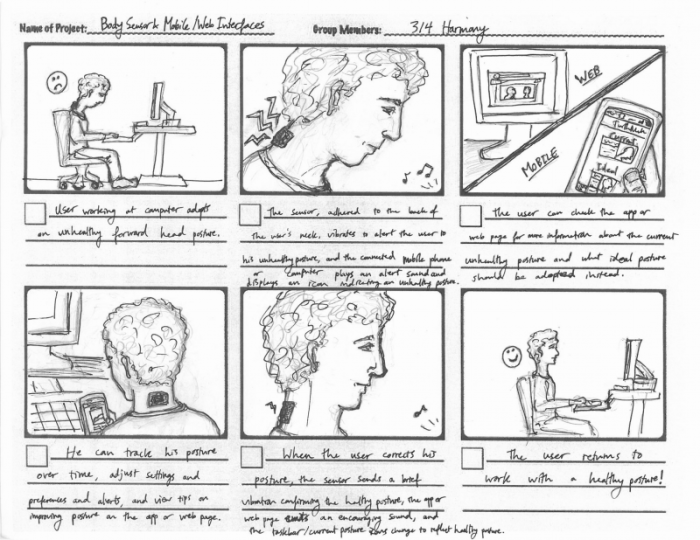
Mastering the art of UX storyboarding empowers designers to effectively communicate user journeys, anticipate potential usability problems, and ultimately create more engaging and intuitive digital experiences. By following these seven essential tips, and consistently applying the principles of visual storytelling and iterative feedback, you’ll significantly enhance the user-centered design process and produce superior digital products.