Harnessing the power of online collaboration, this guide explores the best online storyboard communities, providing a comprehensive overview of their features and functionalities. We’ll delve into effective storyboard techniques, best practices for collaborative projects, and the advantages these platforms offer filmmakers and creative teams. Discover how to leverage these tools to enhance your storytelling and streamline your workflow, transforming your vision into a compelling visual narrative.
From comparing user interfaces and collaboration tools to understanding the nuances of different pricing models, we’ll equip you with the knowledge to choose the perfect platform for your needs. We will also examine how various roles in filmmaking—director, writer, animator—can effectively utilize these communities for seamless project management and constructive feedback.
Top Online Storyboard Communities
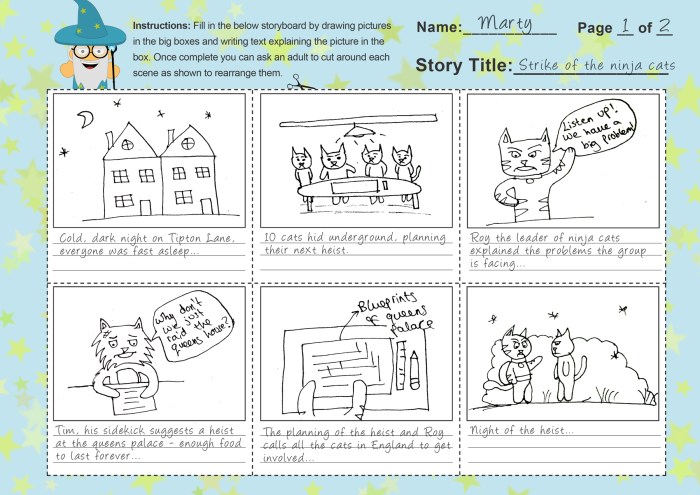
Choosing the right online storyboard community can significantly impact your workflow and collaborative efforts. This section provides a comparative overview of three popular platforms, highlighting their strengths and weaknesses to aid in your selection process. We’ll examine their user interfaces, collaboration features, and pricing models to offer a clear picture of what each platform offers.
Storyboard Community Feature Comparison
The following table compares three prominent online storyboard communities: Storyboarder (open-source), Celtx (subscription-based), and FrameForge (subscription-based). Each platform caters to different needs and preferences, offering a range of features and pricing options. Understanding these differences is crucial for selecting the best fit for your project.
| Feature | Storyboarder | Celtx | FrameForge |
|---|---|---|---|
| User Interface | Intuitive and minimalist; focuses on ease of use and speed. Can feel somewhat basic compared to others. | More comprehensive and feature-rich, but can feel cluttered for beginners. Offers a broader range of tools beyond storyboarding. | Clean and organized; balances functionality with a user-friendly design. Offers robust tools for professional storyboarding. |
| Collaboration Tools | Limited built-in collaboration; relies heavily on external file sharing. | Robust cloud-based collaboration; allows for real-time editing and feedback. | Offers strong collaboration features, including version control and comment threads. |
| Pricing Model | Open-source and free; relies on community support. | Subscription-based; offers various tiers with differing features and storage limits. | Subscription-based; offers a range of plans targeting individual users and studios. |
Storyboarder User Experience
This section details the user experience on Storyboarder, a popular open-source option. The platform prioritizes simplicity and efficiency.
The interface presents a clean, uncluttered workspace. The main area displays the storyboard panels, arranged in a horizontally scrolling timeline. A panel on the left offers tools for drawing, importing images, and adding text. Navigation is straightforward, with intuitive controls for adding, deleting, and rearranging panels. Key features include easy panel resizing, customizable panel aspect ratios, and the ability to quickly export the storyboard in various formats. The overall aesthetic is minimalist and functional, prioritizing a streamlined workflow over extensive customization options. The absence of advanced features, however, might be a drawback for users needing more sophisticated tools. The user experience is highly focused on ease of use and speed, making it ideal for quick sketches and initial story visualization.
Storyboard Techniques and Best Practices Shared Across Communities
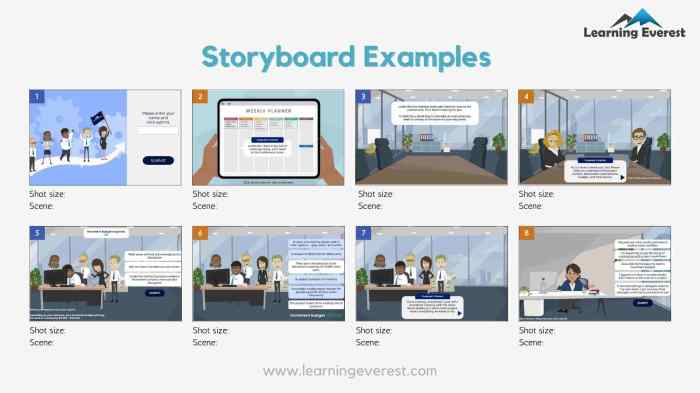
Online storyboard communities offer a wealth of knowledge and experience, facilitating the sharing of various techniques and best practices that elevate the quality of storytelling. These shared resources empower both novice and experienced storytellers to refine their skills and improve their projects. This section will explore several key techniques and layout strategies commonly observed and discussed within these collaborative spaces.
Storyboard Techniques
Three common storyboard techniques frequently discussed and employed within online communities include shot selection, visual storytelling, and character blocking. Each technique plays a crucial role in crafting a compelling visual narrative.
- Shot Selection: This technique focuses on strategically choosing the most effective camera angles and shots to convey the story’s emotion and information. For example, a wide shot might establish a location, while a close-up could emphasize a character’s emotional reaction. A series of shots could follow a character’s journey through a space, guiding the viewer’s eye and building suspense. Consider a scene where a character is searching for something: a wide shot establishes the cluttered room, a medium shot shows the character looking under furniture, and a close-up focuses on their increasingly anxious expression as the search progresses. The varying shots create a dynamic and engaging visual experience.
- Visual Storytelling: This involves conveying narrative information through visuals alone, minimizing the need for extensive dialogue or text. For instance, a storyboard panel might show a character’s shadow growing longer, subtly indicating the passage of time and potentially foreshadowing an impending event. Another panel might depict a broken vase, implying a conflict or argument. A series of panels could visually tell the story of a robbery, showing the thief entering a building, searching for valuables, and fleeing the scene, all without any accompanying dialogue.
- Character Blocking: This focuses on the placement and movement of characters within the frame to emphasize relationships, actions, and emotions. For example, characters positioned close together might suggest intimacy or conflict, while those positioned further apart could indicate distance or isolation. A character positioned centrally in the frame might suggest dominance or importance. Imagine a scene where two characters are arguing: placing them on opposite sides of the frame, with their bodies angled away from each other, immediately communicates tension and distance.
Effective Storyboard Layouts
The layout of a storyboard significantly impacts its clarity and effectiveness. Many online communities favor layouts that prioritize readability and ease of understanding.
Popular layouts often incorporate clear panel borders to separate individual shots, consistent sizing to maintain visual balance, and ample space for notes and descriptions. This consistent structure ensures the storyboard is easily navigable and understandable, allowing for efficient feedback and collaboration. For instance, a simple grid layout is frequently used due to its clean and organized structure, making it easy to follow the narrative flow. Another approach is using a two-column layout, with one column for visuals and the other for written descriptions. The choice of layout is largely determined by the needs of the project and the preferences of the creator, but clarity and accessibility are always key considerations.
Feedback and Collaboration
Constructive criticism and collaborative feedback are essential for improving storyboards. Online communities foster this through various mechanisms.
- Open Discussion Forums: These platforms allow for direct feedback and discussion amongst community members, fostering a collaborative environment where creators can receive diverse perspectives on their work.
- Comment Sections: Directly embedded comment sections on individual storyboards enable targeted feedback on specific panels or aspects of the narrative.
- Peer Review Systems: Some communities implement structured peer review systems, where members are assigned to review and provide feedback on each other’s work, promoting a culture of constructive criticism.
- Critique Groups: These groups offer a dedicated space for members to share their work and receive focused feedback from a select group of peers, providing a supportive environment for improvement.
Leveraging Online Storyboard Communities for Collaborative Projects

Online storyboard communities offer a powerful platform for collaborative filmmaking, streamlining communication and fostering creative synergy among team members geographically dispersed or working asynchronously. However, like any collaborative tool, they present both advantages and disadvantages that must be carefully considered.
Effective utilization hinges on understanding the strengths and limitations of these platforms and adapting workflows accordingly. This section will explore these aspects, illustrating how different roles can benefit from these online spaces and outlining a step-by-step guide for successful project management.
Advantages and Disadvantages of Using Online Storyboard Communities for Collaborative Filmmaking
Online storyboard communities offer several advantages, including enhanced communication and feedback mechanisms, centralized project management, and easy version control. Real-time collaboration features allow for simultaneous editing and immediate feedback, fostering a dynamic creative process. The ability to store and access storyboards from anywhere with an internet connection improves accessibility and efficiency. However, challenges include potential communication breakdowns due to asynchronous workflows, the need for clear communication protocols, and the reliance on reliable internet access. Security concerns regarding intellectual property protection should also be addressed, with careful consideration of the community’s privacy policies and features. Furthermore, the learning curve associated with adopting a new platform can impact efficiency, especially for less tech-savvy team members.
Utilizing Online Storyboard Communities Across Different Film Production Roles
Consider a short animated film project titled “The Lost Kitten.” The director, Sarah, uses the online storyboard community to oversee the overall narrative and visual style. The writer, Mark, contributes to the script and scene descriptions directly within the storyboard panels, using comments to explain character motivations and plot points. The animator, David, uses the platform to access the storyboards, provide feedback on the feasibility of animation, and propose adjustments to streamline the animation process. Sarah uses the community’s built-in review and approval features to track progress and ensure consistency. Mark and David can leave comments directly on specific panels, initiating a discussion and ensuring everyone is on the same page. This eliminates the need for numerous email chains and ensures a clear record of revisions and decisions.
Step-by-Step Guide to Sharing and Managing a Storyboard Project
To effectively manage a storyboard project within an online community, follow these steps:
- Project Setup: Create a new project within the chosen community, providing a clear and concise project title and description. Define roles and permissions for each team member (e.g., editor, viewer, commenter).
- Storyboard Creation and Upload: Each storyboard panel should be clearly labeled and consistent in terms of style and resolution. Upload panels systematically, ensuring proper organization within the project folder structure. Utilize the community’s tagging and annotation features to add context and notes.
- Feedback and Revision: Team members should provide feedback using the community’s comment features, focusing on specific aspects of the storyboard (e.g., narrative clarity, visual appeal, technical feasibility). Utilize version control features to track changes and revert to previous versions if needed.
- Collaboration and Communication: Maintain consistent communication within the community, using direct messaging or forum discussions to address questions, concerns, or changes to the project scope. Schedule regular check-ins to review progress and address any roadblocks.
- Project Completion and Export: Once the storyboard is finalized, export the project in a suitable format (e.g., PDF, image sequence) for further use in the production pipeline. Maintain a backup copy of the project within the community for future reference.
Closure
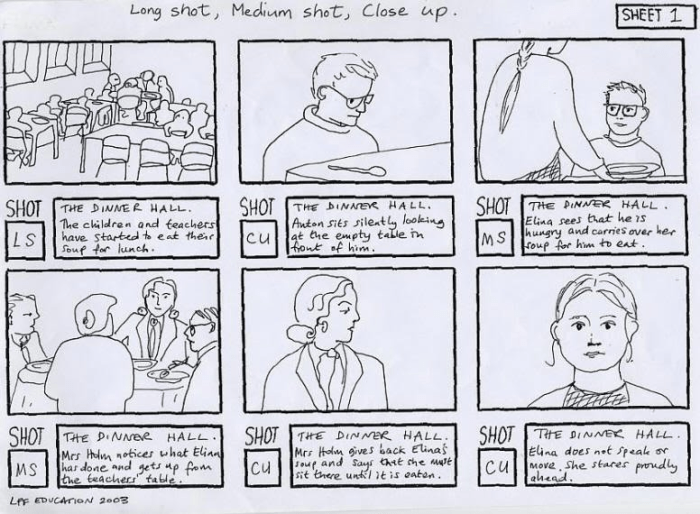
Mastering the art of storyboarding is crucial for any visual project, and online communities offer unparalleled opportunities for collaboration and feedback. By understanding the strengths and weaknesses of different platforms and implementing effective storyboard techniques, you can significantly enhance your creative process. This guide has provided a roadmap to navigating these online spaces, empowering you to create compelling visuals and bring your stories to life through collaborative storytelling.