Storyboarding, a crucial pre-production phase in filmmaking and animation, often presents organizational hurdles. This guide navigates those challenges, providing practical strategies for efficient and effective storyboard creation. We’ll explore fundamental concepts, workflow optimization, and practical tips to keep your storyboarding process streamlined and productive, resulting in a polished and well-organized final product.
From understanding the various types of storyboards and their applications to mastering digital and physical techniques, we’ll cover essential aspects of the process. We will also delve into creating a robust workflow, incorporating effective visual cues, managing revisions, and employing efficient organizational systems. The aim is to equip you with the skills to confidently tackle any storyboarding project, regardless of scale or complexity.
Understanding Storyboarding Fundamentals
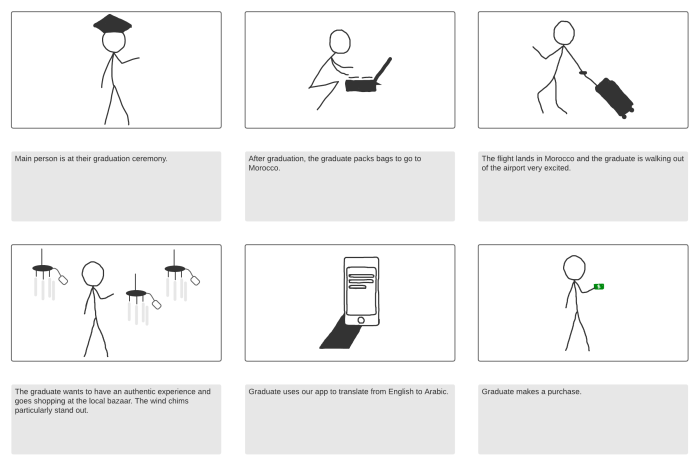
Storyboarding is a visual planning tool used extensively in filmmaking, animation, advertising, and other visual media. It’s essentially a series of drawings, sketches, or photos representing key scenes in a narrative, arranged sequentially to show the flow of the story. Understanding its fundamentals is crucial for effective visual communication and project planning.
Storyboarding provides a clear roadmap for a project, allowing for pre-visualization of shots, pacing, and overall narrative structure. This pre-planning process reduces production costs and time by identifying potential problems early on, allowing for revisions before expensive filming or animation begins. It also aids in collaboration, facilitating clear communication between directors, animators, and other team members.
Types of Storyboards and Their Applications
Different storyboarding approaches cater to various needs. Film storyboards often depict detailed camera angles, character positioning, and action. Animation storyboards tend to focus on character movement and expressions, sometimes incorporating detailed notes on animation techniques. Marketing storyboards often prioritize visual appeal and brand consistency, focusing on the overall message and emotional impact. For example, a film storyboard might include detailed camera angles marked as “wide shot,” “medium shot,” or “close-up,” while an animation storyboard might focus on the timing and expression of characters’ facial features. A marketing storyboard might focus on the product’s placement within a scene and its visual appeal to the target demographic.
Effective Storyboard Layouts and Compositions
Effective storyboards employ clear and concise visuals. Each frame should clearly communicate its purpose within the larger narrative. Consistent use of visual elements like arrows indicating movement or text annotations explaining camera angles enhances readability. Composition within each frame should follow basic design principles, guiding the viewer’s eye to the most important elements. For instance, a storyboard might use the rule of thirds to place key elements off-center for a more dynamic composition. A well-designed storyboard maintains visual consistency in terms of style and perspective, making it easier to follow the narrative.
Example Storyboard: A Short Scene
Scene: A character (Alice) discovers a hidden door in a library.
Frame 1: Alice browsing bookshelves, back to the camera. Text: “WIDE SHOT – Alice searching bookshelves”
Frame 2: Alice’s hand brushes against a seemingly solid section of the wall. Text: “CLOSE UP – Alice’s hand touches wall”
Frame 3: The wall section swings open, revealing a dark passageway. Text: “MEDIUM SHOT – Door opens, revealing dark passage”
Frame 4: Alice looks into the dark passage with a mixture of curiosity and apprehension. Text: “CLOSE UP – Alice’s face, curious and slightly scared”
Essential Materials for Physical Storyboarding
Creating a physical storyboard requires specific materials for optimal results. A selection of high-quality drawing paper or sketchbooks provides a durable surface for sketching and note-taking. A variety of pencils, ranging in hardness (e.g., H2 for light sketching, 2B for darker lines), allows for flexibility in creating different line weights and textures. Colored pencils or markers can add visual interest and differentiate characters or objects. A ruler or straight edge ensures straight lines for creating borders and annotations. Finally, a good eraser helps correct mistakes and refine sketches. Sticky notes or index cards can be useful for adding additional notes or revisions.
Developing a Strong Storyboard Workflow
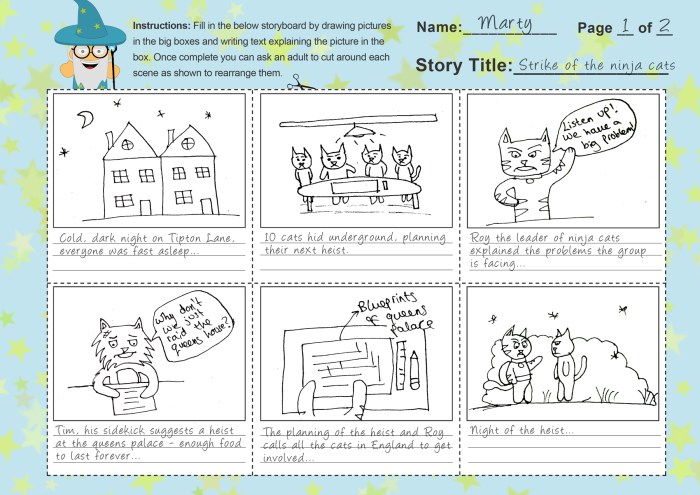
Efficiently managing a storyboard project requires a well-defined workflow. Careful planning and organization from the initial script breakdown to the final annotated panels are crucial for creating a clear and cohesive visual narrative. This section Artikels strategies for streamlining the process and ensuring a successful storyboard.
A robust storyboard workflow begins with a thorough understanding of the script. Breaking down the script into individual scenes and identifying key moments of action, dialogue, and emotion is paramount. This detailed breakdown provides the foundation for the visual representation. Then, you need to consider the visual style and the overall aesthetic of the storyboard. This informs decisions regarding panel composition, character design, and visual cues.
Script Breakdown and Panel Creation
Transforming a script into a storyboard involves a systematic approach. First, read through the script multiple times to fully grasp the narrative arc and the nuances of each scene. Then, divide the script into individual scenes, clearly defining the beginning and end of each. Next, for each scene, identify key moments that need to be depicted visually. These key moments become individual storyboard panels. Consider pacing; some scenes may require more panels than others to capture the action effectively. Finally, determine the number of panels needed to tell the story clearly and concisely.
Visualizing Scenes and Character Actions
Effective visualization is central to successful storyboarding. Consider camera angles, composition, and character positioning to convey the desired mood and narrative. For instance, a high-angle shot can make a character seem vulnerable, while a low-angle shot can portray power. Similarly, character positioning within the frame influences the viewer’s perception of relationships and dynamics. Character actions should be clearly defined, with specific poses and gestures indicated to show emotion and movement. Think about how you want the audience to feel in each scene, and let that guide your visual choices.
Incorporating Visual Cues and Annotations
Storyboards are not just drawings; they are comprehensive visual plans. Visual cues, such as arrows, symbols, and color coding, enhance clarity and communication. Arrows can indicate movement or direction of gaze, while symbols might represent sound effects or special effects. Color-coding can differentiate characters or highlight important details. Annotations, including descriptions of camera angles, lighting, sound effects, and dialogue, provide additional context and information for the production team. This detailed annotation ensures everyone involved understands the intended vision.
Digital vs. Physical Storyboarding Methods
Both digital and physical storyboarding methods have their advantages and disadvantages. Digital storyboarding, using software like Storyboard Pro or Photoshop, offers flexibility, easy revisions, and collaboration capabilities. However, it can require a steeper learning curve and may lack the immediate tactile feedback of traditional methods. Physical storyboarding, using pencil and paper, allows for quick sketching and experimentation, fostering creativity. However, revisions can be more cumbersome, and sharing the work may require scanning or photographing.
Maintaining Organization and Efficiency
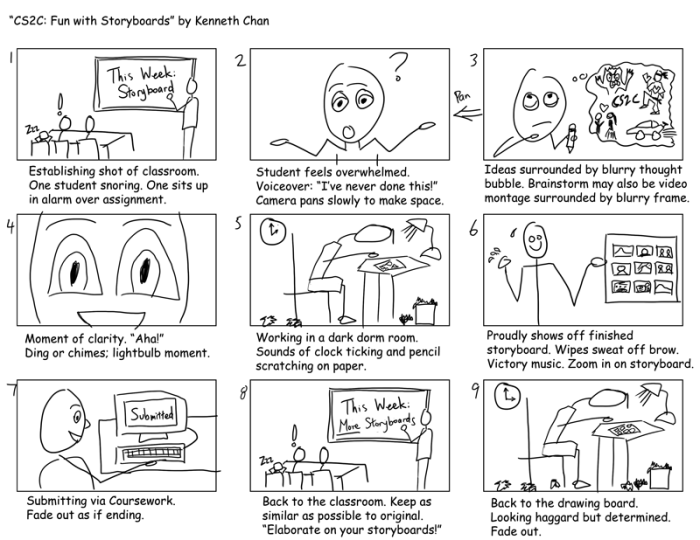
Storyboarding, while a creative process, demands meticulous organization to ensure a smooth workflow and a cohesive final product. Without a structured approach, projects can quickly become overwhelming, leading to missed deadlines and inconsistencies in the narrative. This section focuses on practical strategies for maintaining organization and efficiency throughout the storyboarding process.
Common challenges during storyboarding often stem from poor planning and a lack of consistent systems. For example, losing track of revisions, struggling to manage feedback from collaborators, or simply getting bogged down in the details can significantly impact productivity. Implementing effective organizational strategies addresses these issues, allowing for a more focused and efficient creative process.
Revision and Feedback Management
A robust system for managing revisions and feedback is crucial for collaborative projects. Consider using version control software like Google Docs or specialized storyboard software that tracks changes and allows for comments directly on the boards. Clearly defined roles and responsibilities for feedback review streamline the process, preventing confusion and delays. Maintaining a central repository for all revisions, along with a clear record of changes made, helps track progress and facilitates easy access to previous versions if needed. Regular check-ins with collaborators are vital for early detection and resolution of any issues. This proactive approach minimizes potential setbacks and ensures everyone remains aligned with the project’s goals.
Strategies for Maintaining Organization
Staying organized during storyboarding requires a proactive approach. This involves establishing a clear workflow from initial concept to final revisions. Begin by creating a detailed Artikel of the story, breaking it down into individual scenes. Then, create a consistent numbering system for your storyboards to ensure a logical flow. Utilize a dedicated folder structure for your files, separating different versions and keeping track of feedback. Regularly back up your work to prevent data loss. Lastly, utilize templates and checklists to ensure consistency and prevent common mistakes like missing scenes or inconsistent formatting.
Storyboard Document Template
A well-structured storyboard document is essential for maintaining clarity and organization. The following HTML table provides a template for a four-column layout, suitable for digital or print use. This responsive design adapts to various screen sizes, ensuring readability across devices.
| Scene Number | Description | Sketch | Notes |
|---|---|---|---|
| 1 | A lone astronaut stands on a desolate, red planet, gazing at a distant, Earth-like planet. | [Descriptive Sketch: Imagine a detailed sketch of an astronaut in a spacesuit, standing on a red, rocky landscape. The astronaut is looking towards a small, blue and green planet visible in the distance. The sky is a dusky orange.] | Establish setting, introduce loneliness, hint at hope. |
| 2 | The astronaut activates a communication device, attempting to contact Earth. A static-filled screen displays a blurry image of a loved one. | [Descriptive Sketch: Close-up on the astronaut’s face, showing a mix of hope and anxiety. The communication device displays a grainy, almost unrecognizable image of a smiling woman. Static fills the screen.] | Highlight emotional connection, build tension. |
| 3 | A sandstorm whips across the planet, obscuring the astronaut’s view. The astronaut struggles to maintain their footing. | [Descriptive Sketch: A wide shot showing the astronaut being buffeted by a swirling sandstorm. The red planet is almost completely obscured by sand and dust. The astronaut is shown struggling to stay upright.] | Introduce conflict, increase tension. |
Ending Remarks

Mastering the art of storyboarding hinges on a well-defined workflow and a commitment to organization. By implementing the tips and techniques Artikeld in this guide, you can significantly enhance your storyboarding process. From initial planning and script breakdown to managing revisions and maintaining a clear visual structure, a systematic approach ensures efficiency and ultimately contributes to a compelling and impactful final storyboard. Remember, a well-organized storyboard is a foundation for a successful project.