Storyboard reuse isn’t just about saving time; it’s about unlocking creative potential. By strategically repurposing existing panels, filmmakers and animators can maintain visual consistency, streamline workflows, and even explore new narrative avenues. This guide delves into practical techniques for adapting and modifying panels, ultimately helping you build a robust and efficient storyboard library.
We’ll explore the advantages of a well-organized digital library, offering step-by-step instructions and tips for efficient file management. Learn how subtle adjustments – a changed character expression, a tweaked background detail, or a shifted camera angle – can drastically alter the impact of a reused panel, opening up exciting possibilities for your projects. Discover how to effectively repurpose a single panel across multiple scenes with diverse purposes, maximizing its versatility.
Understanding Storyboard Panel Reuse
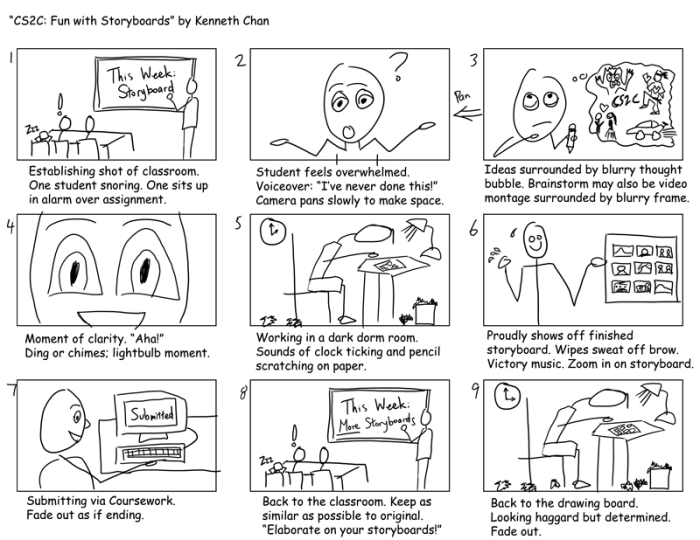
Reusing storyboard panels is a powerful technique that significantly impacts both the efficiency and creative output of animation and filmmaking projects. By strategically re-purposing existing panels, creators can streamline their workflow, maintain visual consistency, and ultimately, deliver higher-quality projects within tighter deadlines. This approach allows for a more focused creative process, allowing artists to concentrate on developing new and unique scenes rather than repeatedly creating similar elements.
Storyboarding is an iterative process; reusing panels smartly can dramatically reduce the time spent on repetitive tasks. This frees up valuable time and resources that can then be invested in refining other aspects of the project, such as character development, scene composition, or even exploring more ambitious creative ideas. The time saved isn’t merely about speed; it’s about strategically allocating resources to enhance the overall quality and impact of the final product.
Benefits of Reusing Storyboard Panels
Reusing storyboard panels offers several key advantages. Firstly, it drastically reduces production time. Creating a new panel for every shot, especially if those shots involve similar elements, is inefficient. Reusing establishes a consistent visual style throughout the project. This consistent visual language enhances the viewer’s immersion and understanding of the narrative. A unified look and feel ensures that the overall aesthetic remains cohesive, contributing to a more polished and professional final product.
Suitable Panels for Reuse
Certain types of storyboard panels lend themselves particularly well to reuse. Establishing shots, for example, often depict a location or environment that might remain consistent throughout several scenes. These can be reused with minor adjustments, saving considerable time and effort. Reaction shots, showing a character’s emotional response to an event, can also be reused if the emotion and character remain consistent. Similarly, panels depicting static background elements, such as interior settings or landscapes, are prime candidates for reuse, as long as the camera angle remains consistent.
Comparison of Reuse vs. New Panels
The decision to reuse or create new storyboard panels involves a trade-off between efficiency and creative flexibility. The following table compares the two approaches:
| Method | Pros | Cons | Example |
|---|---|---|---|
| Reusing Panels | Saves time and resources, ensures visual consistency, streamlines workflow. | May limit creative flexibility, requires careful selection of reusable panels, potential for repetition if overused. | Reusing an establishing shot of a city street in multiple scenes, altering only minor details like the time of day or character positions. |
| Creating New Panels | Offers greater creative freedom, allows for unique visual representation of each scene, avoids repetition. | Time-consuming, can lead to inconsistencies in visual style if not carefully managed, increases overall production time and costs. | Creating unique panels for every shot in a fight sequence, capturing the dynamic action and individual character movements. |
Techniques for Adapting and Modifying Existing Panels
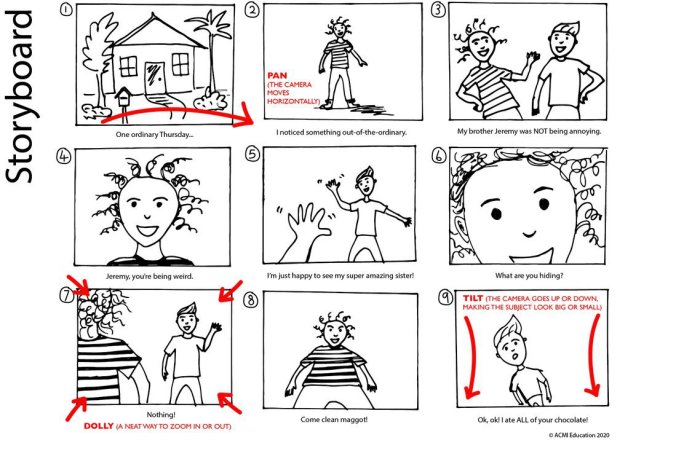
Reusing storyboard panels is a fantastic way to save time and maintain visual consistency across your project. However, simply copying and pasting isn’t always sufficient. Effective reuse requires skillful adaptation and modification to ensure the panel fits the new scene and narrative. This involves understanding how minor changes can significantly impact the meaning and impact of the panel.
Adapting existing storyboard panels involves more than just simple copy-pasting; it’s about creatively repurposing existing artwork to fit new contexts. This section details methods for modifying panels to achieve a different feel or convey a new narrative. By understanding these techniques, you can significantly increase your efficiency and storytelling power.
Character Modifications
Altering the characters within a panel is a straightforward way to repurpose it. Imagine a panel depicting two characters arguing in a coffee shop. By simply replacing one character with a different character design, you can instantly change the context. Perhaps the original panel shows a heated argument between colleagues; replacing one character with a romantic partner transforms the scene into a passionate disagreement. Even subtle changes in character expression, such as altering a character’s posture or facial expression, can significantly change the mood and meaning. For example, changing a character’s smile to a frown alters the scene’s overall tone from happy to tense.
Background Alterations
Minor background changes can drastically shift the setting and context of a panel. Consider a panel showing a character standing in a brightly lit park. Changing the background to a dimly lit alleyway instantly creates a completely different atmosphere. Similarly, altering the background objects can be just as effective. Replacing the park’s trees and benches with skyscrapers and bustling traffic alters the setting from a peaceful environment to a busy urban landscape. Even simple additions, like adding rain or changing the time of day, can create a markedly different mood.
Camera Angle and Perspective Adjustments
Modifying the camera angle or perspective of a reused panel can have a profound impact on the scene’s impact. For instance, a high-angle shot depicting a character looking up can convey vulnerability or insignificance. Reusing that same panel but changing the angle to a low-angle shot, looking up at the character, instantly shifts the power dynamic and can make the character appear more powerful or imposing. Similarly, altering the perspective from a wide shot to a close-up can focus attention on specific details and emotions, transforming the overall message of the panel. Consider the impact of a wide shot emphasizing the vastness of a landscape versus a close-up emphasizing the character’s facial expression; the same panel, drastically different interpretations.
Repurposing a Single Panel for Multiple Scenes
Adapting a single storyboard panel for various purposes is a valuable skill. The following demonstrates five ways to reuse a single panel:
Understanding how to effectively reuse a single panel across multiple scenes allows for greater efficiency and visual consistency in your storyboard.
- Change of Time of Day: A panel showing a character walking down a street at midday could be reused at night simply by adjusting the lighting and adding shadows. This subtly alters the mood and narrative, suggesting a different time or a change in the story’s pace.
- Altered Character Emotion: A panel depicting a character with a neutral expression can be reused to show happiness by adding a smile, or sadness by adding tears. This requires only minimal changes, yet it significantly changes the panel’s meaning.
- Shifting the Setting: A panel showing a character sitting at a table could be repurposed for various locations. Changing the background to a classroom, a cafe, or a hospital would instantly change the context of the scene.
- Different Character Interaction: A panel showing two characters talking can be reused to depict a different interaction. By altering their body language and facial expressions, you can portray agreement, disagreement, or any other interaction.
- Change of Weather Conditions: A panel showing a clear sky could be easily reused to represent a stormy scene. Adding rain, clouds, and darkening the overall scene is all that is required.
Organizing and Managing a Reusable Storyboard Panel Library
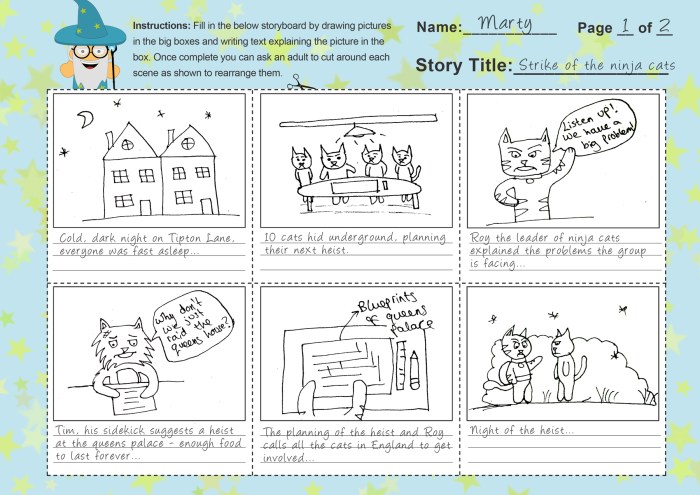
Efficiently managing a library of reusable storyboard panels is crucial for streamlining your workflow and maximizing productivity. A well-organized system allows for quick retrieval of panels, saving valuable time and effort during the storyboard creation process. This section details strategies for organizing and managing both physical and digital storyboard panel libraries.
System for Organizing and Categorizing Storyboard Panels
A robust system for organizing storyboard panels hinges on a clear categorization strategy. Consider using a multi-level system, beginning with broad categories like “Characters,” “Locations,” “Actions,” and “Objects.” Within each category, further sub-categorization can be implemented. For example, under “Characters,” you might have subcategories for “Male Characters,” “Female Characters,” “Animals,” and so on. Consistency is key; establishing a standardized naming convention and sticking to it will ensure easy navigation and retrieval. For physical libraries, consider using labeled folders and dividers within storage boxes. For digital libraries, a well-structured folder system mirrors this organizational logic.
Advantages of Digital Tools for Managing a Storyboard Panel Library
Digital tools offer significant advantages over physical methods for managing a storyboard panel library. Firstly, digital storage offers virtually unlimited capacity, eliminating the physical limitations of storage space. Secondly, digital libraries are easily searchable; using s or filters, you can quickly locate specific panels. Thirdly, digital panels are easily modifiable; adjustments like color changes or minor detail alterations can be made without re-creating the entire panel. Finally, digital libraries allow for easy sharing and collaboration with team members, facilitating a more streamlined workflow. Consider the use of cloud-based storage for added security and accessibility.
Creating a Visually Clear and Searchable Index of Reusable Storyboard Panels
A well-designed index is essential for efficient retrieval of storyboard panels. For digital libraries, consider using thumbnail previews alongside descriptive s. Each thumbnail should be clearly labeled with relevant s and possibly a short description. For physical libraries, a detailed catalog or spreadsheet can be created, listing panel descriptions, s, and their corresponding physical location within the storage system. Using a consistent and easily understandable labeling system is crucial for both digital and physical indices. Consider using a spreadsheet program to create and manage this index, allowing for easy searching and sorting.
Step-by-Step Guide to Creating a Digital Library of Storyboard Panels
Creating a digital library requires careful planning and execution. Here’s a step-by-step guide:
- Choose a storage location: Select a cloud-based storage service (e.g., Google Drive, Dropbox) or a local hard drive with sufficient storage space.
- Establish a folder structure: Create a main folder for your storyboard panel library, then subfolders mirroring your chosen categorization system (e.g., Characters/Male/Adults, Locations/Interior/Office).
- File naming convention: Implement a consistent naming convention. A suggested format is “[Category]_[Subcategory]_[Description]_[Number].jpg” (e.g., Character_Male_Adult_001.jpg).
- Import panels: Scan or digitally capture your existing storyboard panels, ensuring high-resolution images for optimal quality.
- Organize panels: Place each panel into the appropriate subfolder based on your established categorization system.
- Create an index: Use a spreadsheet program to create an index of your panels, including thumbnails, descriptions, and s.
- Regularly update: As you create new panels or modify existing ones, remember to update both your folder structure and index to maintain consistency and organization.
End of Discussion

Mastering the art of storyboard panel reuse is a game-changer for any visual storyteller. By implementing the techniques and strategies Artikeld here, you’ll not only significantly reduce production time and costs but also enhance the overall visual cohesion and narrative impact of your projects. Building a well-organized library and learning to adapt existing panels creatively will become invaluable assets in your storytelling arsenal, allowing for greater efficiency and artistic freedom.