Storyboarding, a crucial step in visual storytelling, can often be derailed by distractions. From noisy environments to the siren call of social media, numerous obstacles can hinder your creative flow and impact the quality of your final product. This guide delves into practical strategies to establish a focused and productive storyboarding workflow, enabling you to transform your ideas into compelling visuals with greater efficiency and clarity.
We’ll explore techniques for managing both external and internal distractions, optimizing your workspace for concentration, and implementing effective time management strategies. By mastering these methods, you’ll not only enhance your productivity but also unlock your creative potential, leading to more polished and impactful storyboards.
Understanding the Storyboarding Process and Common Distractions
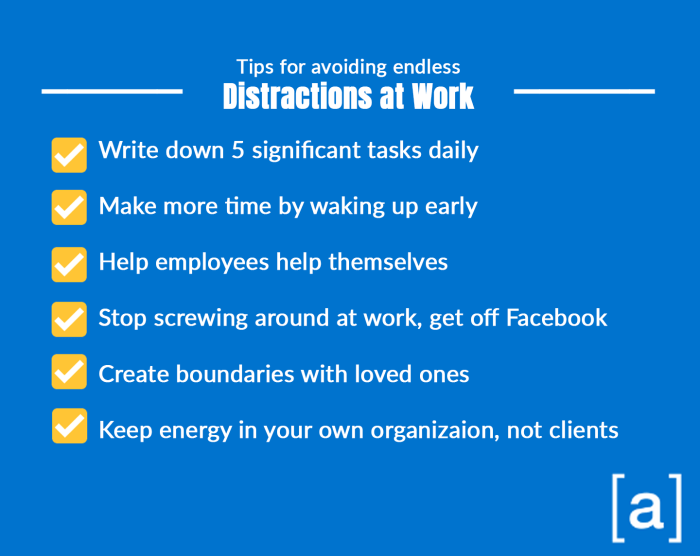
Storyboarding, the process of visually planning a narrative sequence, is crucial for filmmakers, animators, and even marketers. A typical workflow involves outlining the story, sketching individual frames to represent key scenes and actions, and then refining these sketches into a cohesive visual narrative. However, this seemingly straightforward process is often interrupted by various distractions, significantly impacting efficiency and the final product’s quality.
The impact of distractions on storyboard creation can be substantial. A smoothly flowing creative process can be easily disrupted, leading to inconsistencies, missed details, and ultimately, a less effective storyboard. Understanding and mitigating these distractions is key to efficient and successful storyboarding.
Environmental Factors and Their Impact
Environmental factors play a significant role in focus and productivity during storyboarding. Noise, whether from external sources like traffic or internal sources like colleagues, can disrupt concentration and break the flow of creative thought. Unnecessary interruptions, such as emails, phone calls, or impromptu meetings, can derail the creative process, forcing a shift in focus and requiring time to regain momentum. A cluttered workspace can also contribute to distraction, making it harder to locate necessary materials and maintain a clear thought process. Minimizing these environmental distractions through active noise reduction techniques, establishing clear boundaries against interruptions, and maintaining an organized workspace is crucial.
Minimizing Internal Distractions
Internal distractions, such as mind wandering and perfectionism, are equally challenging to manage. Mind wandering, the tendency of thoughts to drift from the task at hand, can lead to significant time loss and reduced productivity. Perfectionism, while seemingly positive, can be detrimental; the pursuit of flawless sketches can lead to analysis paralysis, delaying progress and potentially hindering the overall creative process. Strategies to combat these internal distractions include employing techniques like mindfulness meditation to improve focus, setting realistic goals and deadlines to avoid feeling overwhelmed, and practicing self-compassion to reduce the pressure for perfection. Remember that a good storyboard is a functional tool, not a piece of fine art.
Proactive vs. Reactive Distraction Management
| Technique | Type | Description | Effectiveness |
|---|---|---|---|
| Dedicated Workspace | Proactive | Designating a specific area solely for storyboarding, free from clutter and distractions. | High – Prevents many environmental distractions from the start. |
| Time Blocking | Proactive | Scheduling specific time slots for focused storyboarding, minimizing interruptions. | High – Promotes focused work sessions. |
| Mindfulness Exercises | Proactive | Practicing mindfulness techniques to improve focus and reduce mind-wandering. | Moderate – Requires consistent practice, but highly beneficial. |
| Noise-Cancelling Headphones | Proactive | Using noise-cancelling headphones to block out external sounds. | High – Effective for reducing auditory distractions. |
| Turning off Notifications | Proactive | Disabling email, social media, and other notifications during storyboarding sessions. | High – Prevents interruptions from digital devices. |
| Taking Breaks | Reactive | Stepping away from the task when feeling overwhelmed or distracted to clear the mind. | Moderate – Helps regain focus but can disrupt workflow. |
| Re-prioritizing Tasks | Reactive | Re-evaluating the storyboarding process and focusing on the most important aspects first. | Moderate – Useful for regaining control after a distraction, but may not prevent future ones. |
| Addressing Interruptions Immediately | Reactive | Dealing with interruptions promptly and efficiently to minimize their impact. | Low – While necessary, addressing interruptions can disrupt flow and may not fully mitigate the effect. |
Optimizing Your Storyboard Environment for Focus
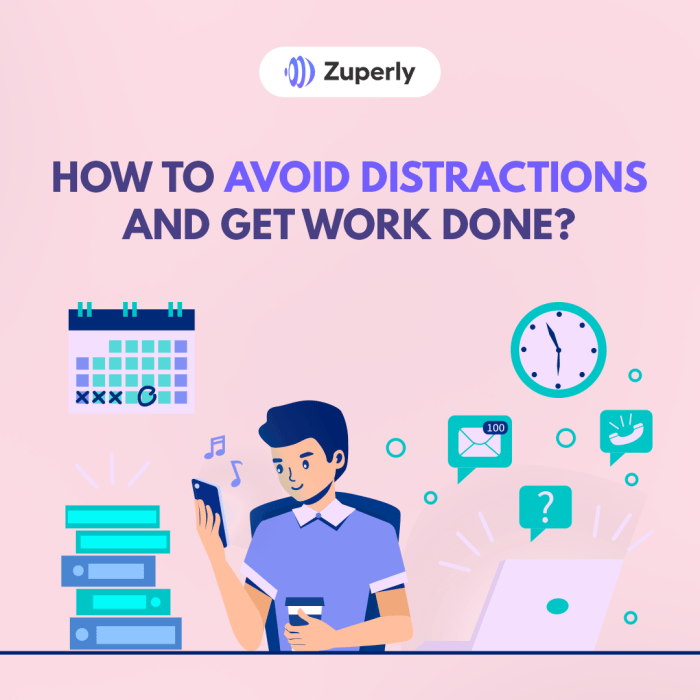
Creating a conducive workspace is crucial for effective storyboarding. A well-designed environment minimizes distractions and fosters a state of focused concentration, leading to a more efficient and creative process. This section will explore practical strategies for optimizing your physical and digital environment to maximize your productivity during storyboarding sessions.
A visually appealing and functional workspace significantly impacts your ability to focus. Consider the elements of lighting, seating, and organization to create an environment that supports your concentration. Adequate lighting prevents eye strain and improves mood, while comfortable seating promotes proper posture and reduces physical discomfort. A well-organized workspace minimizes visual clutter and allows for easy access to necessary materials.
Workspace Setup for Distraction-Free Storyboarding
Setting up your workspace before beginning a storyboarding session is a proactive step toward maximizing your focus. This involves a systematic approach to minimizing potential interruptions and creating a dedicated space for creative work.
- Clear the clutter: Remove unnecessary items from your immediate work area. A clean desk promotes a clear mind.
- Optimize lighting: Ensure sufficient, even lighting to avoid eye strain. Natural light is ideal, supplemented by a task lamp if necessary.
- Choose comfortable seating: Select a chair that provides adequate back support and allows for comfortable posture. Avoid slouching, which can lead to fatigue and decreased focus.
- Gather necessary materials: Have all your storyboarding tools – pencils, paper, erasers, digital tablet, etc. – readily accessible to avoid interruptions.
- Set the mood: Consider background music or white noise to mask distracting ambient sounds. Experiment to find what works best for you.
Managing Digital Distractions During Storyboarding
Digital distractions, such as email notifications, social media updates, and instant messaging, can significantly disrupt the flow of your creative process. Proactive management of these distractions is essential for maintaining focus.
- Turn off notifications: Silence or disable notifications for email, social media, and messaging apps during your storyboarding sessions. This prevents interruptions and allows for uninterrupted concentration.
- Use website blockers: Employ browser extensions or apps that block access to time-wasting websites during designated work periods. This helps to enforce your commitment to focus.
- Schedule dedicated email/social media checks: Instead of constantly checking your inbox or social media feeds, set aside specific times for these tasks, outside of your storyboarding sessions.
- Put your phone on “Do Not Disturb”: This simple step prevents incoming calls and texts from interrupting your workflow.
- Use the “Pomodoro Technique”: Work in focused bursts (e.g., 25 minutes) followed by short breaks. This structured approach helps maintain concentration and prevents burnout.
Utilizing Tools and Apps for Enhanced Concentration
Several tools and apps can help minimize interruptions and enhance concentration during storyboarding. These applications offer features designed to improve focus and productivity.
For example, apps like Freedom or Cold Turkey can block distracting websites and apps for set periods, while noise-canceling headphones can create a more peaceful work environment. Task management apps, such as Trello or Asana, can help organize your storyboarding workflow and keep track of progress, minimizing the need to switch between different applications.
Developing Effective Time Management and Workflow Strategies

Effective time management is crucial for successful storyboarding, especially for complex projects. Without a well-defined plan, even the most talented storyboard artist can become overwhelmed and miss deadlines. A structured approach, breaking down large tasks into smaller, manageable steps, significantly improves efficiency and reduces stress. This section will explore practical time management techniques and workflow strategies to help you stay on track and deliver high-quality storyboards on time.
Storyboarding, like any creative process, benefits immensely from a structured approach. A chaotic workflow can lead to missed deadlines and a less cohesive final product. By implementing effective time management strategies, you can maintain focus, improve your productivity, and ultimately create superior storyboards. This involves careful planning, task prioritization, and consistent monitoring of progress.
Breaking Down Complex Projects into Manageable Steps
A large storyboarding project can feel daunting. However, by breaking it down into smaller, more manageable tasks, the overall process becomes less intimidating and easier to track. For example, a 60-second animation storyboard might be divided into 6-second segments, each representing a scene or a key action. Each 6-second segment can then be further broken down into individual panels, focusing on specific shots and character movements. This approach allows for a more focused and efficient workflow, reducing the feeling of being overwhelmed by the sheer size of the project. This method, known as task decomposition, is widely used in project management to improve efficiency and clarity.
Sample Storyboard Project Timeline
Let’s consider a hypothetical 30-second animation storyboard project. A realistic timeline, allowing for revisions and unforeseen delays, might look like this:
| Stage | Task | Time Allocation |
|---|---|---|
| 1 | Script Review and Scene Breakdown | 1 day |
| 2 | Thumbnailing and Rough Sketches | 3 days |
| 3 | Detailed Sketching and Panel Layout | 4 days |
| 4 | Inking and Cleanup | 3 days |
| 5 | Coloring and Final Touches | 2 days |
| 6 | Revisions and Feedback Incorporation | 2 days |
| 7 | Final Review and Submission | 1 day |
This timeline is, of course, adaptable depending on project complexity and individual working speed.
Prioritizing Tasks in the Storyboarding Process
Several approaches exist for prioritizing tasks during storyboarding. The “Eisenhower Matrix” (Urgent/Important) is a popular method. High-priority tasks, those both urgent and important (e.g., meeting a critical deadline), should be tackled first. Important but not urgent tasks (e.g., refining character design) can be scheduled strategically. Urgent but not important tasks (e.g., responding to immediate feedback) might be delegated or streamlined. Finally, tasks that are neither urgent nor important (e.g., unnecessary details) can be eliminated or postponed. Another approach is to prioritize tasks based on their impact on the overall narrative flow – focusing on key scenes and pivotal moments first.
Effective Methods for Staying on Track and Avoiding Procrastination
Procrastination is a common challenge, but these methods can help:
- Set Realistic Goals: Avoid overwhelming yourself with unrealistic targets. Break down tasks into smaller, achievable chunks.
- Time Blocking: Allocate specific time slots for storyboarding, treating it like any other important appointment.
- Eliminate Distractions: Create a dedicated workspace free from interruptions. Turn off notifications and minimize distractions.
- Use the Pomodoro Technique: Work in focused bursts (e.g., 25 minutes) followed by short breaks to maintain concentration.
- Reward Yourself: Celebrate milestones achieved to stay motivated and avoid burnout.
Ultimate Conclusion

Successfully navigating the storyboarding process requires a proactive approach to distraction management. By implementing the strategies Artikeld—from optimizing your workspace and managing digital interruptions to employing effective time management techniques—you can cultivate a focused and productive environment. This allows you to fully engage with your creative process, resulting in more refined storyboards and a significantly improved overall workflow. Remember, a distraction-free environment is not just about eliminating interruptions; it’s about fostering a space conducive to creative thinking and efficient execution.