Mastering the art of storyboarding involves more than just sketching scenes; it’s about guiding the viewer’s eye and effectively communicating your narrative. This guide delves into the crucial role of visual hierarchy in storyboarding, exploring nine practical techniques to enhance your storytelling power. We’ll examine how elements like size, color, whitespace, and leading lines can be strategically employed to create compelling and impactful storyboards across various media, from short films to mobile app tutorials.
From understanding fundamental principles to applying advanced techniques, this comprehensive guide provides practical examples and actionable advice. Learn how to leverage visual hierarchy to build suspense, improve usability, and ultimately, tell a more effective and engaging story through your storyboards. We will cover diverse applications, ensuring you’re equipped to craft visually captivating storyboards for any project.
Understanding Visual Hierarchy in Storyboarding
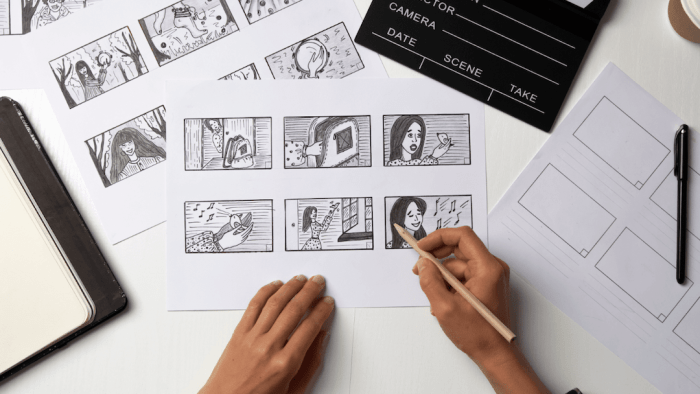
Effective storyboarding relies heavily on visual hierarchy to guide the viewer’s eye and convey information efficiently. A well-structured storyboard uses size, color, contrast, proximity, whitespace, and typography to create a clear and engaging narrative. Understanding these principles allows storyboard artists to control the viewer’s experience and ensure the story unfolds smoothly and understandably.
Size Variation and Viewer Attention
The size of elements directly impacts viewer attention. Larger elements naturally draw the eye first. Consider a storyboard panel depicting a bustling city street. A small figure in the background represents a bystander, while a significantly larger figure in the foreground represents the protagonist. The size difference immediately emphasizes the protagonist’s importance and directs the viewer’s focus. In another panel, a tiny detail like a dropped earring could be enlarged to highlight its significance to the plot, contrasting with the overall scene size. This manipulation of size creates a clear focal point and controls the narrative flow.
Color Contrast versus Proximity
Color contrast and proximity are powerful tools for guiding the viewer’s eye. A storyboard comparing these techniques could show two similar panels. In the first, a red car (high contrast) is placed amidst a grey background, instantly attracting attention. The second panel shows the same red car among several other cars of similar colors (low contrast). Proximity can then be used; if the red car is placed close to a building, it is perceived as connected to it, even without explicit visual cues. This contrasts with a scenario where the red car is distanced from other elements, making it stand out. The storyboard effectively demonstrates how high contrast quickly directs the eye, while proximity establishes relationships between elements.
Whitespace and Visual Hierarchy
Whitespace, or negative space, is crucial in creating visual hierarchy. Imagine a storyboard panel depicting a character alone in a vast desert. The expansive empty space around the character emphasizes their isolation and vulnerability. Conversely, a crowded scene with little whitespace might convey chaos or urgency. By strategically using whitespace, storyboard artists can control the mood and emphasize specific elements. A character placed centrally within a large amount of whitespace immediately becomes the focus, drawing the viewer’s eye. Conversely, a scene filled with elements clustered together might show a bustling market, creating a sense of overwhelming energy.
Font Sizes and Weights in Storyboarding
Different font sizes and weights can subtly but effectively direct attention within a storyboard. For example, a large, bold font might be used for important dialogue or narration, while smaller, lighter fonts can be used for less crucial details. Consider a storyboard panel containing a character’s internal monologue. The internal thoughts could be displayed in a smaller, italicized font, differentiating them from the character’s spoken words, which are presented in a larger, bolder font. This creates a clear visual distinction, ensuring the viewer understands the difference between inner thoughts and outward actions.
Organizing a Storyboard with Visual Hierarchy
A simple narrative can be effectively conveyed using visual hierarchy. Consider a storyboard about a character searching for a lost key. The first panel could show a close-up of the character’s anxious face (large, central), establishing the immediate concern. Subsequent panels could show the character searching various locations (smaller elements), with the key gradually becoming larger in panels as it’s discovered. The final panel could feature the key (very large, central), signifying resolution. This gradual increase in the key’s size, along with other visual cues, creates a clear narrative arc and effectively guides the viewer through the story.
Applying Visual Hierarchy Techniques
Effective visual hierarchy is crucial for clear and engaging storyboards. It guides the viewer’s eye through the narrative, emphasizing key moments and ensuring a smooth flow of information. By strategically employing various techniques, storyboard artists can create compelling visuals that effectively communicate their story.
Leading Lines to Direct Gaze
Leading lines are a powerful tool for directing the viewer’s attention within a storyboard panel. These lines, whether implied or explicitly drawn, can be roads, fences, rivers, or even a character’s gaze. For instance, a road curving towards a distant town could draw the viewer’s eye to the town, hinting at an upcoming plot point. Similarly, a character looking intently off-panel creates anticipation and guides the viewer’s gaze to what lies beyond the frame, creating a sense of mystery or suspense. A series of footprints leading to a mysterious object would also effectively use leading lines to create narrative tension and direct the viewer’s focus.
Layering and Depth for Visual Interest
Layering and depth are essential for creating visual hierarchy and a sense of three-dimensionality in a storyboard. Imagine a scene where a character is standing in a forest. By placing the character in the foreground, trees in the mid-ground, and a distant mountain range in the background, we establish clear depth. This layering naturally creates a visual hierarchy, emphasizing the character as the main focus while simultaneously building context and atmosphere. The use of different shades and sizes of elements, particularly the trees, also helps create a sense of depth and perspective. The darkest, largest trees are placed in the foreground, while smaller, lighter trees recede into the background.
Comparing Visual Elements for Hierarchy
Different visual elements – shapes, textures, and colors – can be used to achieve visual hierarchy. Sharp, geometric shapes (like squares and triangles) tend to dominate softer, organic shapes (like circles and clouds). Rough textures attract the eye more than smooth ones. Bright, saturated colors naturally stand out against muted tones. Consider a storyboard panel depicting a bustling marketplace. A character wearing a vibrant red dress would immediately stand out against the more muted tones of the surrounding stalls and crowd. The contrasting colors and the sharp shape of the dress help to highlight the character’s importance in the scene.
Focal Points to Emphasize Key Moments
Focal points are essential for highlighting crucial moments in a storyboard. These points can be created through contrast, size, color, or placement. A close-up panel showing a character’s emotional expression would serve as a powerful focal point, emphasizing the emotional weight of the moment. Conversely, a wide shot depicting a catastrophic event would use size and the overall impact of the image to highlight the scene’s significance. Strategic use of light and shadow can also be used to create focal points, drawing the viewer’s attention to a specific area of the panel.
Grid System for Visual Balance
A grid system is a valuable tool for maintaining visual balance and hierarchy in a storyboard. It provides a framework for arranging elements consistently and ensures that no single element overwhelms the overall composition. Using a simple 3×3 grid, for example, allows for deliberate placement of key elements, creating a sense of order and clarity.
| Background Element | Supporting Element | Main Character |
| Secondary Background | Supporting Element | Important Object |
| Background Detail | Supporting Element | Action/Event |
This table demonstrates a basic grid system. The main character and important plot points are strategically placed to maintain a clear visual hierarchy, drawing the viewer’s attention to the most significant aspects of the scene. Different grid sizes can be used depending on the complexity of the scene.
Storyboarding for Different Media
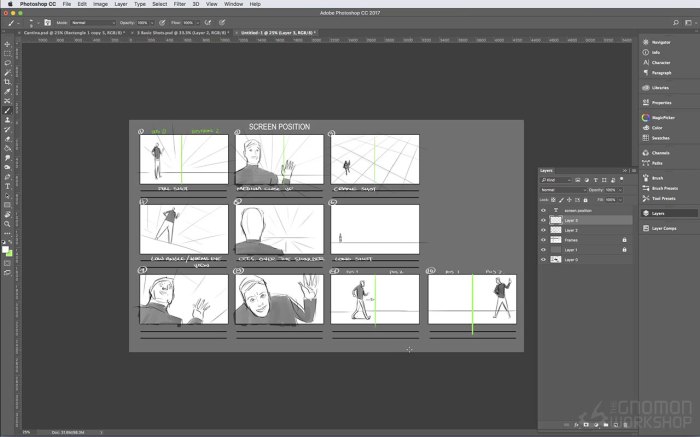
Storyboarding isn’t limited to film; its visual planning power extends to various media, each demanding a unique approach to visual hierarchy. Effective storyboarding across diverse platforms hinges on understanding how to prioritize information based on the medium’s constraints and the user’s interaction. This involves adapting visual hierarchy principles to optimize usability, engagement, and message delivery.
Storyboarding for a Short Film: Building Suspense
This storyboard focuses on a short film depicting a lone hiker discovering an abandoned cabin deep in the woods. The visual hierarchy builds suspense by gradually revealing unsettling details. Panel 1 shows a wide shot of the hiker, small and isolated against the vast, shadowy forest. This establishes the character’s vulnerability. Panel 2 is a medium shot, focusing on the hiker’s apprehensive expression as they approach the cabin. Panel 3 shows a close-up of a broken window, emphasizing its sinister detail. Panel 4 uses a low-angle shot from inside the cabin, looking out, making the viewer feel trapped. Panel 5 shows a shadowy figure lurking in the background, barely visible, increasing the sense of dread. The progression from wide shots to close-ups, and the strategic use of shadows and darkness, creates a compelling narrative arc built on visual hierarchy.
Storyboarding for a Website’s User Interface: Prioritizing Usability
The storyboard for a website selling handcrafted jewelry would prioritize clear navigation and product display. The homepage’s storyboard would show a prominent header with the company logo and a clear navigation bar at the top, immediately drawing the user’s eye. Below, large, high-quality images of featured jewelry would dominate the page, using size and placement to emphasize them. Smaller, supporting text would describe the pieces, and a call to action (“Shop Now”) would be visually distinct, perhaps with a contrasting color or button design. Internal pages would follow a similar structure, ensuring consistent visual hierarchy for ease of navigation and product discovery. The overall design aims for a clean, uncluttered layout, prioritizing ease of use.
Storyboarding for a Mobile App Tutorial: Guiding User Interaction
A storyboard for a mobile banking app tutorial would use a step-by-step approach, highlighting key interactions. Each panel would feature a screenshot of the app screen, with a clear, concise instruction overlaid. The instruction would be prominently displayed, perhaps in a contrasting color or larger font size. Arrows or highlighted areas would guide the user’s attention to specific buttons or features within the app screenshot. The overall design prioritizes clarity and simplicity, ensuring the user can easily follow the steps. The visual hierarchy guides the user through a linear process, making the tutorial easy to understand and follow.
Storyboarding for a Marketing Campaign: Conveying a Message Effectively
A marketing campaign storyboard for a new line of sustainable clothing would focus on visual storytelling. One panel might show a diverse group of people wearing the clothing, emphasizing inclusivity. Another panel could showcase the clothing’s eco-friendly materials, with images of natural landscapes or recycling symbols. A third panel might highlight the brand’s commitment to ethical production, perhaps with images of happy workers in a factory. The visual hierarchy prioritizes imagery over large amounts of text, using strong visuals to convey the brand’s message of sustainability and social responsibility. The visual hierarchy supports the overall brand identity and message.
Adapting Visual Hierarchy to Different Screen Sizes and Aspect Ratios
Visual hierarchy adapts significantly across screen sizes. A widescreen storyboard for a film, for example, can utilize expansive landscapes and dramatic compositions to create impact. The wide aspect ratio allows for greater visual depth and storytelling opportunities. Conversely, a mobile phone storyboard, with its smaller screen and vertical orientation, needs a more concise and focused approach. Elements are stacked vertically, prioritizing information based on their importance. For instance, a call to action on a mobile app would be positioned prominently at the bottom of the screen, making it easily accessible with a thumb. The design must adapt to the limitations of the smaller screen, emphasizing clarity and directness. Widescreen storyboards benefit from horizontal visual flow, while mobile storyboards rely on vertical clarity and ease of thumb access.
Final Thoughts
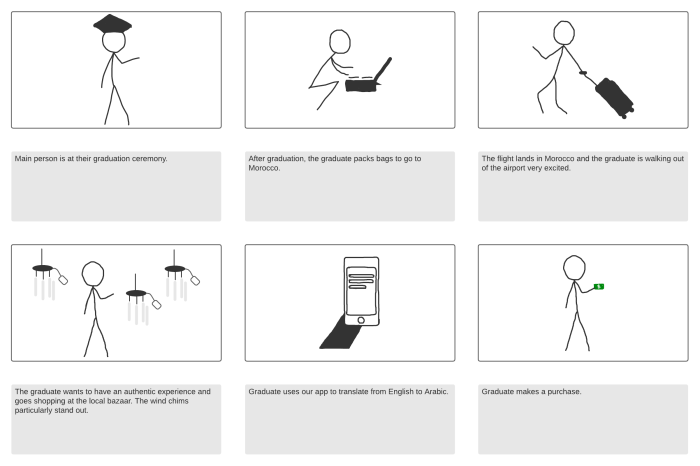
By strategically manipulating visual elements, you can transform your storyboards from simple sequences of images into powerful tools for communication. This guide has explored nine key ways to harness visual hierarchy, enabling you to direct viewer attention, emphasize crucial moments, and enhance the overall clarity and impact of your storytelling. Remember, effective visual hierarchy isn’t just about aesthetics; it’s about crafting a narrative that resonates deeply with your audience, making your storyboards both visually appealing and highly effective.