Storyboarding is a crucial step in visual storytelling, transforming abstract ideas into concrete visual plans. This guide delves into the fundamentals of storyboarding, providing eight essential tips to refine your technique and elevate your storytelling capabilities. Whether you’re crafting a film, animation, or video game, mastering storyboarding ensures clarity, consistency, and a compelling narrative.
We’ll explore various storyboard types, effective layout strategies, and the importance of character design, camera angles, and annotations. Furthermore, we’ll address common pitfalls and introduce advanced techniques like incorporating sound and utilizing visual metaphors to enrich your storytelling. This comprehensive guide will equip you with the skills to create impactful storyboards that effectively communicate your vision.
Understanding Storyboard Fundamentals

Storyboarding is a crucial pre-production process in filmmaking, animation, and game development. It’s a visual roadmap that helps to plan and communicate the narrative flow, shot composition, and overall visual style of a project. By creating a storyboard, creators can identify potential problems early on, saving time and resources during the production phase.
Storyboarding provides a clear visual representation of the story, allowing for easier collaboration among team members. It facilitates effective communication between directors, animators, cinematographers, and other creatives, ensuring everyone is on the same page regarding the visual storytelling. This collaborative aspect leads to a more cohesive and efficient production process.
Storyboard Types
Storyboards are used across various media. Film storyboards focus on camera angles, movement, and actor placement. Animation storyboards detail character actions, expressions, and scene transitions. Video game storyboards illustrate gameplay sequences, user interface elements, and character interactions. Each type adapts the fundamental principles of visual storytelling to its specific medium.
Effective Storyboard Layouts and Panel Arrangements
Effective storyboard layouts prioritize clarity and readability. Panels should be consistently sized and arranged to maintain visual flow. Using a variety of panel sizes can emphasize specific actions or moments, while consistent panel size ensures a uniform and professional look. For example, a wider panel might be used for an establishing shot, while smaller panels could depict quicker action sequences. The arrangement of panels should reflect the pacing and rhythm of the narrative. A series of small, quickly changing panels might suggest a fast-paced action sequence, whereas larger panels with more detail might indicate a slower, more contemplative scene.
Storyboard Panel: Complex Action Scene
Imagine a scene where a superhero is rescuing a civilian from a collapsing building. The panel would be divided into three sections. The top section shows a wide shot of the building collapsing, with the civilian trapped on a precarious ledge. The middle section depicts a close-up of the superhero, mid-flight, reaching for the civilian. The bottom section shows the superhero safely landing with the civilian on the ground, the building now in ruins in the background. The panel would use dynamic lines to convey movement and a limited color palette to maintain focus on the action. Different panel sizes would emphasize the varying importance of the shots: the wide shot to establish the context, and the close-ups to highlight the dramatic rescue.
Shot List vs. Storyboard
| Description | Shot List | Storyboard | Notes |
|---|---|---|---|
| Purpose | Lists shots needed for filming or animation | Visually depicts shots and their sequence | Shot list is textual, storyboard is visual |
| Content | Shot type, duration, camera angle, etc. | Visual representation of the shot, including action, characters, and setting | Storyboard adds context and visual detail |
| Format | Typically a numbered list | Series of panels depicting scenes | Storyboard provides a more holistic view |
| Usefulness | Useful for scheduling and logistics | Essential for visualizing and planning the visual narrative | Both are complementary tools |
Refining Your Storyboarding Techniques
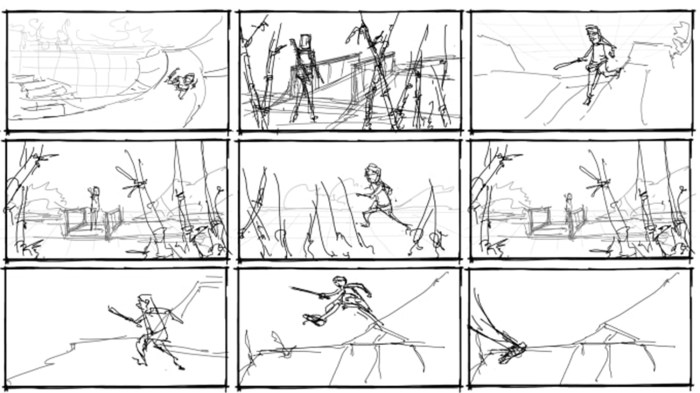
Creating effective storyboards goes beyond simply sketching out scenes; it involves refining your visual language to communicate your narrative clearly and concisely. This section focuses on enhancing your storyboarding skills, transforming basic sketches into powerful visual storytelling tools. We will explore techniques to improve clarity, enhance character representation, and leverage visual elements to build a compelling narrative.
Effective storyboarding relies on creating clear and concise visual representations that convey the essence of each scene. This requires a careful balance between detail and simplicity, avoiding unnecessary clutter while maintaining enough information for the intended audience (directors, animators, etc.). The goal is to make the storyboard easy to understand and interpret at a glance.
Character Design and Placement
Character design is crucial for establishing personality and conveying emotion. Consistent character designs across the storyboard ensure visual unity and prevent confusion. Consider using simple, yet expressive, line work and silhouettes. Character placement within the panel should also be considered carefully. For example, positioning a character centrally emphasizes their importance, while placing them off-center can create a sense of unease or isolation. Consider how the character’s position within the frame interacts with the camera angle to enhance the scene’s emotional impact. Imagine a scene where a character is small in the frame, positioned at the bottom, looking up at a looming figure. This instantly conveys power imbalance. Conversely, a character occupying most of the frame directly addresses the viewer, creating intimacy.
Camera Angles and Composition
Camera angles and composition are powerful tools for enhancing storytelling. Different angles convey different perspectives and emotions. A low angle shot can make a character appear powerful, while a high angle shot can make them seem vulnerable. The rule of thirds, a fundamental principle of composition, can be effectively used to create visually appealing and balanced panels. Imagine a scene where a character is positioned at one of the intersecting points of the rule of thirds, drawing the viewer’s eye directly to them. Alternatively, using leading lines within the composition can guide the viewer’s gaze, emphasizing specific elements of the scene. The careful choice of camera angle and composition can significantly impact the emotional weight and narrative flow of the storyboard.
Annotations and Descriptions
Annotations and descriptions are essential for clarifying details that cannot be conveyed visually. These textual additions provide context, explain actions, and clarify the mood of the scene. Concise descriptions are crucial; avoid lengthy explanations. Annotations can indicate camera movements (e.g., “zoom in,” “pan left”), character emotions (“fearful,” “determined”), or sound effects (“footsteps,” “explosion”). A well-annotated storyboard bridges the gap between the visual and the narrative, ensuring a shared understanding among collaborators. For example, a simple annotation like “SOUND of thunder” adds significant context to a visually simple panel depicting a dark sky.
Storyboard Organization and Pacing
Organizing a storyboard for a short narrative requires careful attention to pacing and transitions. The sequence of panels should be logical and engaging, guiding the viewer through the story smoothly. Transitions between panels should be clear and consistent, using techniques like jump cuts, dissolves, or wipes to create specific effects. Consider the length of each scene and how it contributes to the overall pacing. A fast-paced scene might require more panels, while a slower scene could use fewer, longer shots. A good storyboard will feel like a well-paced film, ensuring that the story unfolds at a rhythm that maintains the audience’s interest. For example, a chase scene might be depicted with a series of rapidly changing panels showing quick cuts of action, while a quiet, contemplative scene might use fewer panels with longer shots, allowing the viewer to absorb the mood.
Advanced Storyboarding Considerations
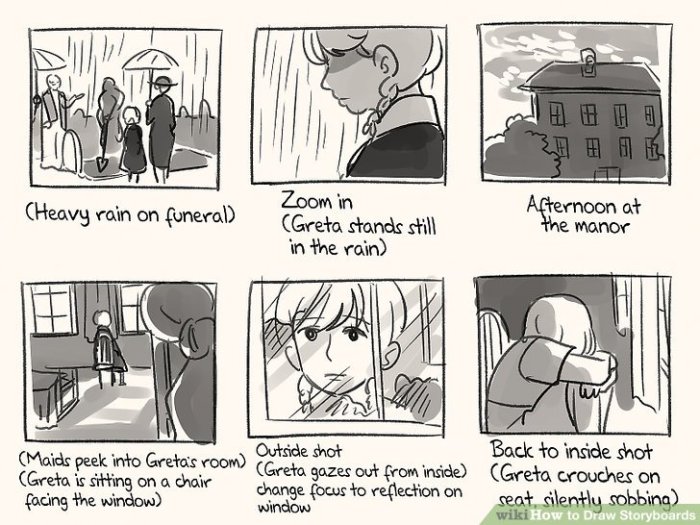
Now that we’ve covered the fundamentals and refined techniques, let’s delve into more advanced aspects of storyboarding that will elevate your work to the next level. This section will explore common pitfalls, effective sound integration, the power of visual metaphors, software comparisons, and crafting atmospheric panels.
Common Storyboarding Mistakes
Avoiding common mistakes is crucial for creating effective storyboards. Overlooking these details can lead to confusion during production. Common errors include inconsistent art styles, neglecting camera angles and movement, failing to clearly convey action, and omitting crucial details like character expressions or environmental elements. Furthermore, a lack of clear panel descriptions can hinder communication with the production team. A poorly organized storyboard, lacking clear scene transitions, can also create significant challenges. Finally, neglecting to revise and refine the storyboard based on feedback can result in a final product that doesn’t meet its potential.
Incorporating Sound and Music Cues
Adding sound and music cues directly to your storyboards significantly enhances their effectiveness. This allows for a more complete visualization of the final product, informing decisions about pacing, mood, and overall impact. Consider using standardized notations, such as adding notes directly onto the panels indicating specific sounds or music tracks, or creating a separate document that lists the sound effects and music cues alongside corresponding storyboard panels. For example, a panel depicting a tense scene might include a note indicating “ominous string music, low-volume foley of creaking floorboards”. This method provides a clearer understanding of the intended atmosphere and enhances communication with sound designers and composers.
Storyboard Sequence: Visual Metaphors and Symbolism
Let’s consider a sequence illustrating a character’s growing despair. Panel 1 shows a vibrant, sunny garden; the character is small and their posture is upright. Panel 2 shows the garden becoming slightly overgrown, with some wilting flowers; the character is slightly smaller, posture slightly slumped. Panel 3 depicts a storm gathering over the garden, the flowers are almost completely dead; the character is much smaller, head bowed. Panel 4 shows only a single, withered flower amidst barren earth; the character is barely visible, their posture completely collapsed. This sequence uses the garden as a visual metaphor for the character’s emotional state, and the changing weather conditions symbolize the increasing severity of their despair. The shrinking size of the character further emphasizes their emotional decline.
Software and Tools for Storyboarding
Several software and tools facilitate storyboard creation. Popular choices include Adobe Photoshop, which offers powerful image manipulation capabilities; Storyboarder, a free and open-source application specifically designed for storyboarding; and Celtx, a more comprehensive production management tool that also includes storyboarding features. The choice depends on your needs and budget. Photoshop is excellent for detailed illustrations, while Storyboarder prioritizes ease of use and workflow for quick sketches. Celtx offers a more integrated approach for larger projects, managing scripts, storyboards, and other production elements in a single platform.
Detailed Storyboard Panel: Mood and Atmosphere
Consider a panel depicting a dimly lit alleyway at night. The color palette is predominantly dark blues and grays, with a few splashes of muted orange from a distant streetlight. The perspective is low, emphasizing the feeling of vulnerability. Rain is falling, indicated by thin, vertical lines and dark reflections on the wet pavement. A lone figure, shrouded in shadow, walks away from the viewer, their posture hunched and their head bowed. The overall effect is one of isolation, mystery, and unease. The lack of bright colors and the use of shadows create a sense of foreboding, enhancing the mood and atmosphere.
Conclusive Thoughts
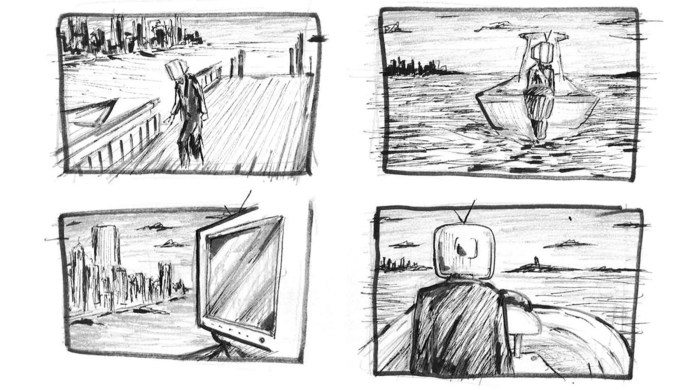
By understanding the fundamentals of storyboarding and applying the eight refining tips Artikeld in this guide, you’ll be well-equipped to create compelling visual narratives. Remember that consistent practice and attention to detail are key to mastering this skill. From initial concepts to polished visuals, your storyboards will become a powerful tool to effectively communicate your ideas and bring your creative visions to life. Embrace the iterative process of refinement, experiment with different techniques, and discover the transformative power of a well-crafted storyboard.