Visual storytelling is paramount in many creative fields, and storyboarding is the crucial first step. This guide delves into the essential tools that streamline the process, empowering creators to bring their visions to life with efficiency and precision. We’ll explore seven leading storyboarding applications, comparing their features, pricing, and user-friendliness to help you select the perfect tool for your project needs.
From simple narratives to complex action sequences, mastering storyboarding techniques is key to successful project planning. We’ll guide you through the creation of storyboards using three different tools, highlighting their unique strengths and how they influence the final product’s style and workflow. We’ll also cover advanced techniques, best practices, and tips for creating professional, compelling visuals.
Top 7 Storyboarding Tools
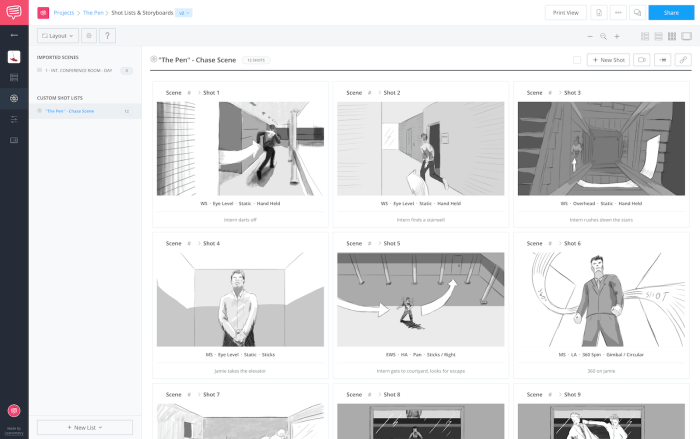
Choosing the right storyboarding software can significantly impact your workflow and project efficiency. This section provides a comparative overview of seven popular tools, considering their features, pricing, and ease of use to help you make an informed decision. The selection considers tools catering to various needs and budgets, from individual creators to larger production teams.
Top 7 Storyboarding Tools: A Comparative Overview
The following table compares seven popular storyboarding tools across key criteria. Note that pricing and feature sets can change, so it’s always recommended to check the official websites for the most up-to-date information.
| Tool Name | Key Features | Pricing Model | User-Friendliness Rating (1-5 stars) |
|---|---|---|---|
| Storyboarder | Free, open-source; collaborative features; simple interface; focuses on quick sketching and iteration. | Free | ★★★★★ |
| Adobe Photoshop | Powerful image editing capabilities; extensive layer support; vast library of brushes and tools; industry standard. | Subscription-based | ★★★☆☆ |
| Clip Studio Paint | Excellent for both illustration and animation; robust drawing tools; animation features; time-lapses; powerful layer management. | One-time purchase or subscription | ★★★★☆ |
| Storyboard Pro | Professional-grade software; advanced animation tools; extensive collaboration features; powerful timeline. | Subscription-based | ★★★☆☆ |
| Celtx | All-in-one pre-production software; includes scriptwriting, storyboarding, scheduling, and budgeting tools. | Subscription-based (free plan available) | ★★★☆☆ |
| PowerPoint | Widely accessible; easy to learn; basic animation capabilities; suitable for simple storyboards. | Included with Microsoft Office | ★★★★☆ |
| FrameForge | 3D storyboarding software; allows for creation of realistic environments and characters; advanced camera controls. | One-time purchase or subscription | ★★☆☆☆ |
Storyboarder Interface and Workflow
Storyboarder’s interface is characterized by its simplicity. A clean, uncluttered workspace prioritizes quick sketching. Users can easily add panels, import images, and annotate their work. The workflow is intuitive, focusing on rapid iteration and collaboration. Imagine a minimalist canvas with easily accessible tools for drawing, text annotation, and panel management. The lack of overwhelming features contributes to its ease of use. Its strength lies in its speed and collaborative features, making it ideal for brainstorming and quick story visualization.
Adobe Photoshop Interface and Workflow
Photoshop’s interface, while powerful, can be initially overwhelming due to its extensive toolset. Users navigate a complex workspace with layers, panels, and menus. The workflow involves creating layers for each panel, using various brushes and tools for drawing and annotation. Think of a highly customizable canvas with a plethora of tools and options. Its strength is its versatility and precision, suitable for highly detailed storyboards and those needing extensive image manipulation capabilities. However, its complexity can be a barrier for beginners.
Strengths and Weaknesses of Storyboarding Tools
Each tool excels in specific areas. Storyboarder, for example, is ideal for quick sketching and collaborative projects due to its simplicity. Photoshop’s strength lies in its image manipulation capabilities, making it suitable for creating highly polished storyboards. Storyboard Pro caters to professional animation and film projects with its advanced features, while Celtx offers a comprehensive pre-production suite. PowerPoint’s accessibility and ease of use make it a suitable choice for simpler projects, and Clip Studio Paint balances artistic control with animation features. FrameForge, with its 3D capabilities, is best suited for projects requiring realistic visualizations. The choice of tool depends on project scope, budget, and user experience.
Mastering Storyboard Techniques with Chosen Tools
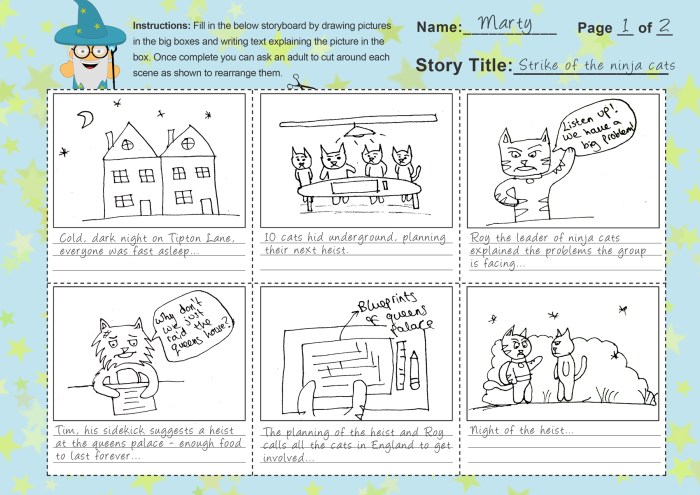
This section delves into the practical application of three distinct storyboarding tools, demonstrating their unique features and how they influence the creative process. We will create three storyboards depicting a simple narrative – a person ordering coffee – using different tools to highlight their strengths and weaknesses. This comparative analysis will showcase how the choice of tool directly impacts the final storyboard’s style and workflow.
The following examples illustrate how different tools facilitate various creative approaches and stylistic choices in storyboarding. Each storyboard, while depicting the same basic narrative, will demonstrate a distinct visual style and level of detail, reflecting the capabilities of the chosen software.
Storyboard 1: Using Storyboarder
Storyboarder’s strength lies in its simplicity and focus on the narrative flow. For this storyboard, we’ll utilize its intuitive panel layout and annotation features. The storyboard will consist of six panels. Panel one shows a person walking into a coffee shop, drawn with simple stick figures and basic shapes. Panel two shows the person approaching the counter. Panel three depicts the barista looking at the person expectantly. Panel four shows the person pointing at a menu item. Panel five depicts the barista preparing the coffee. Panel six shows the person happily receiving their coffee. The clean, uncluttered design emphasizes the narrative progression, leveraging Storyboarder’s ease of use and panel management features. The quick sketch style and simple annotations (e.g., “Approaches counter,” “Orders coffee”) enhance readability and maintain a clear focus on the story’s core elements. The tool’s ability to easily rearrange panels and add annotations proved crucial in refining the narrative flow.
Storyboard 2: Using Adobe Photoshop
Photoshop, a powerful image editing software, allows for a far more detailed and visually rich storyboard. Here, the storyboard will feature a similar six-panel structure, but each panel will be a meticulously rendered illustration. Panel one showcases a highly detailed coffee shop interior, with realistic textures and lighting. Panel two shows the person, rendered with realistic proportions and clothing details, walking towards the counter. Panel three features a detailed portrait of the barista, complete with nuanced facial expressions. Panel four shows the menu board with high-resolution images of coffee drinks. Panel five is a close-up of the barista skillfully making the coffee, with steam and coffee droplets rendered with impressive detail. Panel six shows the person receiving the coffee, the background softly blurred to emphasize the subject. Photoshop’s extensive brush tools and layer capabilities enabled the creation of a polished, professional-looking storyboard, showcasing detailed character designs and environment settings. The complexity, however, came at the cost of increased production time compared to Storyboarder.
Storyboard 3: Using Celtx
Celtx, known for its collaborative features and script integration, offers a storyboard option that emphasizes organization and script integration. This storyboard will incorporate textual elements directly into the panels, demonstrating Celtx’s workflow. The six panels are designed with a more cinematic approach, using a combination of rough sketches and image placeholders. Each panel will include a brief description of the scene’s action and dialogue. For example, panel one: “[SCENE START] EXT. COFFEE SHOP – DAY. A person walks into a bustling coffee shop.” This method, aided by Celtx’s built-in script integration, allows for easy referencing and updates. The storyboard serves as a visual companion to the script, streamlining the pre-production process. The simpler visual style, coupled with the detailed textual descriptions, makes Celtx’s storyboard ideal for pre-visualization where narrative clarity and script synchronization are paramount.
Comparison of Storyboards
The three storyboards, while depicting the same narrative, present vastly different visual styles and workflows. Storyboarder provided a quick and efficient method for visualizing the narrative flow, prioritizing simplicity and clarity. Photoshop enabled the creation of a highly detailed and visually appealing storyboard, but required significantly more time and expertise. Celtx offered a balanced approach, integrating visual elements with script information, streamlining the pre-production process for collaborative projects. The choice of tool directly impacts the final product’s aesthetic, level of detail, and overall workflow efficiency.
Advanced Storyboarding Techniques and Best Practices
Creating compelling storyboards involves more than just sketching out scenes; it requires a nuanced understanding of visual storytelling and technical proficiency. This section delves into advanced techniques and best practices to elevate your storyboards from simple sketches to professional-level visual blueprints. Mastering these techniques will significantly improve the clarity and impact of your storytelling.
Step-by-Step Guide to Professional Storyboarding
Effective storyboarding is a methodical process. Following a structured approach ensures consistency and clarity throughout your storyboard. A well-organized storyboard acts as a roadmap for the entire production process, facilitating smoother collaboration and efficient execution.
- Define Your Story: Before you even begin sketching, ensure you have a clear understanding of your narrative’s plot, characters, and overall message. Artikel key scenes and identify crucial plot points.
- Panel Layout and Composition: Plan your panel layout strategically. Consider using a variety of panel sizes and shapes to emphasize specific moments or create visual rhythm. Experiment with different panel arrangements to guide the viewer’s eye and control the pacing of the story.
- Character Design and Consistency: Develop clear and consistent character designs. Pay attention to details like clothing, expressions, and body language. Maintain consistency throughout your storyboard to avoid confusion and ensure visual cohesion.
- Visual Storytelling: Utilize visual metaphors and symbolism to enhance your storytelling. A simple image can convey complex emotions or ideas more effectively than lengthy descriptions. Consider using color palettes, lighting, and composition to set the mood and tone.
- Camera Angles and Shot Sizes: Experiment with different camera angles (high angle, low angle, eye level) and shot sizes (extreme close-up, close-up, medium shot, long shot) to vary the viewer’s perspective and create dynamic visuals. A high angle shot, for instance, might convey vulnerability, while a low angle shot can suggest power.
- Action and Dialogue Integration: Plan action sequences meticulously, breaking them down into individual panels to clearly illustrate the movement and flow. For dialogue-heavy scenes, use concise captions and clear character expressions to convey the emotion and tone of the conversation.
- Revision and Refinement: Storyboarding is an iterative process. Review and refine your storyboard multiple times, seeking feedback and making adjustments as needed. This ensures the final product is polished and effective.
Examples of Effective Storyboarding Techniques
The power of storyboarding lies in its ability to convey complex narratives visually. Here are examples showcasing effective techniques:
- Visual Metaphor: Imagine a scene where a character feels overwhelmed. Instead of simply showing them looking stressed, depict them as a tiny figure dwarfed by a towering mountain of paperwork. The mountain visually represents the character’s burden, enhancing the emotional impact.
- Camera Angles: To portray a character’s vulnerability, use a high-angle shot looking down on them. Conversely, a low-angle shot looking up at a character can convey power or intimidation. Consider a scene where a villain confronts a hero. A low-angle shot of the villain emphasizes their dominance, while a high-angle shot of the hero might highlight their vulnerability.
- Shot Sizes: A close-up on a character’s face during a dramatic moment emphasizes their emotions. A long shot might establish the setting and context before zooming in for more intimate scenes. For example, a long shot could establish a vast battlefield before switching to close-ups of individual soldiers during a crucial moment of combat.
Storyboarding Complex Scenes
Planning complex scenes, such as action sequences and dialogue-heavy interactions, requires a structured and detailed approach.
For action sequences, break down the action into a series of smaller, manageable panels. Focus on clarity and flow, ensuring the sequence is easy to follow and understand. Each panel should contribute to the overall action, creating a dynamic and engaging visual narrative. Consider using arrows or annotations to indicate movement and direction.
For dialogue-heavy scenes, focus on character interactions and expressions. Use clear captions and visual cues to convey the tone and emotion of the dialogue. Pay attention to body language and positioning to further enhance the scene’s impact. Careful planning ensures the dialogue flows naturally and the emotional arc of the scene is effectively conveyed. Consider using different shot sizes to emphasize specific characters or aspects of the conversation. A close-up on a character’s face during a key line of dialogue, for instance, can highlight their emotional state.
Final Wrap-Up
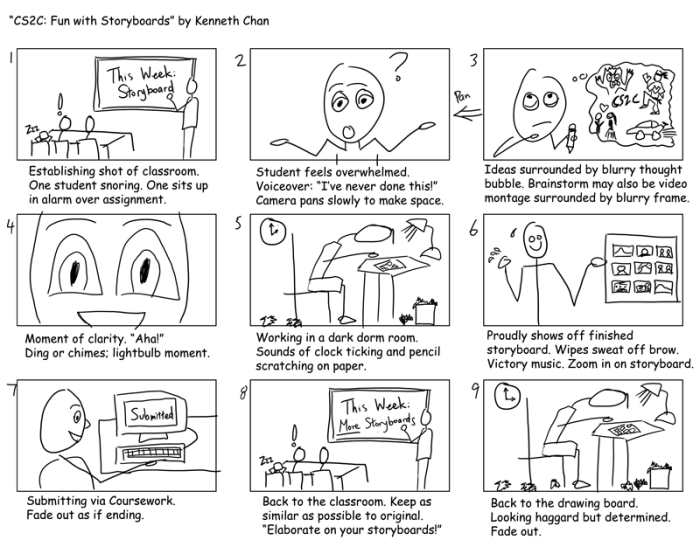
Ultimately, selecting the right storyboarding tool and mastering effective techniques are crucial for efficient and impactful visual storytelling. By understanding the nuances of each tool and applying best practices, you can significantly enhance your workflow and elevate the quality of your projects. This guide equips you with the knowledge and resources to confidently embark on your next creative endeavor, transforming your ideas into compelling visual narratives.