Crafting immersive virtual reality experiences requires meticulous planning. Storyboarding, a crucial pre-production step, translates abstract ideas into visual sequences, ensuring a cohesive and engaging narrative. This guide delves into the unique challenges and opportunities of VR storyboarding, offering nine practical tips to elevate your VR projects from concept to compelling reality. We’ll explore the fundamental differences between traditional and VR storytelling, emphasizing the importance of user agency and spatial awareness within the virtual environment.
From understanding basic VR interaction methods to mastering advanced techniques like branching narratives and 3D sound design, we provide a comprehensive approach. We’ll guide you through the process of creating effective storyboards using visual diagramming tools, considering user viewpoint, field of view, and the implementation of user feedback mechanisms to enhance immersion and narrative flow. The result? A clear roadmap to building unforgettable VR experiences.
Understanding VR Storytelling Fundamentals
Effective VR storytelling requires a fundamental shift in perspective from traditional narrative design. Unlike passive film or television viewing, VR places the user directly within the narrative, demanding a deep understanding of spatial design and user interaction to craft compelling experiences. This section explores key differences between traditional and VR storytelling, focusing on how these differences impact storyboard creation.
VR storytelling necessitates a heightened awareness of the user’s physical and virtual environment. The user’s sense of presence and agency is paramount. Successful VR narratives leverage this agency, allowing the user to actively participate in the story rather than simply observing it. This requires careful consideration of the user’s perspective and how their actions shape the narrative arc.
A User’s First Interaction with a VR Environment
Consider a storyboard panel depicting a user’s initial experience in a VR environment. The panel shows a user, represented by a simple avatar, standing in a dimly lit forest clearing. A path leads into the woods, partially obscured by mist. The user’s field of vision is clearly defined, showing a limited area of the environment immediately surrounding them. Their avatar’s hands are visible, subtly suggesting the presence of VR controllers. The scene is designed to foster curiosity and a sense of exploration, prompting the user to move forward along the path. The panel’s composition emphasizes the scale and depth of the virtual space, highlighting the user’s position within it and the potential for movement. This panel communicates spatial awareness by showing the limitations of the user’s immediate view and suggesting the larger environment beyond.
Traditional vs. VR Storytelling
Traditional storytelling, whether in film or literature, is fundamentally passive. The audience observes the narrative unfold, their engagement limited to interpreting the presented information. VR storytelling, however, is inherently active. The user’s actions directly impact the narrative flow and outcome. This “user agency” is a defining characteristic of VR experiences. Immersion also plays a crucial role. Traditional media strives for immersion through visual and auditory effects, but VR offers a far more encompassing experience, engaging multiple senses and creating a sense of physical presence within the virtual world. This requires storytellers to design narratives that respond to user input and adapt to their actions in real-time, significantly impacting the storyboard’s design and flow.
VR Interaction Methods and Storyboard Design
The choice of interaction method significantly influences the design of a VR storyboard. Different methods offer varying levels of control and precision, demanding different approaches to narrative pacing and user guidance. The following table illustrates the impact of various interaction methods on storyboard design:
| Interaction Method | Level of Precision | Impact on Storyboard Design | Example |
|---|---|---|---|
| Controllers (e.g., hand-held controllers) | High | Allows for precise interactions with objects and environments; requires clear visual cues indicating interactable elements. | Selecting objects, manipulating tools, navigating menus. |
| Hand Tracking | Medium | More natural and intuitive, but less precise; requires careful design to ensure interactions are easily understood. | Reaching for objects, gesturing, interacting with virtual interfaces. |
| Gaze Interaction | Low | Simplest interaction; primarily for selection and navigation; requires careful placement of interactive elements. | Selecting menu options, focusing on points of interest. |
| Combination of Methods | High | Offers a richer and more immersive experience, but requires careful coordination between different input methods. | Using controllers for precise manipulation while using gaze for selection. |
Key Storyboarding Techniques for VR
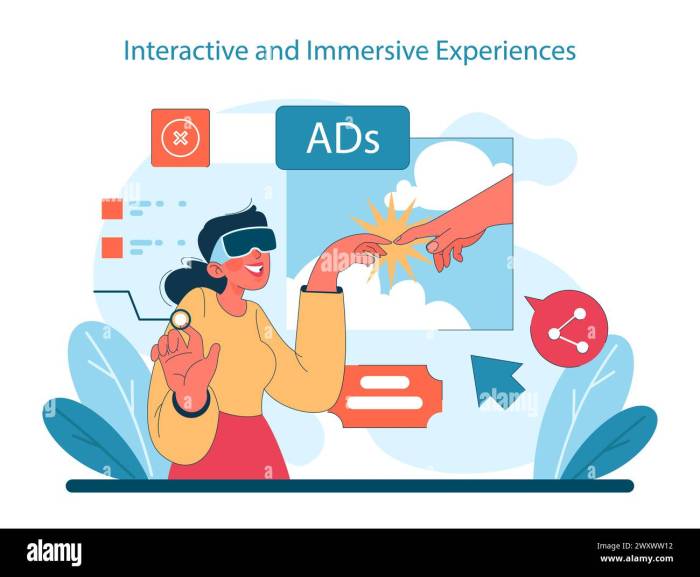
Effective storyboarding is crucial for successful VR experiences. It allows designers to visualize the narrative flow, user interactions, and overall experience before committing to development, saving time and resources. This section details key techniques specifically tailored for VR storyboarding.
Creating a compelling VR narrative requires a different approach than traditional filmmaking. The immersive nature of VR demands a focus on user agency, 360-degree environments, and the subtle ways in which information is conveyed. A well-crafted storyboard is the blueprint for achieving this.
VR Storyboard Creation using Visual Diagramming Tools
A visual diagramming tool, such as Miro, Mural, or even a simple drawing program, is invaluable for creating a VR storyboard. The process involves a step-by-step approach:
- Scene Breakdown: Divide your VR experience into individual scenes, each representing a distinct moment or location within the narrative. Consider the user’s journey and how they will move through the virtual environment.
- Panel Layout: For each scene, create a panel in your diagramming tool. Think of these panels as individual frames, but instead of a single perspective, consider a 360-degree view. Sketch the environment, key objects, and characters within each panel.
- User Perspective and Actions: Indicate the user’s viewpoint and potential actions within each scene. Consider using arrows to show movement or interaction points. Note what the user sees, hears, and can interact with.
- Annotations and Notes: Add annotations to your panels to provide additional context. This includes descriptions of sounds, character dialogue, environmental details, and user interactions. Include notes about the intended emotional impact of each scene.
- Transitions: Plan the transitions between scenes. Will the user teleport, walk, or be smoothly transported? Clearly indicate these transitions in your storyboard.
- Iteration and Refinement: Storyboarding is an iterative process. Review your storyboard frequently, making adjustments as needed to improve the flow and impact of your VR experience. Collaborate with your team to ensure everyone is on the same page.
User Viewpoint and Field of View (FOV) in VR Storyboards
The user’s viewpoint and field of view (FOV) are paramount in VR storyboarding. Unlike traditional media, the user actively controls their perspective, so it’s crucial to anticipate how they might interact with the environment.
Consider designing panels that show the user’s potential viewpoints at various points within a scene. Different FOVs will create distinct experiences. A narrow FOV can create a sense of claustrophobia or focus, while a wide FOV offers a panoramic view. Carefully plan the FOV for each scene to enhance the desired emotional response and narrative impact.
Effective Visual Storytelling Techniques in VR
Effective visual storytelling in VR relies heavily on environmental storytelling and subtle cues. Instead of relying solely on explicit dialogue or text, use the environment to convey information and emotions.
For instance, a dimly lit, cluttered room could suggest a character’s loneliness or troubled past, while a brightly lit, open space might evoke feelings of freedom and hope. Subtle cues, such as a flickering light or a misplaced object, can add depth and intrigue to the narrative. The use of spatial audio, where sounds are positioned in 3D space, also plays a crucial role in immersive storytelling, guiding the user’s attention and enhancing the sense of presence.
Advanced VR Storyboard Considerations
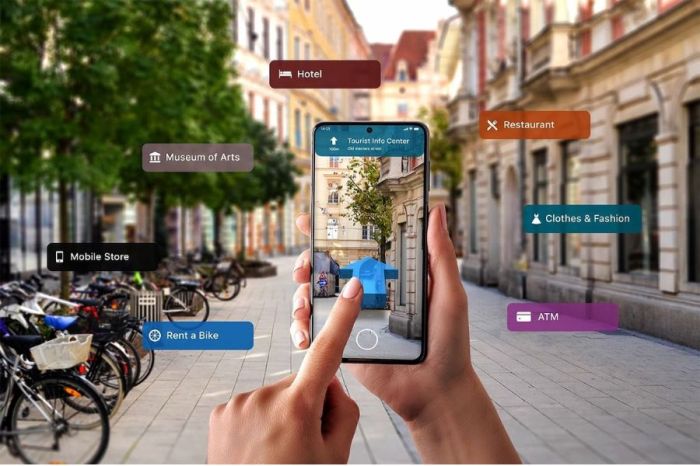
Storyboarding for VR experiences extends beyond traditional filmmaking techniques. The interactive nature of VR necessitates careful consideration of branching narratives, 3D audio integration, and dynamic user feedback mechanisms. Effectively incorporating these elements is crucial for creating immersive and engaging VR stories. This section delves into advanced techniques to help you master the art of VR storyboarding.
Storyboarding branching narratives in VR requires a clear visualization of the various paths a user can take. It’s not simply a linear progression; it’s a complex web of potential experiences. By carefully mapping out these choices and their outcomes, you can ensure a cohesive and satisfying user journey. This is achieved through multiple storyboard panels representing different scenarios, clearly indicating user actions and their consequences.
Branching Narratives in VR
Imagine a VR game where the user encounters a locked door. The storyboard would illustrate three potential user actions: attempting to pick the lock (leading to a panel showing success or failure), finding a key in a nearby drawer (leading to a panel showing the door opening), or ignoring the door entirely (leading to a panel depicting the user proceeding to a different location). Each choice branches the narrative, and each branch should have its own distinct storyboard sequence illustrating the resulting scenario. A key aspect of this is visually representing the decision points clearly, perhaps using distinct panel layouts or color-coding to denote the different narrative paths. For example, each branch could be represented with a different colored border around the panel, making it clear to the reader which action leads to which outcome. This clear visualization allows for easy comprehension of the complex narrative structure.
3D Sound Design in VR Storyboarding
Effective use of 3D sound design is paramount to enhancing immersion in VR experiences. Sound should be treated as another layer of storytelling, providing contextual clues and emotional cues. A storyboard should clearly indicate the spatial placement and characteristics of sounds to aid developers in creating an immersive soundscape.
Storyboard Sequence Illustrating 3D Sound Design
Consider a scene where the user is exploring a dark forest. The storyboard would include panels depicting the user’s perspective, along with notations specifying the sound design elements. For instance, one panel might show the user walking through tall grass, with a note indicating “Rustling grass sounds, subtle and close.” Another panel might show a distant wolf howling, with a note specifying “Wolf howl, low frequency, emanating from the left, gradually fading.” A third panel showing the user approaching a clearing could include a note such as “Birds chirping, high-pitched, positioned slightly above and to the right,” creating a sense of spatial awareness and enhancing the sense of realism. These detailed annotations allow the sound designer to accurately recreate the intended atmosphere.
User Feedback Mechanisms in VR Storyboarding
Integrating user feedback mechanisms within VR experiences allows for dynamic narrative adjustments, enhancing player agency and immersion. These mechanisms provide opportunities for the narrative to adapt based on the user’s actions and choices.
The following feedback mechanisms can be incorporated into a VR experience, impacting narrative flow:
- Gaze Tracking: The user’s gaze direction can trigger narrative events or reveal hidden details. The storyboard could illustrate a scenario where looking at a specific object triggers a flashback sequence.
- Voice Recognition: Verbal commands can be used to interact with the environment and influence the story. The storyboard could show a panel where speaking a specific phrase unlocks a new area.
- Haptic Feedback: Physical sensations can enhance immersion and emotional impact. A storyboard might illustrate a panel where the user receives a haptic vibration when encountering a dangerous object, altering their behavior and the subsequent narrative.
- Body Tracking: The user’s physical movements can affect the story’s progression. For instance, a storyboard might show a panel where leaning forward reveals a secret passage.
Ultimate Conclusion
Successfully storyboarding for VR demands a shift in perspective, moving beyond traditional cinematic approaches to embrace the interactive nature of the medium. By carefully considering user agency, spatial awareness, and the unique capabilities of VR technology, you can create truly immersive and engaging experiences. This guide has provided a framework for developing compelling VR narratives, empowering you to translate your vision into a captivating virtual reality. Remember to iterate, test, and refine your storyboard based on user feedback to ensure a polished and impactful final product.