Effectively showcasing your product requires more than just a functional demonstration. A well-crafted storyboard transforms a product demo into a compelling narrative, guiding viewers through key features and highlighting the value proposition in a clear, concise, and memorable way. This approach leverages visual storytelling to resonate with your audience on a deeper level, ultimately increasing engagement and understanding.
This guide delves into five key strategies for creating impactful product demo storyboards. We’ll explore techniques for planning the storyboard structure, selecting appropriate visual styles, crafting compelling visuals, ensuring clarity and impact, and incorporating a strong call to action. By following these tips, you can transform your product demos from simple presentations into persuasive narratives that effectively communicate your product’s value.
Planning Your Storyboard
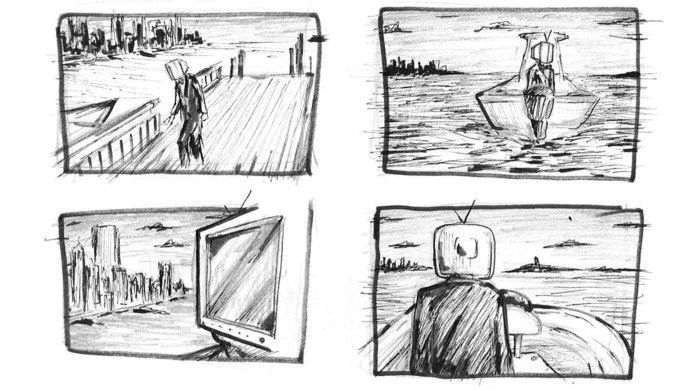
Crafting a compelling product demo storyboard isn’t about randomly stringing together visuals; it’s a strategic process that guides your audience through a clear and engaging narrative. A well-planned storyboard ensures your demo effectively communicates the value proposition of your product. Think of it as a roadmap for a successful presentation.
A successful storyboard visually represents the user journey, highlighting the problem your product solves and showcasing its solution. It’s a detailed plan, allowing you to anticipate potential issues and refine your demo before presenting it to your audience. This pre-planning minimizes surprises and ensures a smooth, impactful presentation.
Designing a Three-Stage User Journey
To effectively communicate your product’s value, structure your storyboard around a clear user journey. A simple, yet effective approach is to break down the journey into three distinct stages: the problem, the solution, and the benefit. This structured approach provides a clear narrative arc that keeps your audience engaged. Consider these stages:
| Scene | Description | Visual Element | User Action |
|---|---|---|---|
| Scene 1: The Problem | Illustrate the user’s frustration with the existing solution or lack thereof. Show a user struggling with a tedious task or facing a significant challenge. | A screenshot of a cluttered interface, a frustrated user expression, or a graph showing inefficient results. | User attempts to perform a task using existing methods, encountering difficulty. |
| Scene 2: The Solution | Introduce your product as the solution to the problem. Highlight key features and how they address the user’s pain points. | Screenshots showcasing your product’s interface, highlighting key features with callouts and arrows. | User interacts with your product, easily completing the same task shown in Scene 1. |
| Scene 3: The Benefit | Showcase the positive outcome achieved by using your product. Quantify the improvement, demonstrating the value proposition. | Graphs showing improved results, a satisfied user expression, or a testimonial quote. | User enjoys the improved efficiency and positive results, leading to increased productivity or satisfaction. |
Prioritizing Problem and Solution
The most effective storyboards prioritize demonstrating the problem before presenting the solution. This approach creates a clear “before and after” narrative that highlights the transformative power of your product. By first establishing the user’s need, you create a strong foundation for showcasing the value of your solution. The contrast between the problem and the solution makes the impact of your product immediately clear.
Incorporating Diverse Visual Elements
Maintain viewer engagement by incorporating a variety of visual elements into your storyboard. Avoid relying solely on text; instead, use a combination of icons, screenshots, and short, impactful text descriptions. Icons can represent key features or actions concisely, while screenshots provide visual context and realism. Keep text descriptions brief and focused on conveying essential information. This multi-faceted approach caters to different learning styles and maintains a dynamic visual flow.
Organizing Your Storyboard with an HTML Table
Using an HTML table provides a structured and easily navigable format for your storyboard. The table’s columns—Scene, Description, Visual Element, and User Action—allow for a clear and organized presentation of each scene. This structured approach facilitates collaboration and ensures everyone involved understands the plan. The table format also makes it easy to revise and update your storyboard as needed.
Crafting Compelling Visuals
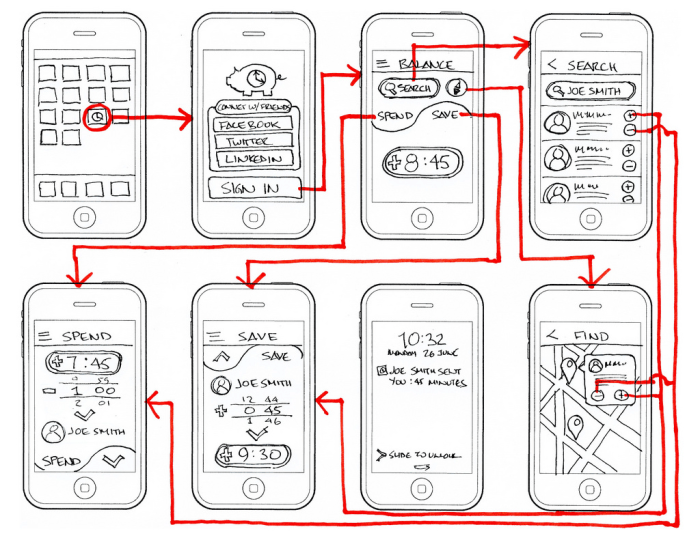
Effective product demo storyboards rely heavily on clear and engaging visuals. A well-designed storyboard transcends a simple script; it’s a visual narrative that showcases your product’s functionality and value proposition in a memorable way. By carefully selecting your visual style and crafting compelling scenes, you can significantly improve the clarity and impact of your demo.
Visual styles significantly influence the overall tone and message of your storyboard. Choosing the right style depends on your product, target audience, and desired level of detail.
Visual Styles for Product Demo Storyboards
The choice of visual style directly impacts how your product is perceived. Three distinct styles offer different strengths and weaknesses:
- Minimalist Style: This style prioritizes simplicity and clarity. It uses clean lines, basic shapes, and a limited color palette. Strengths include its ease of understanding and its ability to focus attention on key features. Weaknesses include its potential lack of visual interest and its limited ability to convey complex interactions.
- Realistic Style: This style aims for photorealistic depictions of your product and its interface. Strengths include its high level of detail and its ability to create a sense of realism and immersion. Weaknesses include its higher production cost and potential to distract from the core functionality if not carefully managed.
- Illustrative Style: This style employs hand-drawn or digitally painted illustrations. Strengths include its unique aesthetic appeal, its ability to convey emotion and personality, and its flexibility in representing abstract concepts. Weaknesses include its potential for inconsistency in style and its increased design time.
Illustrative Scenes in a Product Demo Storyboard
Let’s consider three illustrative scenes for a hypothetical project management software:
- Scene 1: Task Assignment: A brightly colored, hand-drawn illustration shows a project manager dragging and dropping a task icon onto a team member’s avatar. The avatars are stylized, friendly characters, and the task icon is clearly labeled “Design Mockups”. This visual immediately conveys the ease of task delegation within the software.
- Scene 2: Progress Tracking: A bar chart, rendered in a clean, minimalist style, shows the progress of a project. The chart uses bright, vibrant colors to highlight completed tasks, clearly showing the project’s overall advancement towards completion. This scene visually represents the software’s reporting capabilities.
- Scene 3: Collaboration Feature: An illustrative scene depicts three team members, drawn in a friendly cartoon style, collaborating on a document. Speech bubbles with relevant comments and suggestions are included to showcase the real-time collaboration features of the software. This emphasizes the collaborative aspect of the software.
Effective Visual Metaphors
Visual metaphors can simplify complex features:
- A flowing river for data processing: This metaphor visually represents the smooth and efficient flow of data through the system.
- A tightly woven net for security: This illustrates the robust and comprehensive security measures in place.
- A clear, well-organized filing cabinet for data storage: This conveys the easy accessibility and organization of stored data.
Alternative Visual Representations of a Key Feature
Let’s consider the “real-time collaboration” feature:
- Visual 1: Overlapping avatars: Multiple user avatars slightly overlap, suggesting simultaneous interaction on a shared document. This is simple and conveys the idea of shared work.
- Visual 2: Connected dots: User avatars are connected by lines, symbolizing the real-time connection and communication between users. This emphasizes connectivity.
- Visual 3: A shared whiteboard with multiple cursors: This depicts a shared digital whiteboard with multiple cursors moving simultaneously, showing real-time editing and collaboration. This provides the most detailed and direct representation.
Enhancing Clarity and Impact
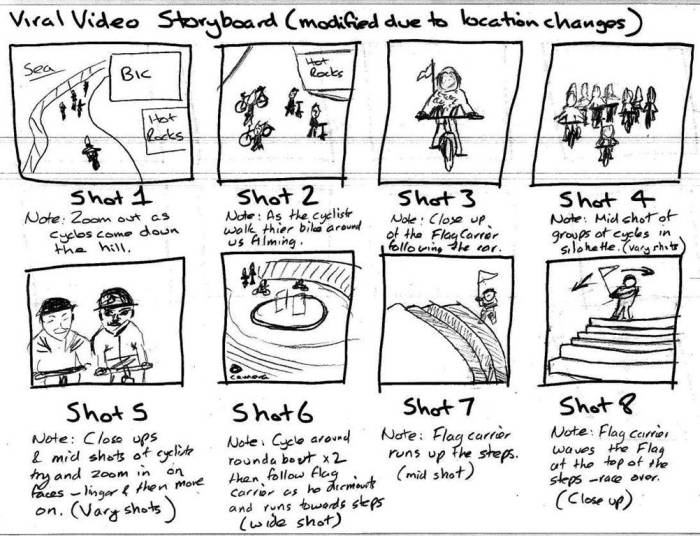
A compelling product demo storyboard isn’t just about pretty pictures; it’s about delivering a concise and persuasive message that resonates with your audience. By focusing on clear language, impactful visuals, and a natural flow, you can create a storyboard that effectively communicates the value of your product and drives desired actions. This section explores techniques to achieve this impactful communication.
Effective communication in a storyboard relies heavily on concise language and strong visuals working in tandem. Every element should contribute to the overall message, avoiding unnecessary jargon or overly complex sentence structures. Think of your storyboard as a visual narrative; each scene should tell a part of the story, leading the viewer seamlessly towards a clear understanding of your product’s benefits.
Concise Language and Strong Verbs
Using concise language and strong verbs in your storyboard captions is crucial for impactful communication. Avoid lengthy sentences; instead, opt for short, impactful phrases that highlight key features and benefits. Strong action verbs create a sense of dynamism and immediacy. For example, instead of “The software allows users to easily manage their files,” use “Manage files effortlessly with our software.” This concise phrasing is more engaging and memorable. Similarly, instead of “Our product helps customers improve their workflow,” consider “Streamline your workflow with our product.” These small changes significantly impact the overall clarity and persuasiveness of the message.
Incorporating User Testimonials and Data Points
Adding credibility to your storyboard is essential. Integrating user testimonials or data points directly into the visuals significantly boosts viewer trust and confidence. For example, a scene could show a satisfied customer’s quote overlaid on a screenshot of the product in action. Alternatively, a graph illustrating a significant improvement in user engagement or conversion rates after using the product would add substantial weight to your claims. This approach transforms abstract claims into concrete evidence, reinforcing the product’s value proposition. For example, a storyboard could feature a scene with a bar graph showing a 30% increase in sales conversions after implementing the software. This visual data point strengthens the narrative.
Creating a Natural Flow and Maintaining Engagement
A well-structured storyboard flows naturally from one scene to the next, guiding the viewer through the product demo in a logical and engaging manner. Avoid abrupt transitions or jarring shifts in focus. Use visual cues, such as arrows or transitions, to smoothly guide the viewer’s eye. Consider using consistent visual elements, such as color schemes or fonts, to maintain a cohesive look and feel. Each scene should build upon the previous one, creating a clear and compelling narrative. A good technique is to use a consistent visual style and color palette throughout the storyboard. This helps maintain a unified look and feel, keeping the viewer engaged and preventing visual fatigue.
Incorporating a Call to Action
The final scene of your storyboard should include a clear call to action, outlining the next steps for the viewer. This ensures that your demo doesn’t end abruptly, leaving the viewer unsure of what to do next.
A strong call to action should be visually prominent and easy to understand. Here’s an example of how this could look in a storyboard:
- Scene: A final screen displaying the product logo and website address.
- Caption: “Ready to transform your workflow? Visit our website to learn more and start your free trial today!”
- Visual: An arrow pointing to a prominent “Visit Website” button on the screen.
Closing Notes

Mastering the art of storyboarding for product demos is key to successfully conveying your product’s value. By carefully planning your visual narrative, selecting the right visual style, and crafting clear, concise messaging, you can create engaging demos that resonate with your audience. Remember, a well-designed storyboard isn’t just a visual aid; it’s a powerful tool for storytelling, persuasion, and ultimately, driving conversions. Implement these strategies to transform your product demos into captivating experiences that leave a lasting impression.