Storyboarding, a technique traditionally used in filmmaking, offers solopreneurs a powerful method for streamlining content creation and maximizing efficiency. By visually mapping out marketing materials before production, solopreneurs can avoid costly revisions, save valuable time, and ensure a cohesive brand message across all platforms. This approach is particularly beneficial for those juggling multiple roles and limited resources, allowing for a more strategic and focused approach to content development.
This guide delves into the practical application of storyboarding for solopreneurs, providing actionable strategies and techniques to integrate this powerful tool into your existing workflow. We’ll explore how storyboarding simplifies complex projects, enhances clarity, and ultimately contributes to a more successful marketing strategy.
Understanding the Solopreneur’s Storyboarding Needs

Solopreneurs, juggling multiple roles and often operating with limited resources, face unique challenges when creating marketing materials. Time is a precious commodity, and the pressure to produce high-quality content across various platforms can be overwhelming. Effective marketing is crucial for growth, but the process can feel daunting without a structured approach.
Storyboarding simplifies content creation for solopreneurs by providing a visual roadmap. It allows for pre-visualization of the final product, enabling efficient planning and execution. This structured approach minimizes wasted time and resources, leading to a more streamlined and productive workflow. Instead of diving directly into content creation, solopreneurs can plan the narrative arc, identify key messages, and ensure visual consistency across all platforms.
Types of Content Suitable for Storyboarding
Solopreneurs can benefit from storyboarding a wide range of content. This visual planning method isn’t limited to complex video productions. It’s equally valuable for simpler projects. For example, a social media campaign can be effectively storyboarded, outlining the visual style, message, and call to action for each post in a series. Similarly, an email marketing campaign can be planned using storyboards to ensure a cohesive narrative and consistent branding across multiple emails. Even website copy can benefit from storyboarding, allowing the solopreneur to visualize the flow of information and user experience. Consider a website landing page; a storyboard can map out the visual hierarchy, guiding the user’s eye to the key conversion points.
Benefits of Storyboarding for Time and Resource Management
Storyboarding offers significant advantages in planning and managing time effectively for solopreneurs. By visualizing the entire content creation process upfront, potential issues and roadblocks can be identified and addressed proactively, saving time and preventing costly revisions later on. The clarity provided by a storyboard facilitates efficient delegation of tasks, should the solopreneur choose to outsource certain aspects of production. This clear visual representation of the project also makes it easier to track progress and manage deadlines.
| Method | Time Investment | Cost | Effectiveness |
|---|---|---|---|
| Traditional Artikel/Brainstorming | Moderate to High (depending on complexity) – often involves multiple revisions and iterations. | Low (primarily time-based cost) | Moderate – prone to overlooking details and inconsistencies. |
| Storyboarding | Moderate (initial investment, but saves time in the long run by reducing revisions) | Low to Moderate (depending on tools used; some free options exist) | High – visual representation improves clarity, reduces errors, and streamlines the process. |
Efficient Storyboarding Techniques for Solopreneurs
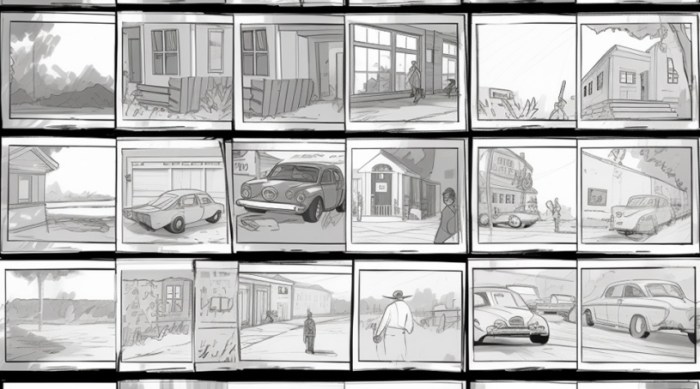
Storyboarding, often perceived as a complex process, can be streamlined significantly for solopreneurs working with limited resources. By focusing on efficiency and leveraging readily available tools, solopreneurs can create compelling visual narratives that effectively communicate their brand message and drive engagement. This section will Artikel several practical techniques to maximize efficiency in storyboard creation.
Efficient Storyboarding Techniques for Solopreneurs are characterized by simplicity, clarity, and a focus on key messages. Solopreneurs benefit from methods that minimize time investment while maximizing impact. Three effective approaches are detailed below.
Simple Visual Note-Taking
This technique involves using sticky notes or a digital equivalent to quickly sketch out scenes and jot down key dialogue or actions. Each sticky note represents a single frame or scene in the storyboard. This method allows for rapid iteration and easy rearrangement of scenes. The low barrier to entry makes it ideal for quickly visualizing ideas before committing to a more detailed storyboard. A solopreneur might use different colored sticky notes to represent different characters or locations.
Digital Whiteboard Collaboration Tools
Numerous digital whiteboard tools offer collaborative features allowing for efficient storyboarding. These platforms enable the creation and sharing of visual representations of the story, making feedback and iteration seamless. Features such as drag-and-drop functionality, image insertion, and real-time collaboration significantly streamline the process. A solopreneur could use these tools to plan a social media campaign, quickly sketching out each post’s visuals and accompanying text.
Simplified Storyboard Templates
Utilizing pre-designed templates can significantly reduce the time spent on layout and formatting. Many free or low-cost templates are available online, offering basic structures that solopreneurs can customize. These templates provide a structured framework for organizing scenes, dialogue, and visuals, ensuring consistency and professionalism. A solopreneur might find a template suitable for a specific social media platform, simplifying the adaptation process.
Conciseness and Focus on Key Messages
Effective storyboards for solopreneurs are concise and focused, prioritizing key messages and avoiding unnecessary details. Every element should contribute directly to the overall narrative. Redundant scenes or information should be eliminated to maintain clarity and engagement. The objective is to communicate the core message effectively, not to create a lengthy, complex production. For example, a storyboard for a social media campaign should highlight the core benefit of the service and a clear call to action.
Visual Aids for Enhanced Understanding and Engagement
Visual aids are crucial for effective storyboarding. Simple yet impactful visuals significantly enhance understanding and engagement. Consider using simple icons, basic shapes, and representative imagery. Avoid overly detailed illustrations or complex graphics that could detract from the core message. The use of color and visual hierarchy can help guide the viewer’s eye and emphasize key information. For instance, a storyboard might use a consistent color scheme for branding or highlight important action with bolder visuals.
Sample Storyboard for a Social Media Campaign
Let’s imagine a solopreneur offering freelance graphic design services. Their social media campaign aims to showcase their expertise and attract new clients.
| Scene | Visual Description | Text Description |
|——-|————————————————-|———————————————————————————|
| 1 | A cluttered desktop with many open design files. | “Feeling overwhelmed by your design projects?” |
| 2 | A hand reaching for a coffee cup, looking stressed. | “Struggling to meet deadlines?” |
| 3 | A clean, organized desktop with completed designs. | “Let me help you create stunning visuals that work for your business!” |
| 4 | A vibrant, professional logo design on screen. | “High-quality graphic design services, tailored to your needs. Contact me today!” |
Integrating Storyboarding into a Solopreneur’s Workflow

Successfully integrating storyboarding into your existing workflow as a solopreneur requires a strategic approach that maximizes efficiency and minimizes disruption. It’s about seamlessly weaving this visual planning tool into your daily operations, not adding another layer of complexity. The key is to find a system that works for you and your specific content creation process.
Storyboarding should enhance, not hinder, your productivity. This involves selecting the right tools, understanding how to leverage the storyboard for project management, and adapting the process to fit your individual needs and preferences. This section will provide a practical guide to help you achieve this integration effectively.
A Step-by-Step Guide to Integrating Storyboarding
Integrating storyboarding into your content creation process can be broken down into manageable steps. Starting small and gradually expanding its use is crucial for successful implementation. A phased approach allows you to adapt and refine your methods as you become more comfortable with the process.
- Identify Content Types: Begin by pinpointing the content types that would benefit most from storyboarding. This might include video scripts, blog posts with complex narratives, social media campaigns, or even email sequences. Prioritize projects based on complexity and potential return on investment.
- Storyboard Creation: Once you’ve selected a project, create a basic storyboard. Focus on key scenes, transitions, and messaging. Don’t get bogged down in excessive detail at this stage; a rough sketch is sufficient. This initial storyboard serves as a roadmap for your content.
- Workflow Integration: Integrate your storyboard into your existing project management system. This could involve attaching the storyboard to a task within your project management software, or simply keeping it readily accessible within your chosen file system. Ensure its location is easily retrievable throughout the content creation process.
- Content Creation: Use the storyboard as a guide during the actual content creation process. This helps maintain consistency and ensures that you stay on track with your planned message and structure. Regular checks against the storyboard will prevent costly deviations.
- Review and Revision: After creating the content, review it against the storyboard. This comparison helps identify any discrepancies or areas needing improvement. The storyboard acts as a reference point for maintaining the intended flow and message.
- Iteration and Refinement: Based on the review, make necessary revisions to both the content and the storyboard itself. This iterative process allows for continuous improvement and ensures the final product aligns perfectly with the initial vision.
Tools and Resources for Efficient Storyboarding
Solopreneurs have access to a range of tools and resources that can significantly streamline the storyboarding process. The choice depends on your budget, technical skills, and personal preferences. Many options offer features such as collaboration tools, version control, and various export formats to suit different content needs.
Some tools are simple digital drawing pads that allow for freehand sketching, while others provide more structured templates and pre-designed assets. Advanced options might incorporate features for scriptwriting, voice recording, and even basic animation capabilities. The ideal choice depends on your specific requirements and comfort level with technology.
Comparing Storyboarding Software Options
Different storyboarding software options cater to varying needs and skill levels. Some programs excel in their ease of use, offering intuitive interfaces and drag-and-drop functionality. These are ideal for solopreneurs with limited technical expertise who prioritize simplicity and speed. Others provide advanced features such as collaboration tools, extensive template libraries, and advanced animation capabilities, which might be beneficial for more complex projects. The selection should reflect the complexity of your projects and your desired level of control.
Using Storyboards for Progress Tracking and Revision Management
Storyboards serve as invaluable tools for tracking progress and managing revisions. They provide a clear visual representation of the project’s status and facilitate efficient communication during the revision process. Utilizing the storyboard effectively streamlines the feedback and iteration cycles.
- Initial Storyboard Creation: Develop a comprehensive storyboard outlining all key scenes, transitions, and narrative elements.
- Progress Marking: As you complete sections of the content, mark the corresponding parts of the storyboard as “complete.” This provides a clear visual representation of progress.
- Feedback Integration: When receiving feedback, annotate the storyboard directly to indicate changes or suggested revisions. This ensures everyone is working from the same updated visual reference.
- Revision Tracking: Maintain different versions of the storyboard to track revisions. This allows you to compare versions and easily revert to previous iterations if necessary. Clear versioning prevents confusion and ensures clarity.
- Final Review: Before finalizing the project, conduct a final review of the content against the final storyboard version. This ensures consistency and accuracy.
Outcome Summary
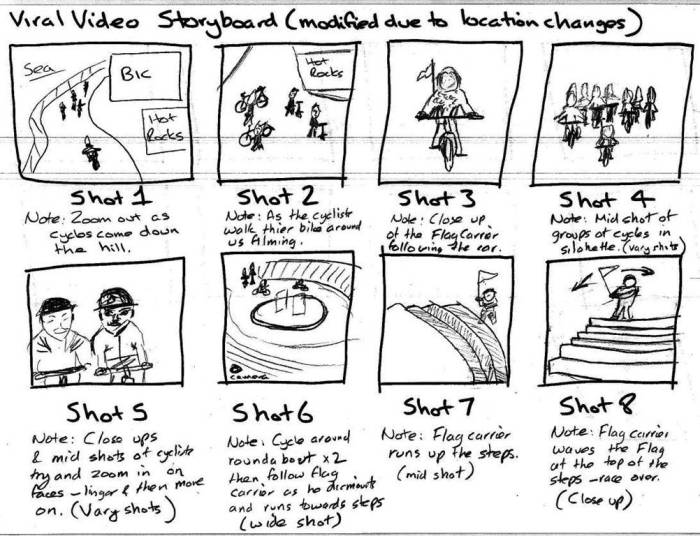
Ultimately, mastering storyboarding empowers solopreneurs to transform their content creation process from a chaotic scramble to a streamlined, efficient system. By visualizing their message and planning strategically, solopreneurs can unlock greater productivity, consistency, and impact. Embracing this simple yet powerful technique allows for a more focused approach to marketing, leading to better results and a more sustainable business model. The time investment in planning pays off exponentially in saved resources and improved outcomes.