Mastering the art of visual storytelling doesn’t require days of painstaking work. This guide offers a streamlined approach to storyboarding, equipping you with the essential techniques and time-saving strategies to create compelling visuals in just 30 minutes. We’ll explore efficient workflows, digital and analog methods, and practical tips to help you effectively communicate your narrative vision, regardless of your chosen medium.
From understanding fundamental storyboard components and layout options to leveraging pre-made templates and prioritizing key scenes, this guide provides a practical, step-by-step process. We’ll cover diverse applications, including video advertisements, graphic novels, animation, and interactive narratives, demonstrating how to adapt techniques for optimal impact.
Understanding the Basics of Storyboarding
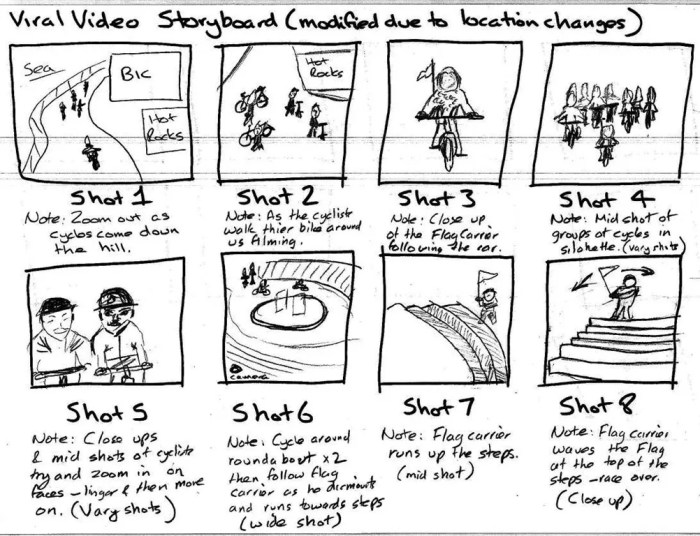
Storyboarding is a visual planning tool used in filmmaking, animation, and other visual media to pre-visualize the sequence of shots in a scene or an entire project. It’s essentially a comic book version of your film, allowing you to plan camera angles, character movements, and overall pacing before committing to expensive production. This process significantly reduces production time and improves the final product’s quality by allowing for adjustments and refinements during the planning stage.
Core Components of a Storyboard Frame
Each storyboard frame represents a single shot in the final product. A typical frame includes a visual representation of the scene (a sketch), camera angle notations (e.g., wide shot, close-up), action descriptions, and dialogue if applicable. These elements work together to communicate the intended visual and narrative flow of the story. The level of detail in each frame varies depending on the project’s complexity and the storyboarder’s style, but clarity and consistency are key.
Storyboard Layouts: Single-Frame vs. Multi-Panel
Single-frame storyboards are used for simple shots or scenes requiring minimal visual information. Each frame depicts a single shot. Multi-panel storyboards, on the other hand, allow for the representation of more complex actions or scene transitions within a single frame. They might show multiple panels within one frame, depicting a sequence of events happening in quick succession. For instance, a multi-panel frame might show a character walking towards a door, opening it, and stepping inside—all within a single storyboard panel. The choice between single-frame and multi-panel layouts depends on the complexity of the action being depicted.
Common Storyboard Symbols and Their Meanings
Storyboards often utilize symbols to quickly convey information about camera angles, movement, and other technical details. For example, a circle with a line through it might indicate a camera wipe transition, an arrow might denote character movement, and different sized rectangles might represent different shot types (e.g., extreme close-up, close-up, medium shot, wide shot, extreme wide shot). These symbols help streamline the communication process and allow for efficient visual storytelling. A consistent key for symbols should be established at the beginning of any storyboard project.
Creating a Thumbnail Sketch for a Storyboard Frame
Creating a thumbnail sketch involves quickly sketching the essential elements of the scene, focusing on composition, character placement, and key action. Detailed rendering is not necessary at this stage; the goal is to capture the essence of the shot in a small, easily manageable sketch. Think of it as a visual note-taking process. This quick sketch helps to quickly communicate the visual idea and aids in the development of a more detailed storyboard frame later.
Example Storyboard Frame: Surprising Event
Imagine a character, let’s call him Alex, sitting at a desk working on a computer. The frame is a medium shot, showing Alex from the waist up. The scene is set in a dimly lit office. Suddenly, a large rubber chicken falls from the ceiling onto his head. The storyboard frame would show Alex at his desk in the first panel, then a panel showing the chicken falling, and finally a panel showing Alex with a surprised expression, the chicken on his head, his arms flailing slightly. The camera angle remains consistent throughout the three panels. The action line would read something like: “Alex works on computer… CHICKEN FALLS!… Alex jumps, startled.” This multi-panel approach effectively conveys the surprise and the character’s reaction.
Efficient Storyboarding Techniques for Time Management
Creating a storyboard within a tight timeframe requires strategic planning and efficient techniques. This section focuses on practical methods to streamline your workflow and maximize your 30 minutes. We’ll explore time-saving sketching strategies, compare digital and analog approaches, and examine the benefits of using pre-made templates. Finally, a sample workflow will be presented to guide you through the process.
Effective storyboarding within a time constraint hinges on prioritizing speed and clarity. Avoid unnecessary detail in early stages, focusing instead on conveying the core narrative elements. Remember that the storyboard is a tool for you, not a polished piece of art at this stage.
Quick Sketching Techniques for Storyboard Frames
Rapid sketching is crucial for efficient storyboarding. Focus on capturing the essential action and composition of each scene rather than meticulous detail. Use simple shapes and stick figures to represent characters, and employ basic linework to define the environment. Practice loose, expressive sketching to accelerate the process. Think thumbnails, not masterpieces. Consider using a lightbox or tracing paper to quickly duplicate or adjust layouts.
Comparison of Digital and Analog Storyboarding Methods
Digital and analog storyboarding methods each offer unique advantages and disadvantages regarding time management. Analog methods, using pen and paper, offer immediate tactile feedback and are readily accessible, but scanning and editing can be time-consuming. Digital methods, using software like Storyboarder or Photoshop, allow for easy revision and sharing but require a learning curve and access to technology. The best method depends on personal preference, project requirements, and available resources. For a 30-minute storyboard, analog might offer quicker initial sketching, while digital excels in revisions and final presentation.
Utilizing Pre-made Storyboard Templates
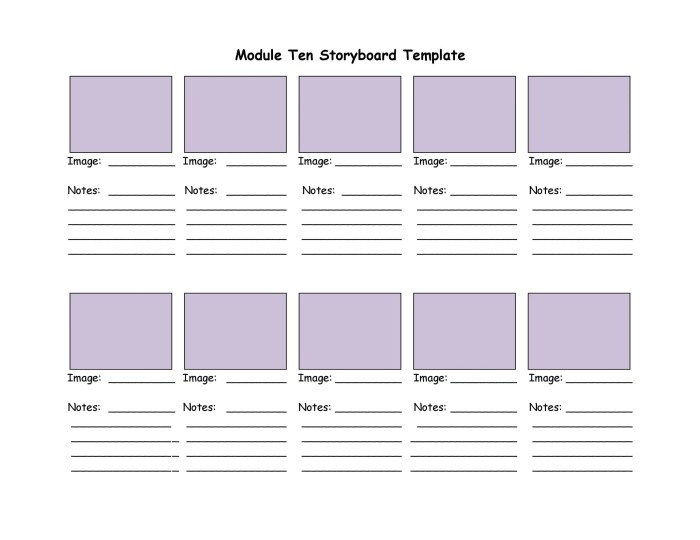
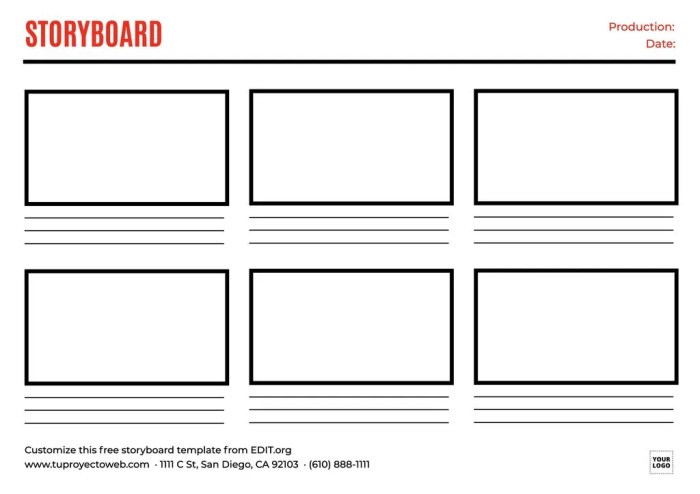
Pre-made templates can significantly reduce setup time. Many free and paid templates are available online, offering various layouts and styles. These templates provide pre-defined panels and often include helpful guides for composition and scene descriptions. Choosing a suitable template allows you to immediately begin sketching your scenes, eliminating the time needed for designing a layout from scratch. This is particularly beneficial when working against the clock.
A Sample 30-Minute Storyboard Workflow
This sample workflow allocates time effectively for a short storyboard.
| Time Segment | Task | Duration |
|---|---|---|
| 0-5 minutes | Planning & Template Selection: Define key scenes and select a suitable template. | 5 minutes |
| 5-20 minutes | Sketching: Quickly sketch key scenes, focusing on action and composition. | 15 minutes |
| 20-25 minutes | Annotation: Add brief descriptions, dialogue, and camera directions. | 5 minutes |
| 25-30 minutes | Review & Refinement: Quickly review and make minor adjustments. | 5 minutes |
Prioritizing Essential Scenes Under Time Constraints
When time is severely limited, prioritize the most crucial scenes that drive the narrative forward. Focus on the climax, key turning points, and moments of high emotional impact. Less important scenes can be represented with simpler sketches or even omitted entirely. Remember that the goal is to effectively communicate the core narrative, not to create a comprehensive visual representation of every moment. For instance, in a short film about a robbery, you might prioritize the scenes of the planning, the execution, and the getaway, while minimizing scenes of the characters’ daily routines.
Applying Storyboarding to Different Media
Storyboarding isn’t limited to film; its visual planning power extends to various media. Adapting the core principles to different formats requires understanding the unique characteristics of each medium and adjusting your approach accordingly. This section will explore how storyboarding techniques translate across video advertisements, graphic novels, animation, live-action film, and interactive narratives.
Storyboarding for Video Advertisements
A short video advertisement needs to grab attention quickly and deliver a clear message. Visual storytelling is paramount. Consider a 15-second advertisement for a new energy drink. The storyboard might begin with a shot of a person looking exhausted, slumped over a desk (Panel 1). Panel 2 shows the person taking a sip of the energy drink, their expression shifting to one of invigorated energy. Panel 3 depicts them tackling their work with renewed focus and speed, perhaps even a dynamic action shot. Panel 4 shows the drink can prominently displayed with the brand logo and a tagline: “Unleash Your Potential.” Each panel is concise, visually striking, and contributes to the overall narrative arc of revitalization and increased productivity. The focus is on showing, not telling.
Storyboarding for Graphic Novels
Panel composition is crucial in graphic novels. Consider a scene where a detective investigates a crime scene. Panel 1: A close-up of a single, blood-stained glove lying on the floor, creating suspense. Panel 2: A wider shot of the room, showing the detective examining the glove, their face partially obscured by shadow, suggesting mystery. Panel 3: A smaller panel, perhaps a close-up of a clue overlooked by the detective, highlighting a detail that will be significant later in the narrative. Panel 4: A full-page spread showcasing the entire crime scene from a high angle, allowing the reader to absorb the environment and understand the scale of the event. The varying panel sizes and perspectives build tension and guide the reader’s eye through the scene.
Storyboarding for Animation Versus Live-Action Film
Animation storyboards often include more detailed character poses and expressions, along with precise camera angles and movement specifications, as animators rely heavily on these visual guides. Live-action storyboards, conversely, tend to be less detailed in terms of character animation but might focus more on camera setups, lighting, and blocking (actor placement). For instance, an animated fight scene storyboard would show frame-by-frame action, while a live-action fight scene storyboard would concentrate on the overall camera movement and the actors’ positions for each shot. The level of detail needed reflects the different production processes.
Storyboarding for Interactive Narratives
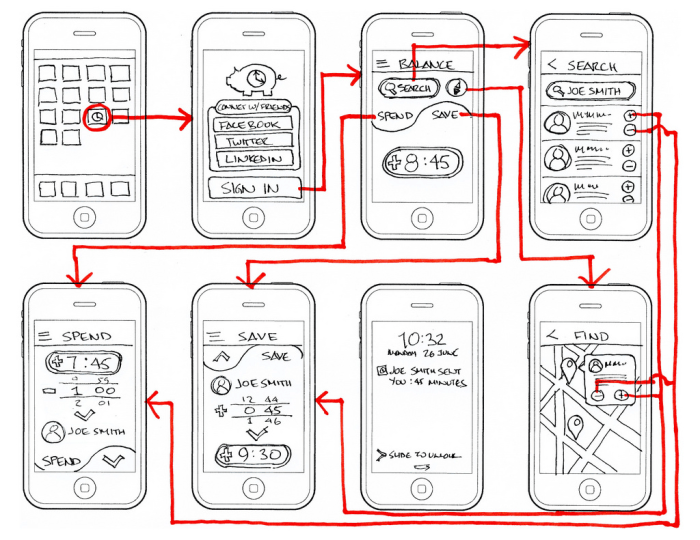
Interactive narratives, such as video games, require storyboards that account for player choice and branching paths. Each storyboard panel might represent a decision point, with multiple subsequent panels branching out depending on the player’s action. For example, a panel might show the player character facing a locked door. One branch leads to a panel showing the character finding a key, while another might show the character attempting to force the door open, resulting in a different outcome. This approach ensures the storyboard anticipates the dynamic nature of the interactive experience.
Incorporating Sound and Dialogue Descriptions into Storyboard Frames
Sound and dialogue are integral to storytelling, even in a visual medium. Incorporating these elements into storyboards enhances the narrative’s impact. Below each panel, brief descriptions can be added. For example, beneath a panel depicting two characters arguing, one might write: “SOUND: Angry shouts, breaking glass. DIALOGUE: ‘You lied to me!’ ‘It wasn’t like that!'”. This adds layers of context and helps to fully realize the scene. For scenes with significant ambient sound, descriptions like “SOUND: Distant city noise, faint sirens” provide a richer sensory experience for the viewer or reader.
Ultimate Conclusion
Creating effective storyboards efficiently is achievable with the right approach. By focusing on core components, employing time-saving strategies, and adapting techniques to suit your specific medium, you can transform your ideas into compelling visual narratives in a remarkably short timeframe. This guide has provided the foundation; now, put your newfound skills into practice and witness the power of concise, impactful visual storytelling.